All CA practice menus
- Getting started
- Clients and onboarding
- Bookkeeping
- Bank reconciliation
- GST returns
- TDS
- Month-end and statements
- Your practice: calendar, fees and time
- The client app
GST returns
For: Accountants
GSTR-1 is prepared from the sales books, purchase invoices are reconciled with GSTR-2B before claiming input credit, and GSTR-3B is checked against both.
New here? Start with Getting started.
Videos
2B reconciliation 0:46
Match the client's purchase bills against what suppliers reported.
Transcript
Hi, I'm Zuzu. Before claiming input credit, let's check the client's purchase bills against their GSTR-2B.
In GST, open 2B reconciliation.
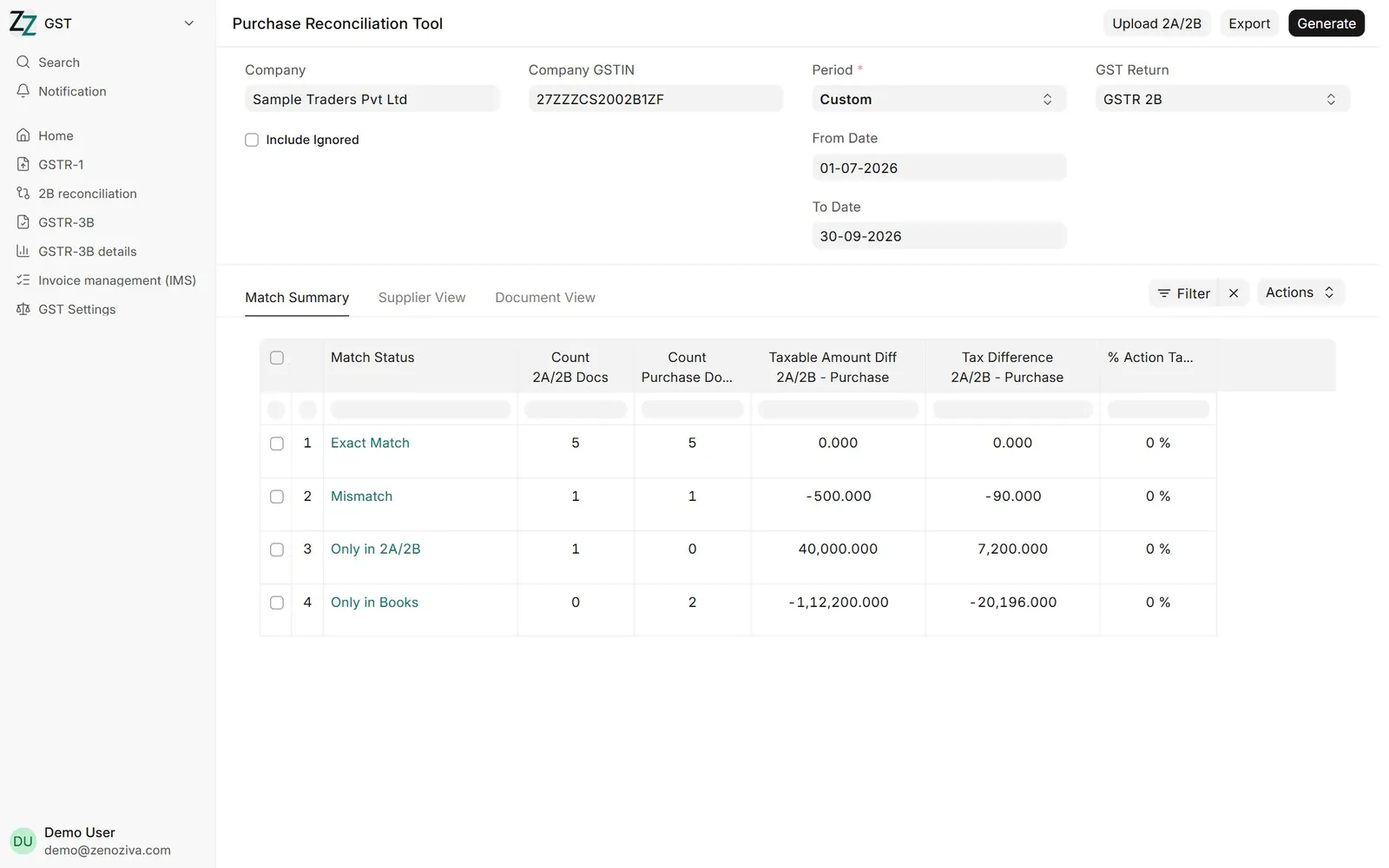
Choose the company, its GSTIN, and the period. Then click Generate. Bills are sorted into exact match, mismatch, only in 2B, and only in your books.
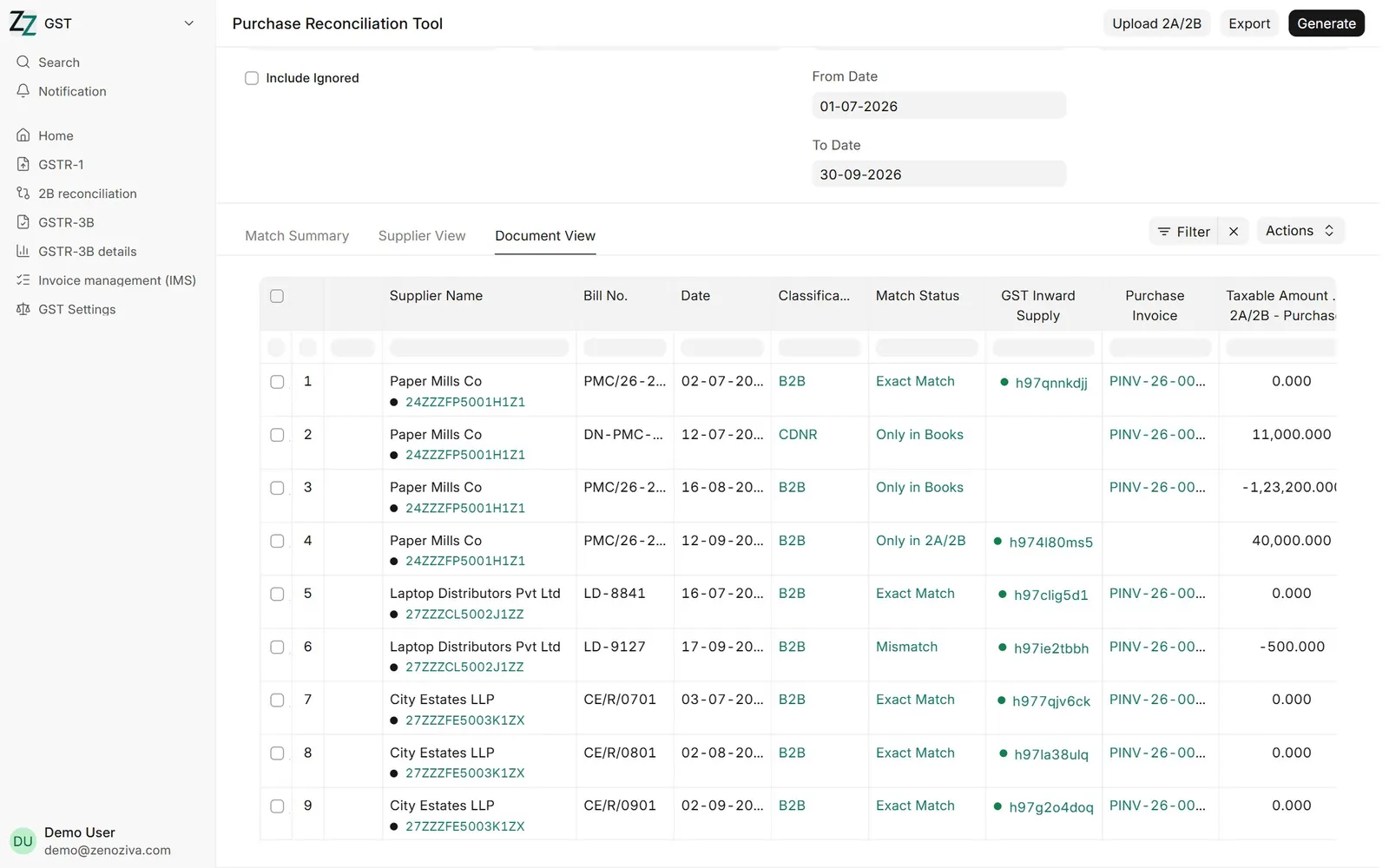
Document view lists each bill, with what the supplier reported and what you booked. Link, accept, or ignore each one, or write to the supplier about it.
That's it! Need a hand? Visit zenoziva.com
GSTR-1 and GSTR-3B 0:49
Prepare the month's returns from the books, and record the payment.
Transcript
Hi, I'm Zuzu. Let's prepare a client's monthly GST returns, straight from the books.
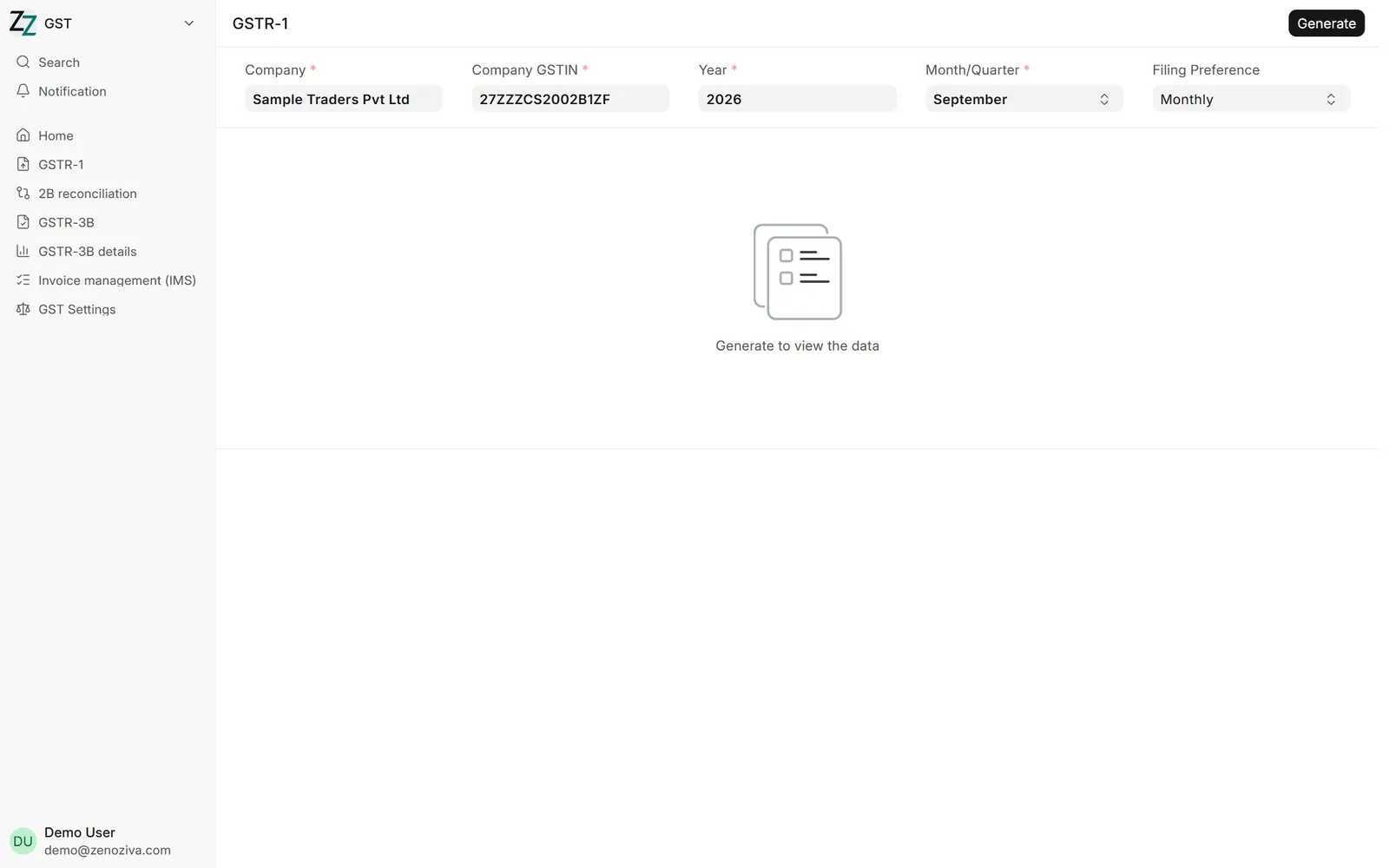
In GST, open GSTR-1. Choose the company, GSTIN and month, and click Generate. B2B, B2C, credit notes and the HSN summary are filled from the sales invoices, ready to upload.
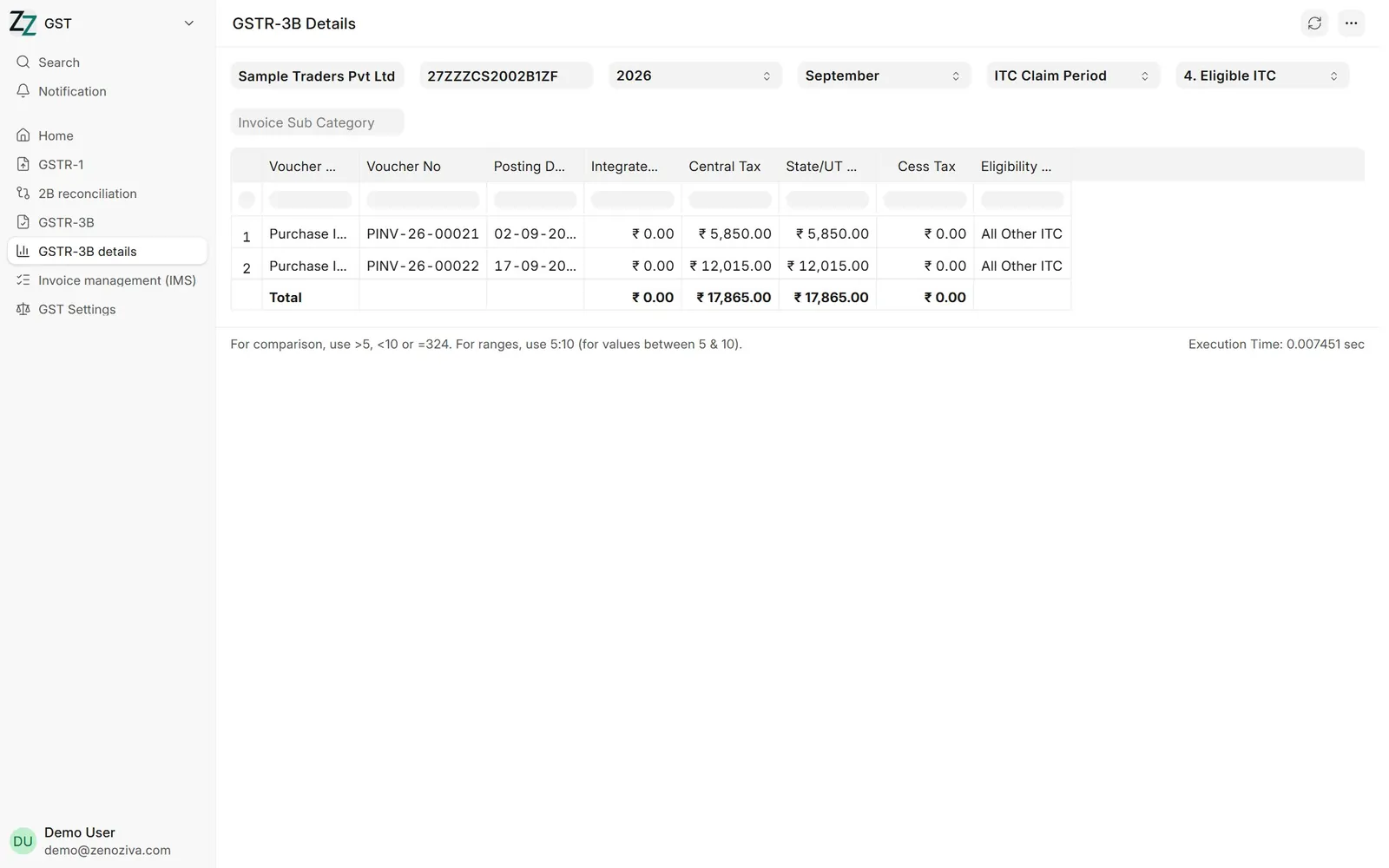
GSTR-3B details shows, section by section, the figures that go into 3B, such as eligible input credit, invoice by invoice.
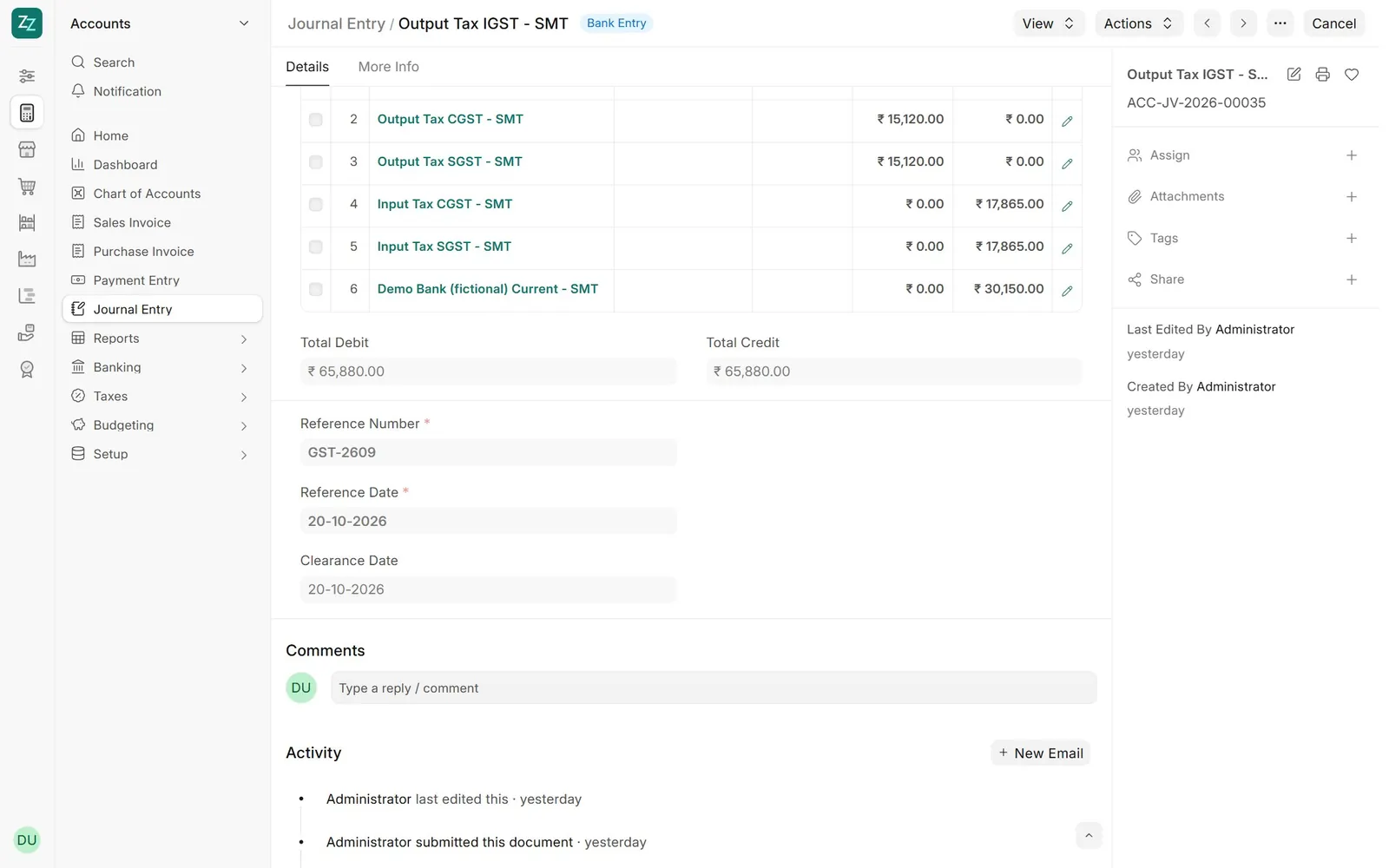
When you file, output tax is set off against input credit, and the balance paid by challan is recorded as a journal entry with the challan reference.
That's it! Need a hand? Visit zenoziva.com
Step by step
1The GST menu#
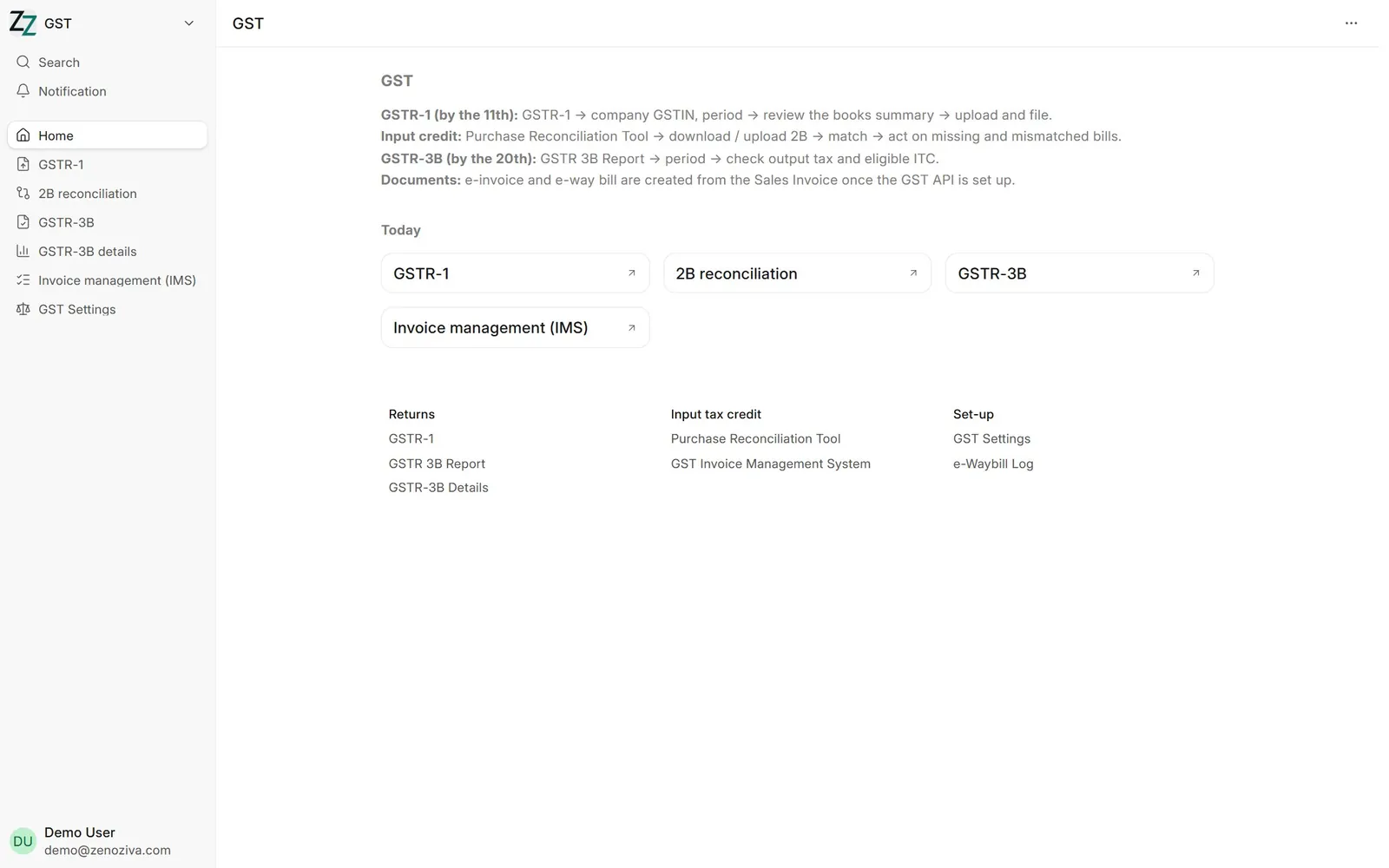
GSTR-1, 2B reconciliation, GSTR-3B and the invoice management system (IMS), with the due dates as a reminder.
2GSTR-1#
GSTR-1: company, GSTIN, year and month, then Generate. The summary of books then shows each section (B2B, B2C, credit notes, documents issued, HSN summary) as it applies, ready to upload and file.
32B reconciliation#
Purchase Reconciliation Tool: company, GSTIN, period and GSTR 2B, then Generate. Bills are sorted into Exact Match, Mismatch, Only in 2A/2B and Only in Books.
4Bill by bill#
Document View lists each bill with what the supplier reported and what you booked. Link, accept or ignore each one, or write to the supplier.
5GSTR-3B input credit#
The GSTR-3B Details report shows, section by section, the figures that go into 3B, such as eligible ITC by invoice.
6Paying GST#
With 3B, output tax is set off against input credit and the balance paid by challan, recorded as a journal entry with the challan reference.