All Pharmacy chain menus
- Getting started
- Medicines, batches and prices
- Central buying
- The distribution centre
- The store counter
- Schedule H and H1
- Expiry and returns
- The numbers
- The store app
The store counter
For: Pharmacists, store managers
Each store's counter is a Point of Sale. The pharmacist opens a shift, bills, takes payment and closes the shift with a cash count. The counter needs an internet connection.
New here? Start with Getting started.
Step by step
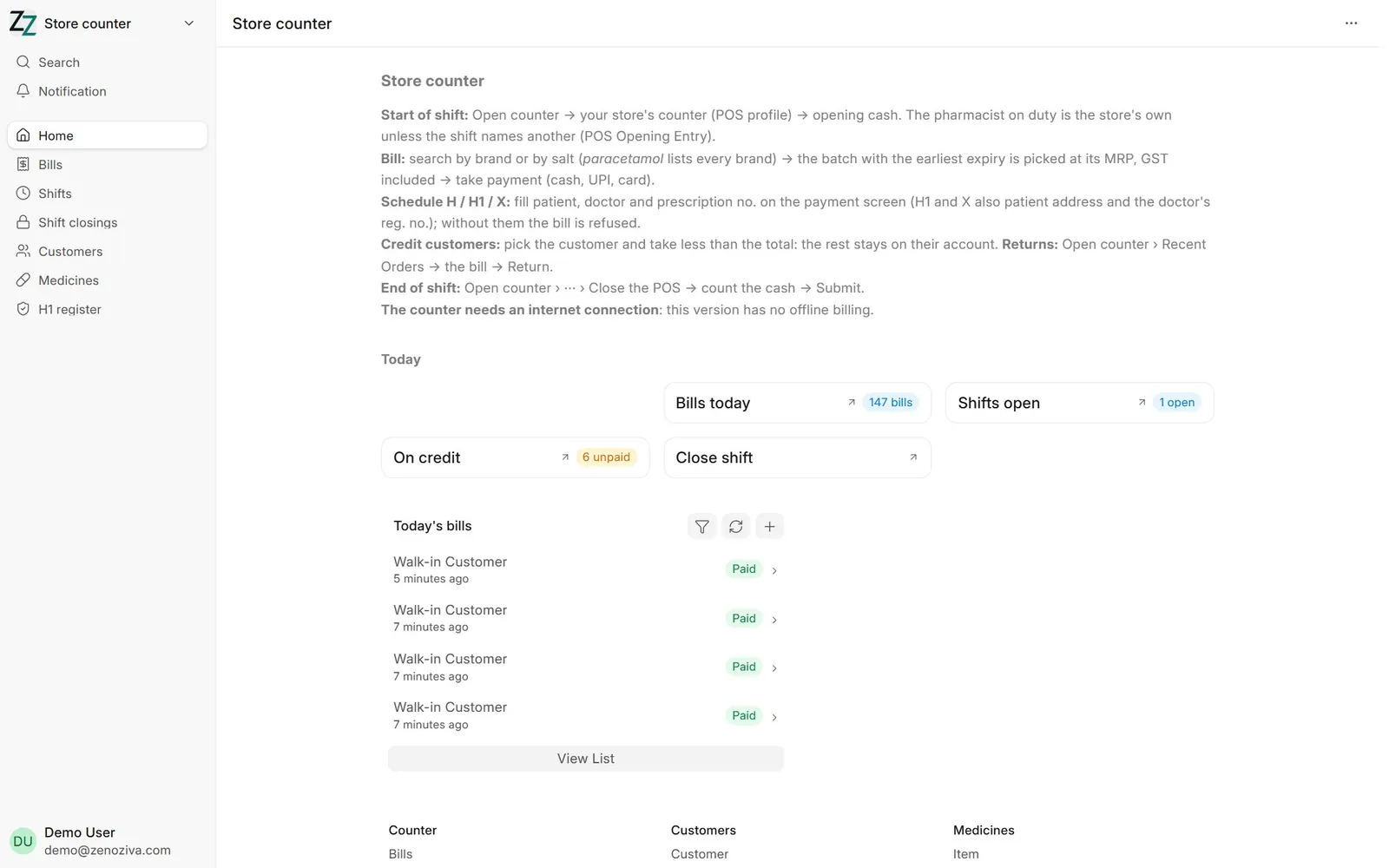
1Store counter#
Open counter, today's bills, shifts open and customers on credit.
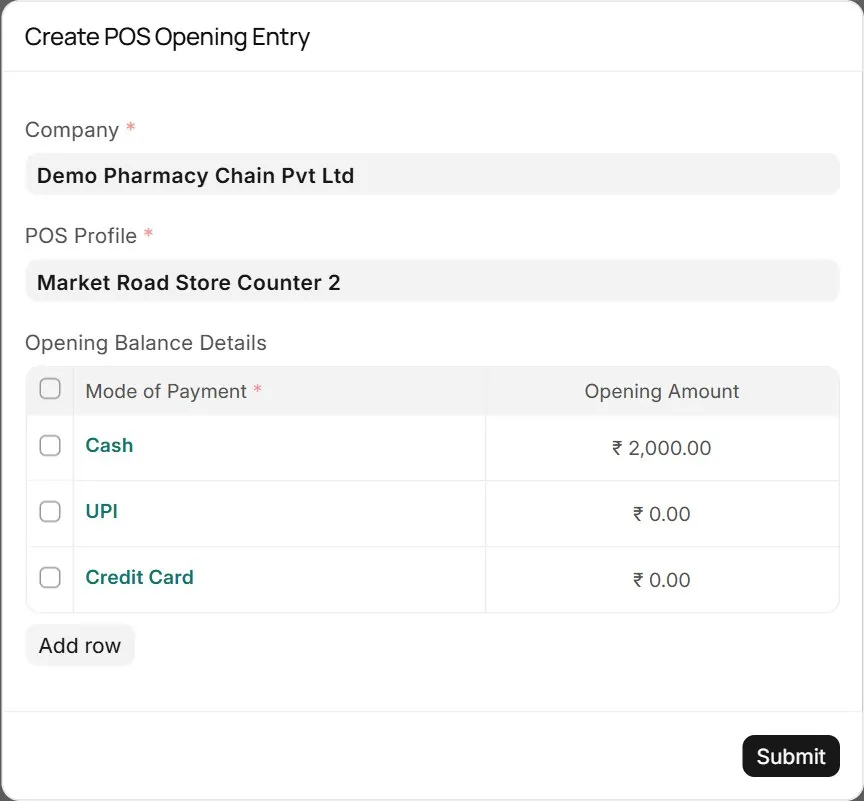
2Opening the shift#
Open counter → the store's counter → the cash in the drawer. The pharmacist on duty is the store's registered pharmacist unless the shift names another (POS Opening Entry).
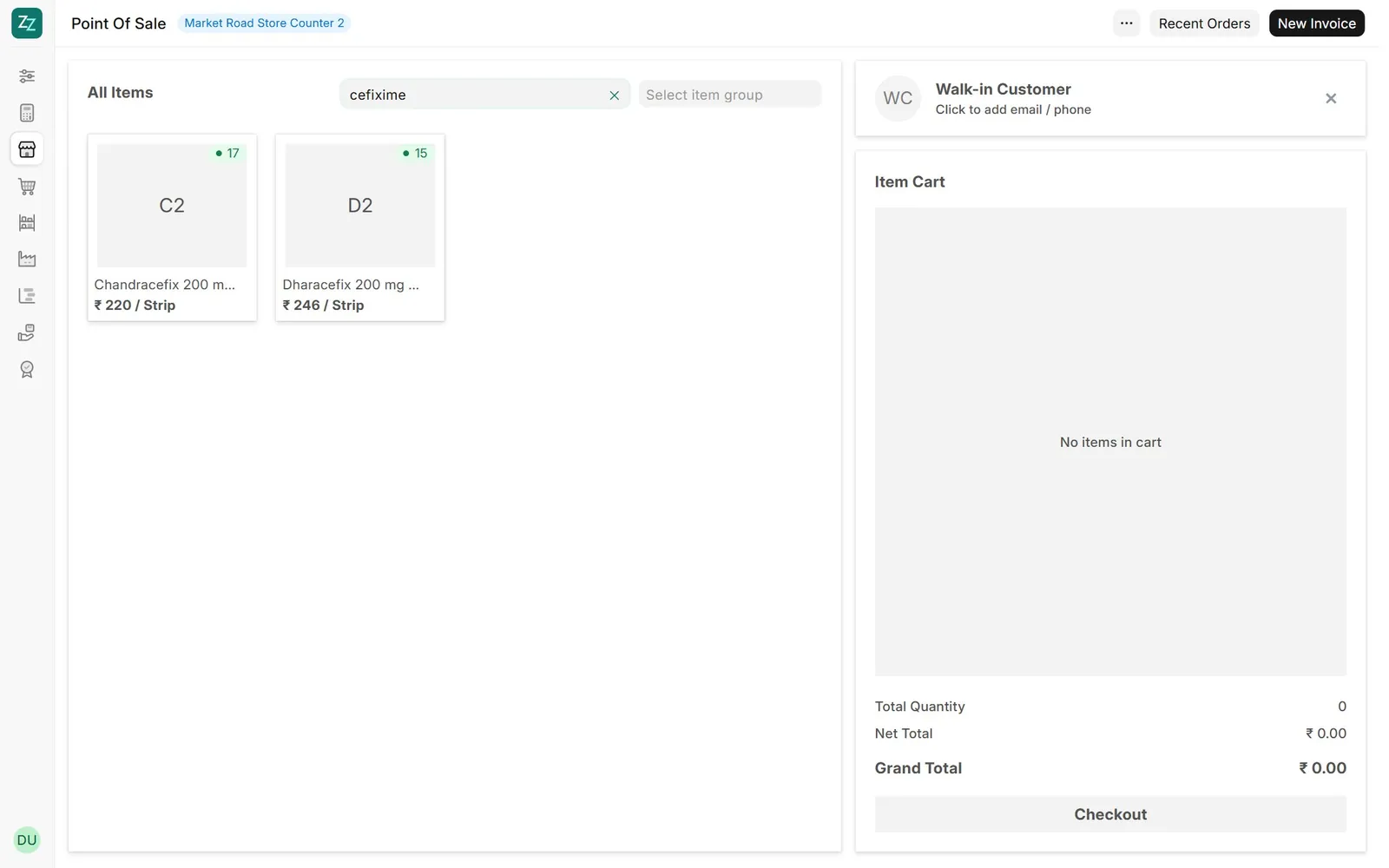
3Finding a medicine#
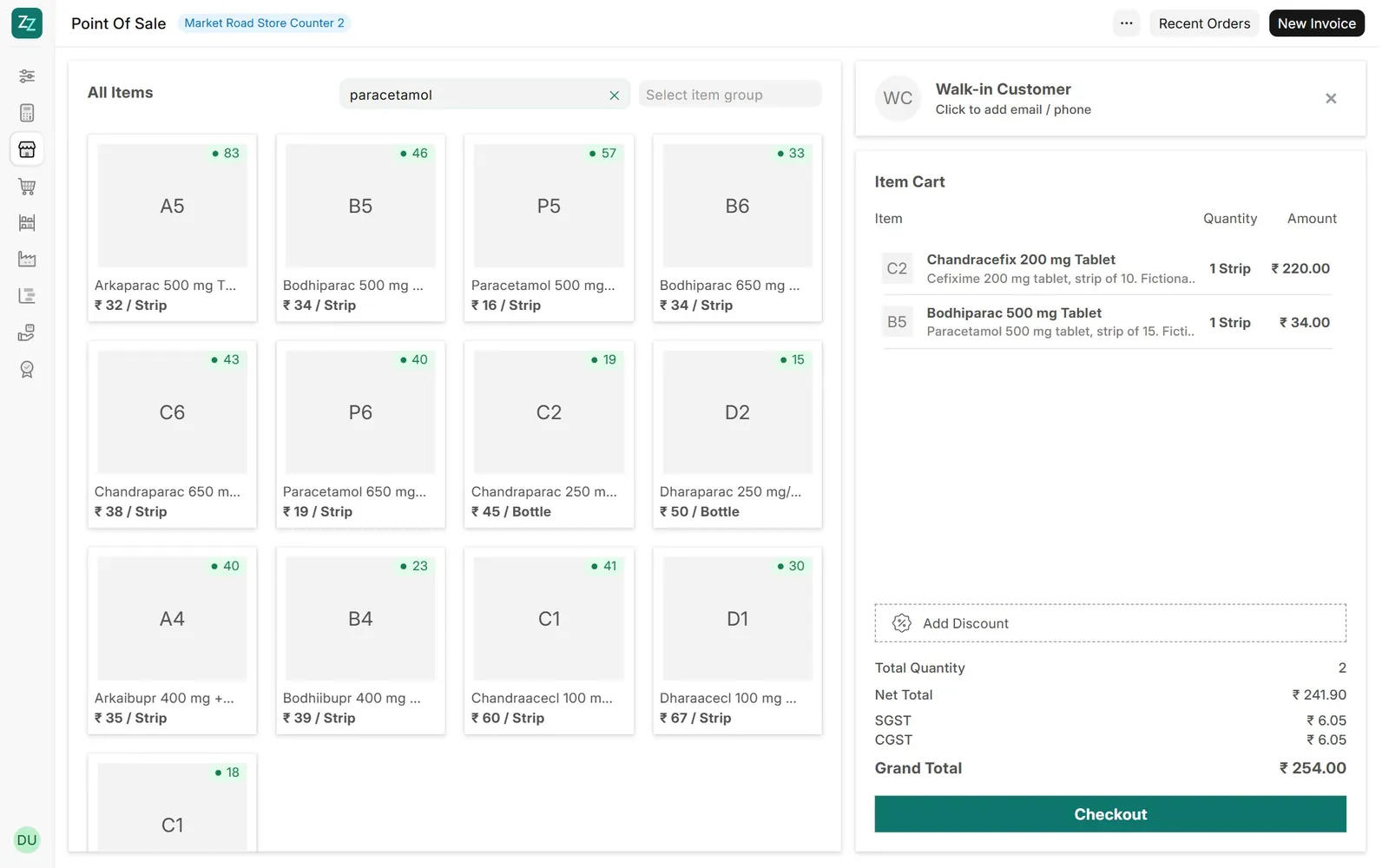
Type a brand, a code, or the salt: cefixime lists every brand and strength the store keeps, so a substitute is one tap away.
4The bill#
Add the medicines. The batch with the earliest expiry is picked and priced at its MRP, GST included. Quantities beyond the stock in the store are refused.
5Prescription medicines#
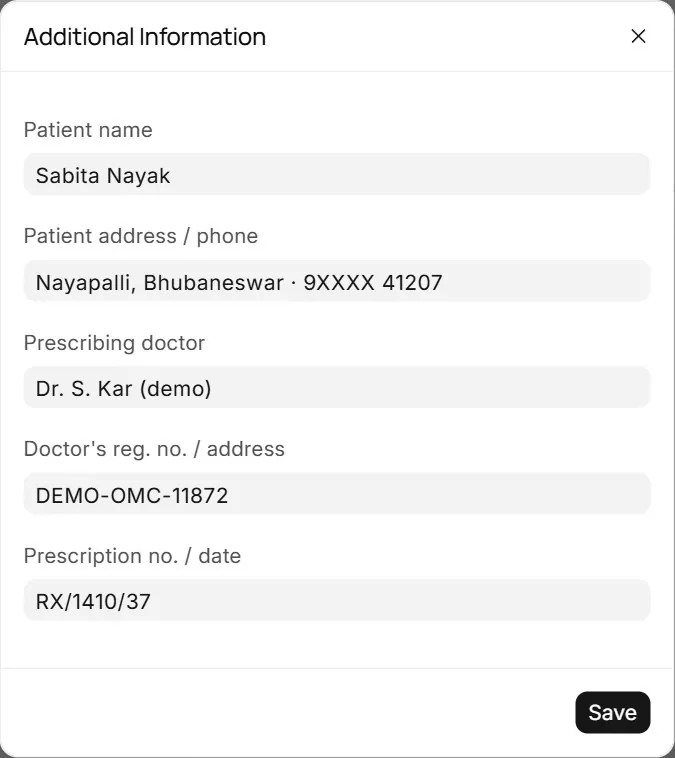
If the bill has a Schedule H, H1 or X medicine: on the payment screen, Update Additional Information → Patient name, Prescribing doctor and Prescription no. / date; for H1 and X also the patient's address and the doctor's reg. no. → Save, then take payment. Without them Complete Order is refused.
6The printed bill#
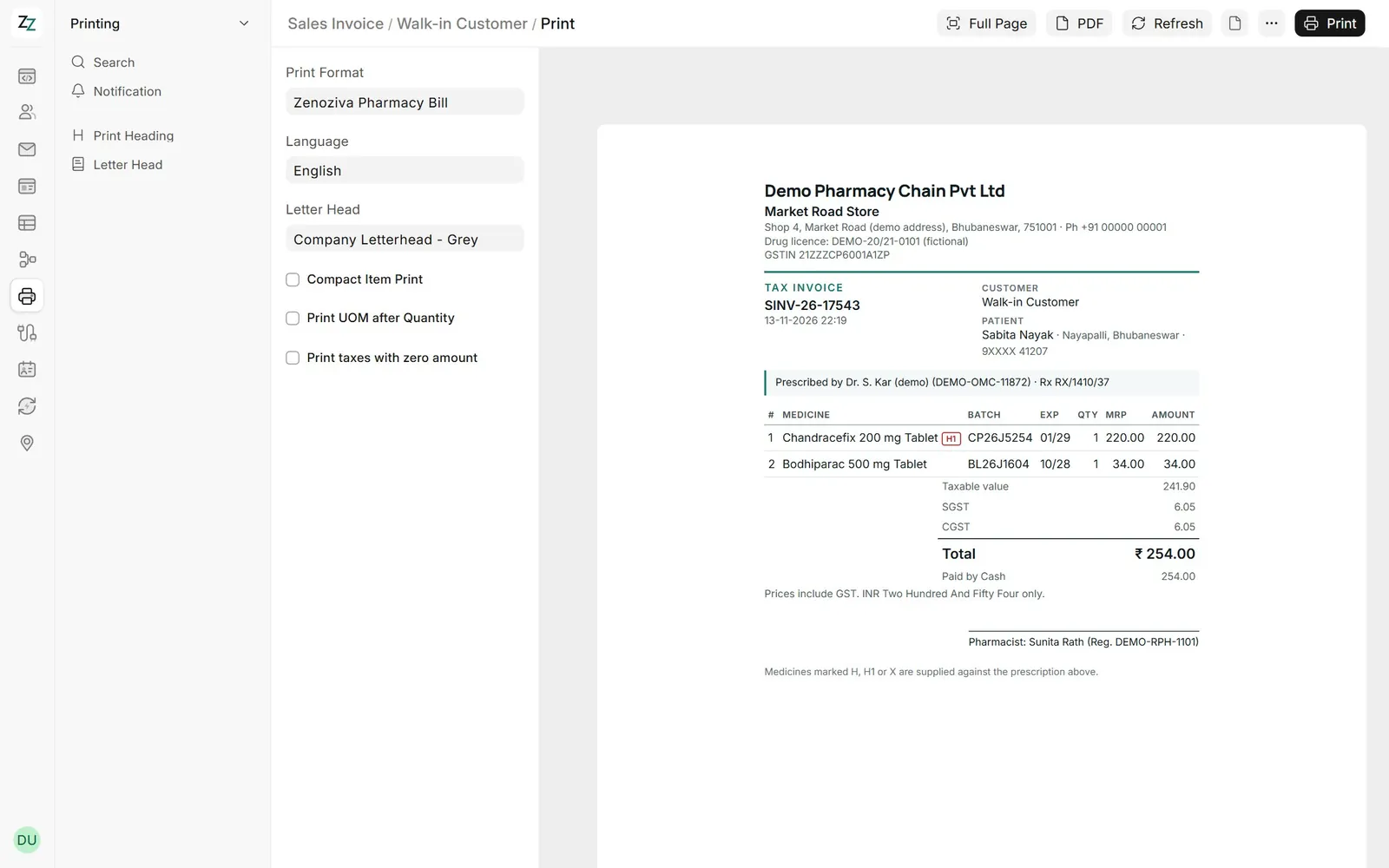
Store, address and drug licence, the batch, expiry and MRP of each line, the GST in the price, the payment, the prescription and the pharmacist on duty.
7Credit customers#
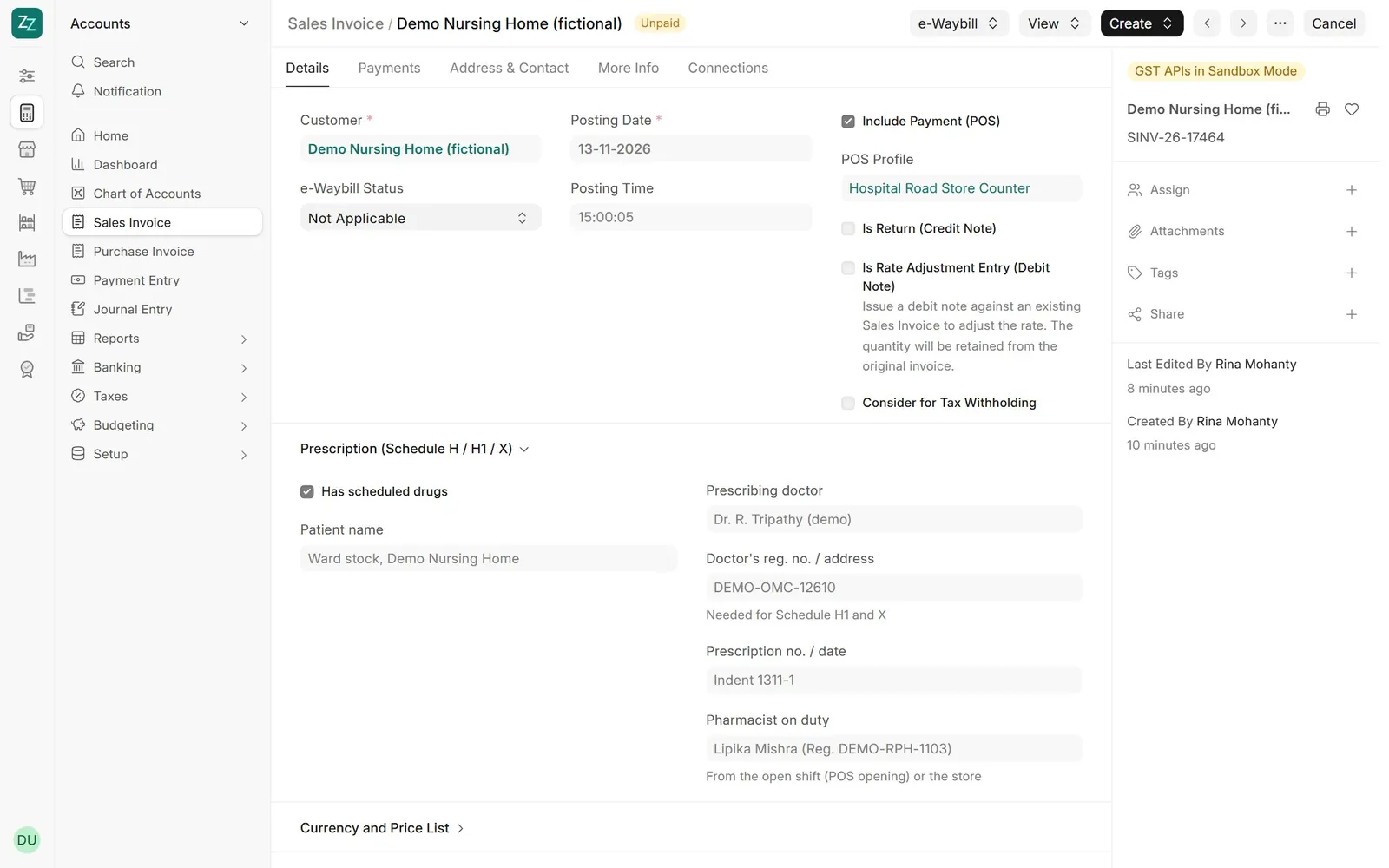
Choose the customer (a nursing home, a clinic) and take less than the total, or nothing: the rest stays on their account until they pay.
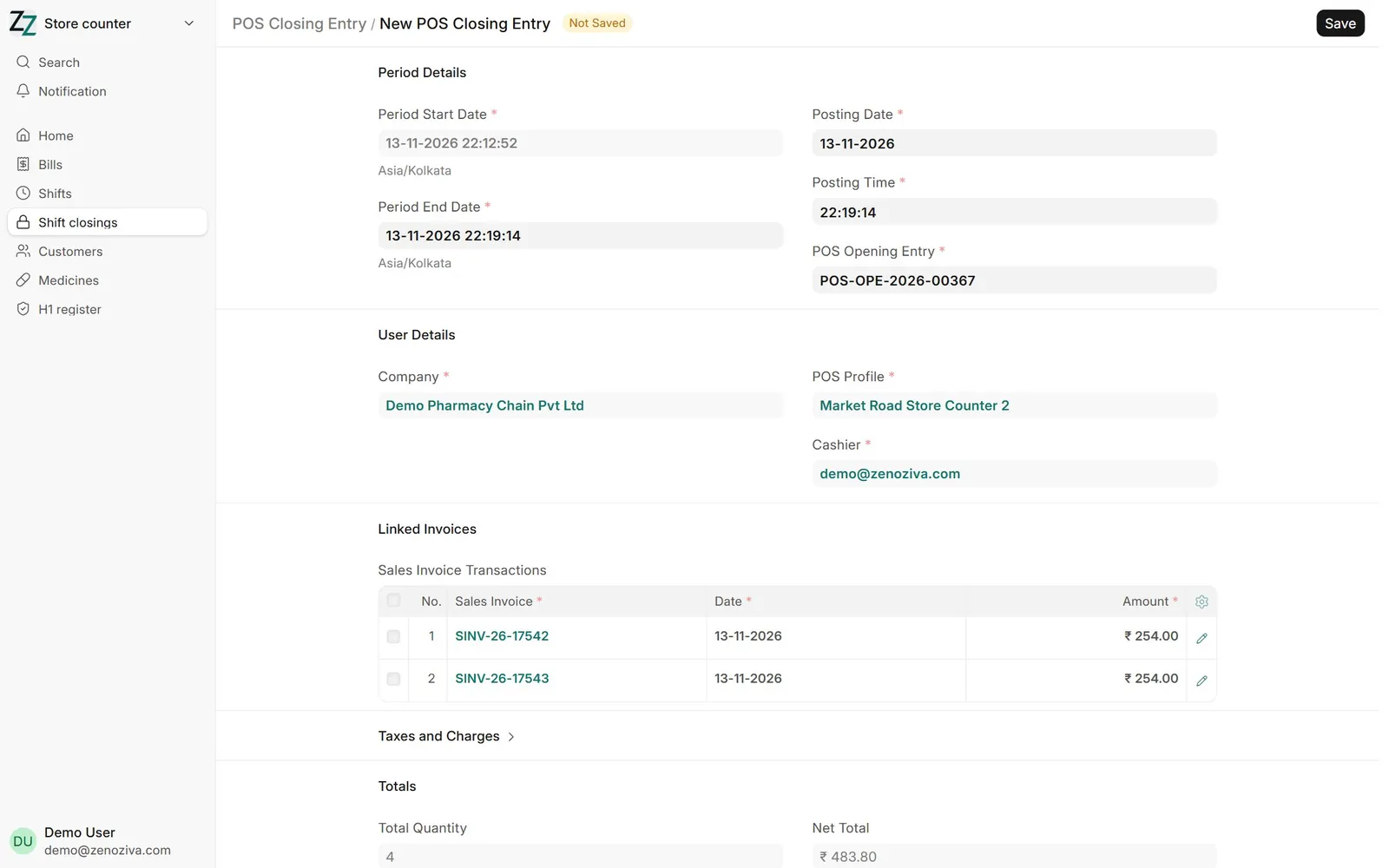
8Closing the shift#
⋯ › Close the POS: the expected cash, UPI and card totals; count the drawer and submit. Bills from earlier days cannot be added to a new shift.