All IT solutions menus
- Getting started
- Business overview
- Sales & quotes
- Purchase
- Stores & serials
- Projects & installation
- Service & AMC
- Accounts & GST
- Team, attendance and payroll
- The Zenoziva HR app
The Zenoziva HR app
For: Every employee
On the phone, staff open Zenoziva HR: your ERP address followed by /hrms, signed in with their own login. It can be added to the phone's home screen like an app.
New here? Start with Getting started.
Videos
The HR app on your phone 0:51
Check in, apply for leave, claim expenses, see your payslips.
Transcript
Hi, I'm Zuzu. Everyone in your team can do their HR work from their phone. Let me show you.
On the phone, open your company's ERP address followed by /hrms, and sign in. Add it to the home screen, and it works like an app.
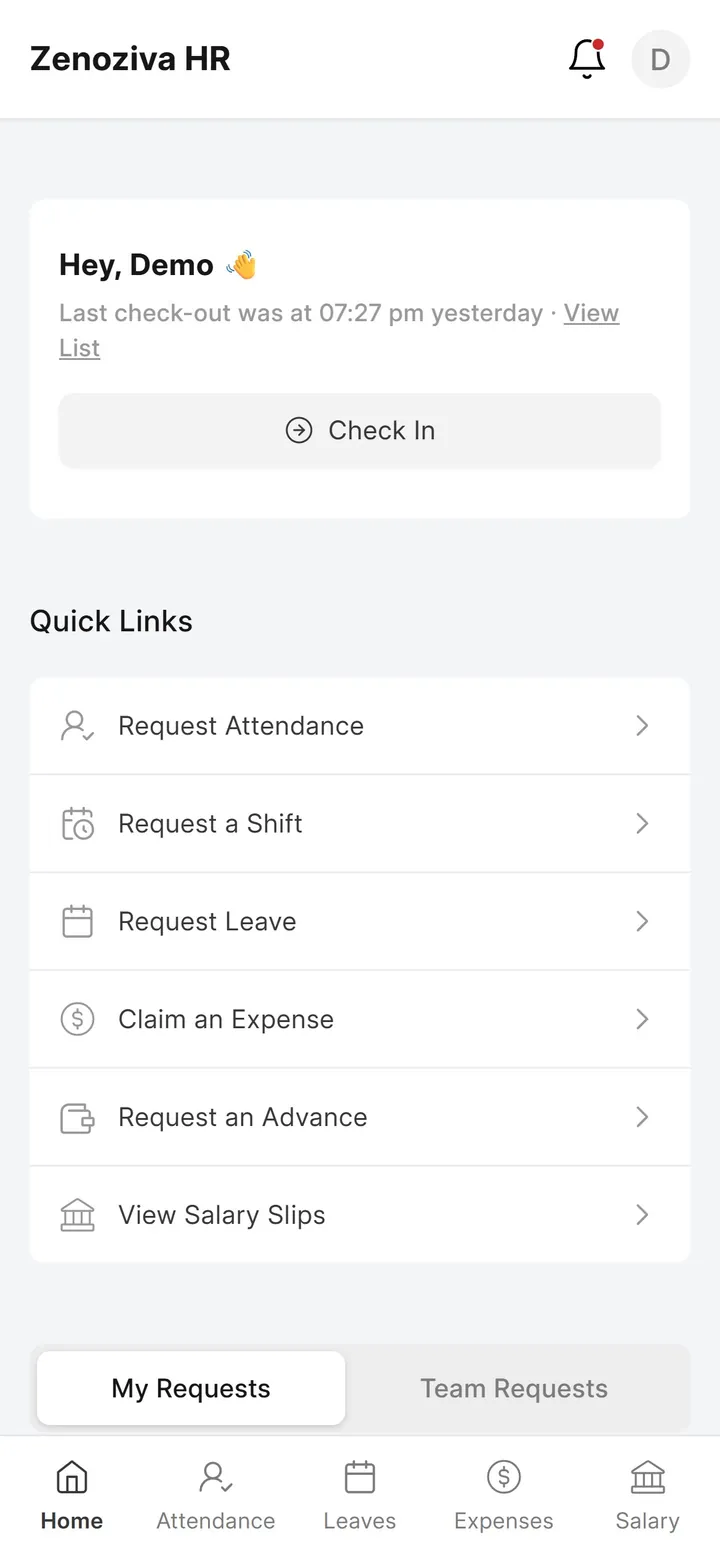
The home screen has quick links: attendance and shift requests, leave, expenses, advances, and your salary slips. Where your company allows it, you also check in and out here.
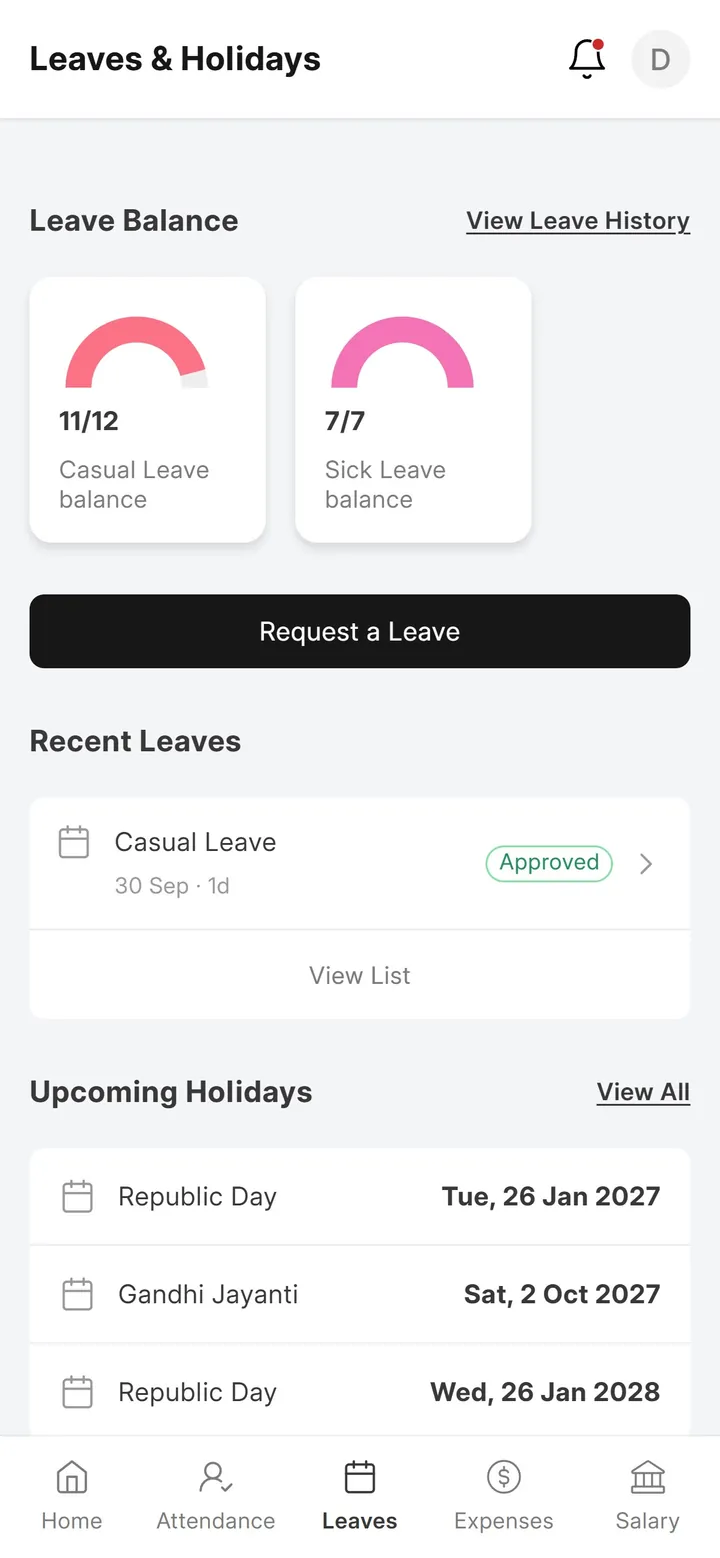
Leaves shows your balance and the coming holidays. Tap Request a Leave to apply. Your manager approves it.
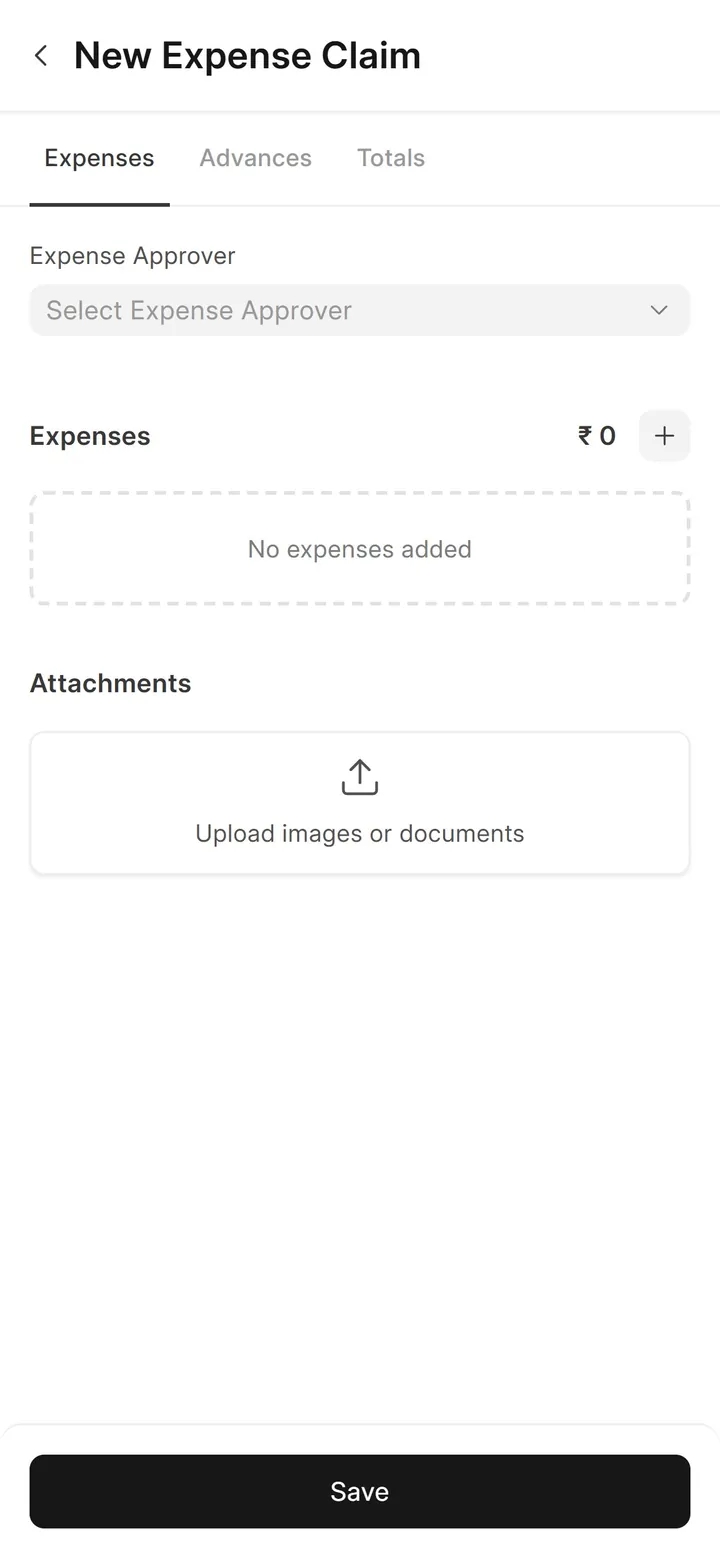
For site travel or food, tap Claim an Expense, and add a photo of the bill.
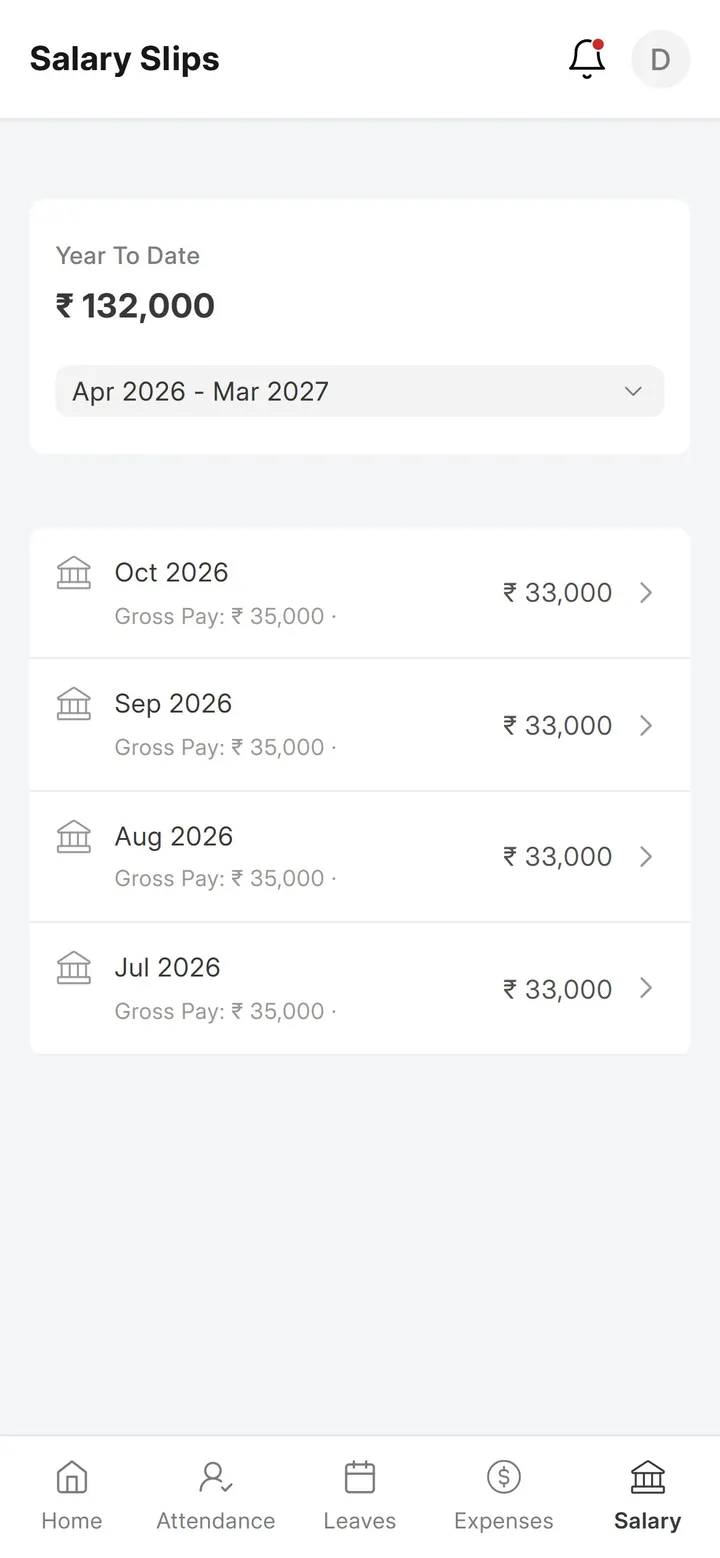
And Salary lists your payslips, month by month.
That's it! Need a hand? Visit zenoziva.com
Step by step
1Check in, and see your attendance#
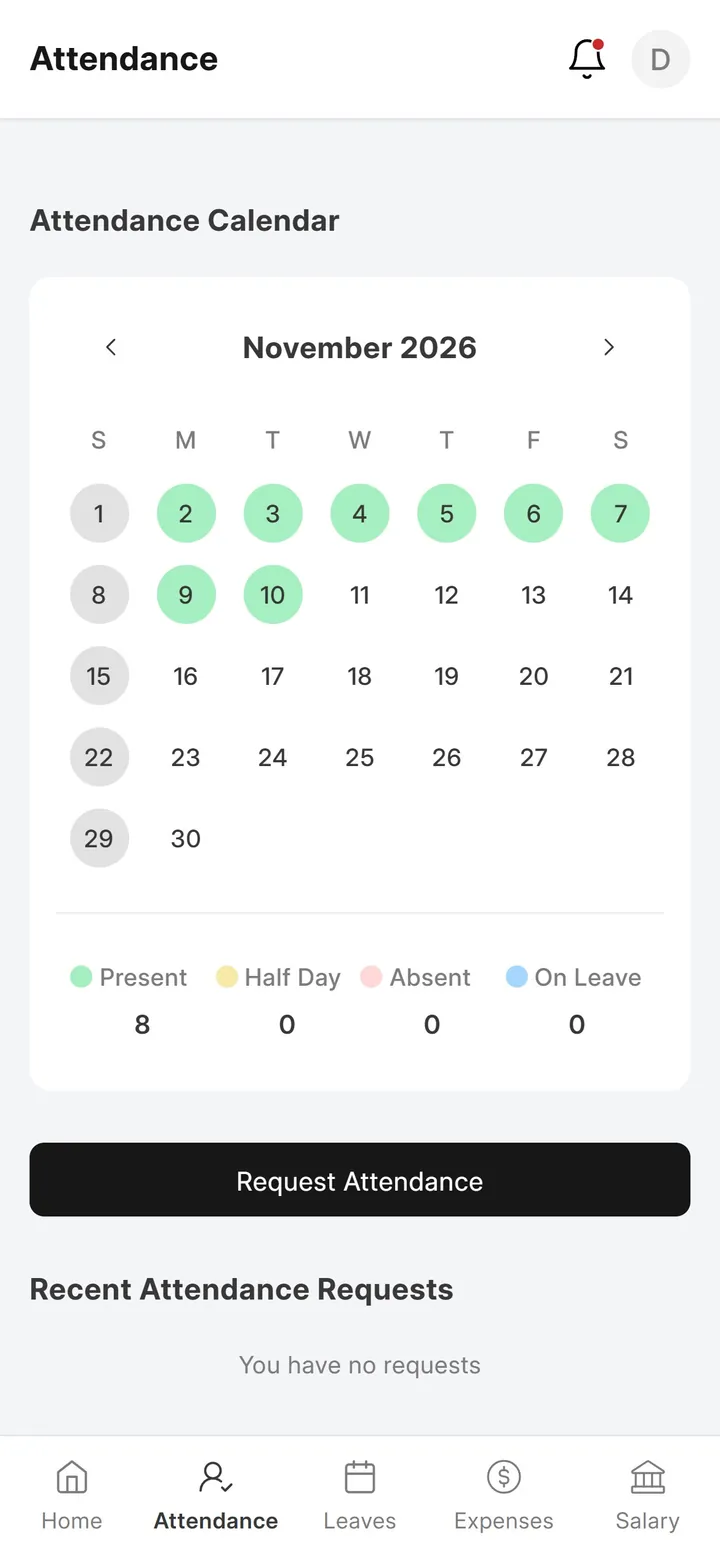
The home screen shows the last check-in and a Check In / Check Out button, with quick links for attendance, shift, leave, expense and advance requests and salary slips. Attendance shows the month as a calendar.
2Leave and expenses#
Leaves shows balances, recent leave and upcoming holidays; Request a Leave sends one for approval. Claim an Expense adds travel or food with a photo of the bill.
3Your claims and payslips#
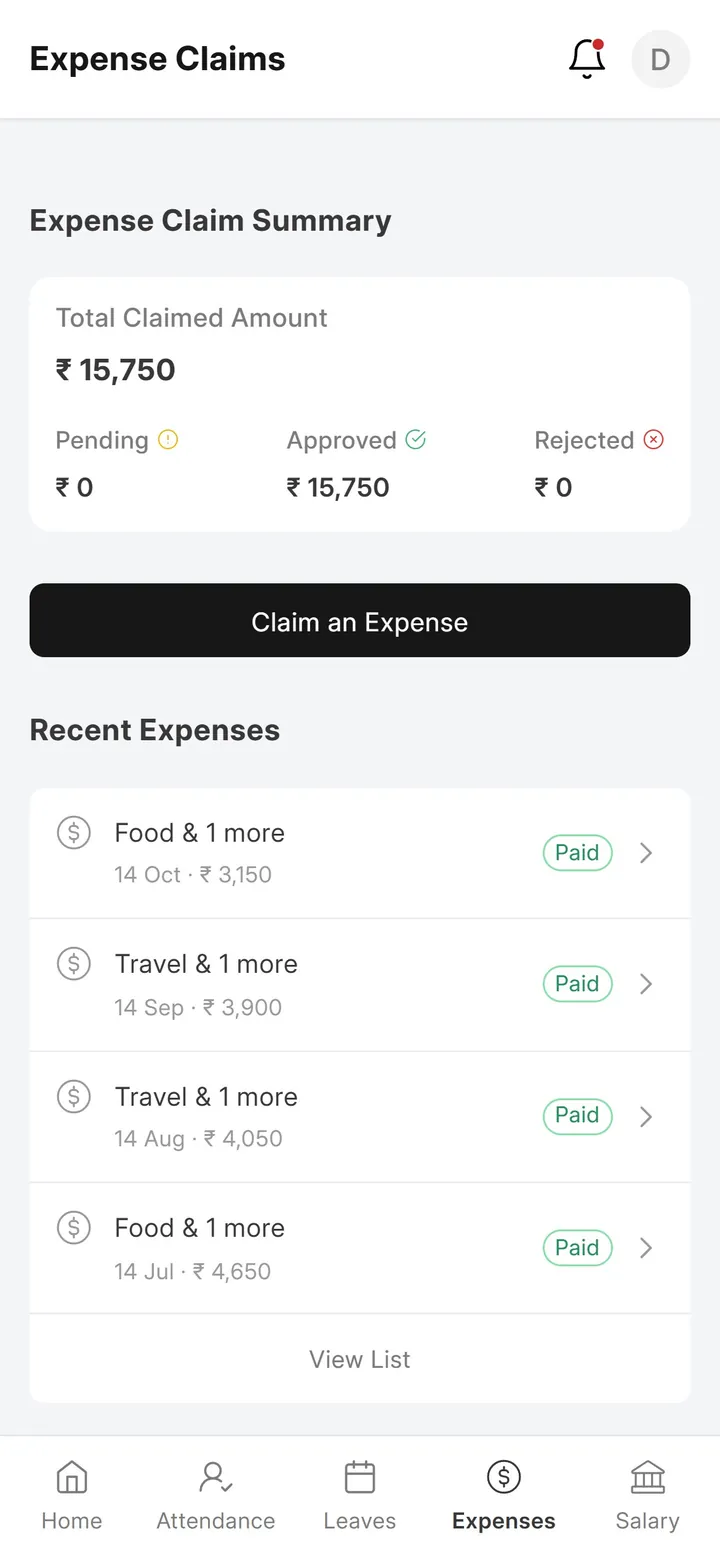
Expenses shows what you have claimed, what is approved and what has been paid. Salary lists your salary slips by payroll year; open one to see earnings, deductions and net pay.