All IT solutions menus
- Getting started
- Business overview
- Sales & quotes
- Purchase
- Stores & serials
- Projects & installation
- Service & AMC
- Accounts & GST
- Team, attendance and payroll
- The Zenoziva HR app
Stores & serials
For: Storekeeper
Every camera, NVR, switch, UPS and PC is tracked by serial number from the distributor to the customer's site. Cable, connectors and conduit are kept by quantity.
New here? Start with Getting started.
Videos
Receive goods with serial numbers 0:51
Every camera, switch and UPS gets its own serial number at the door.
Transcript
Hi, I'm Zuzu. The distributor's delivery has arrived. Let's receive it, with a serial number for every device.
In Purchase, open Orders to receive, and pick the order this delivery is for.
Click Create, then Purchase Receipt. Quantities and prices are copied from the order. Change them if the delivery differs.
Save and submit. The stock is now in your store.
Each device now has its own serial number, made for you, or scanned from the box. From here on, you can trace every one.
That's it! Need a hand? Visit zenoziva.com
Find any device 0:47
Type a serial number: where it came from, where it is, and its warranty.
Transcript
Hi, I'm Zuzu. A customer calls about a camera. Here's how to find everything about that one device.
Open Stores and serials, then Serial numbers. Type, or scan, the number on the device.
Open it. You see the item, the customer it went to, and when its warranty ends.
Further down: the purchase receipt it came in on, and when.
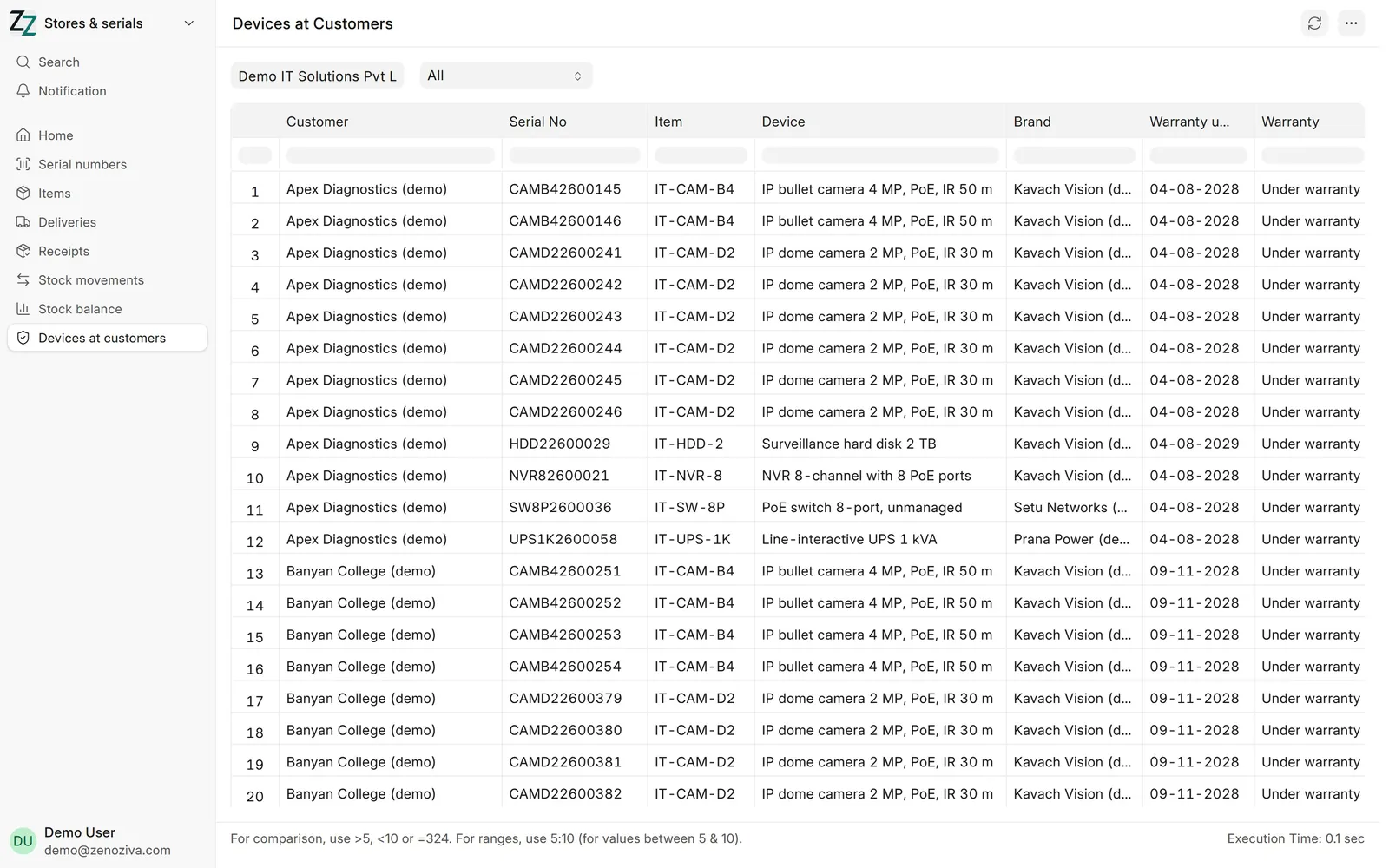
Devices at customers lists every installed device, by customer, with its warranty. Use it before a service visit or a renewal call.
That's it! Need a hand? Visit zenoziva.com
Deliver to site 0:51
Send the goods to the customer, with every serial number recorded.
Transcript
Hi, I'm Zuzu. The goods are ready to go to the customer's site. Let's make the delivery.
In Stores and serials, open Deliveries to make, and pick the order.
Click Create, then Delivery Note. The items and quantities are copied from the order.
Save and submit. Serial numbers are picked oldest first, unless you scan the ones in the box.
These are the serial numbers that went to this customer. The supply invoice and its e-way bill are made from this delivery.
That's it! Need a hand? Visit zenoziva.com
Step by step
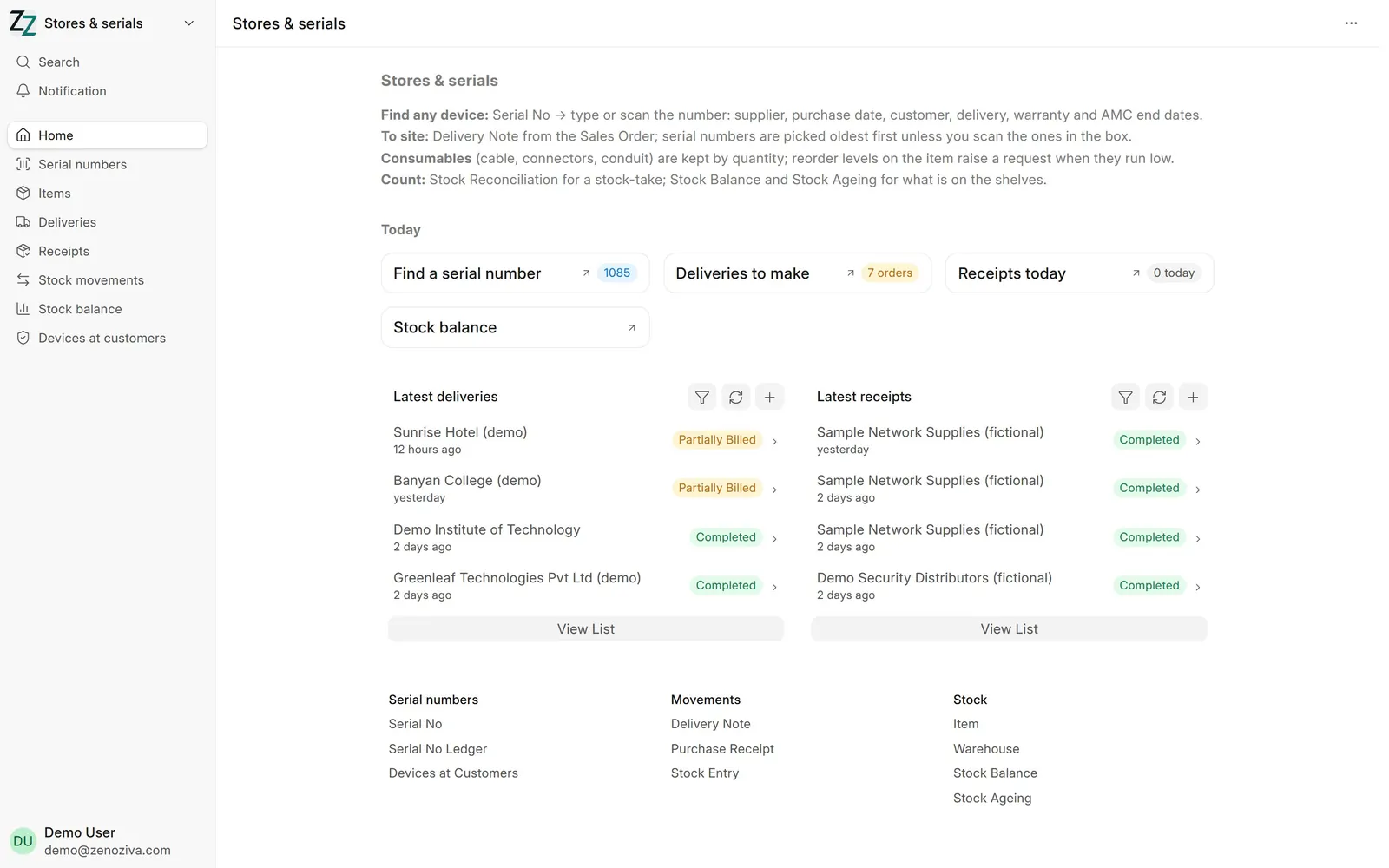
1The Stores & serials menu#
Find a serial number, Deliveries to make, receipts today and stock levels, with the latest deliveries and receipts.
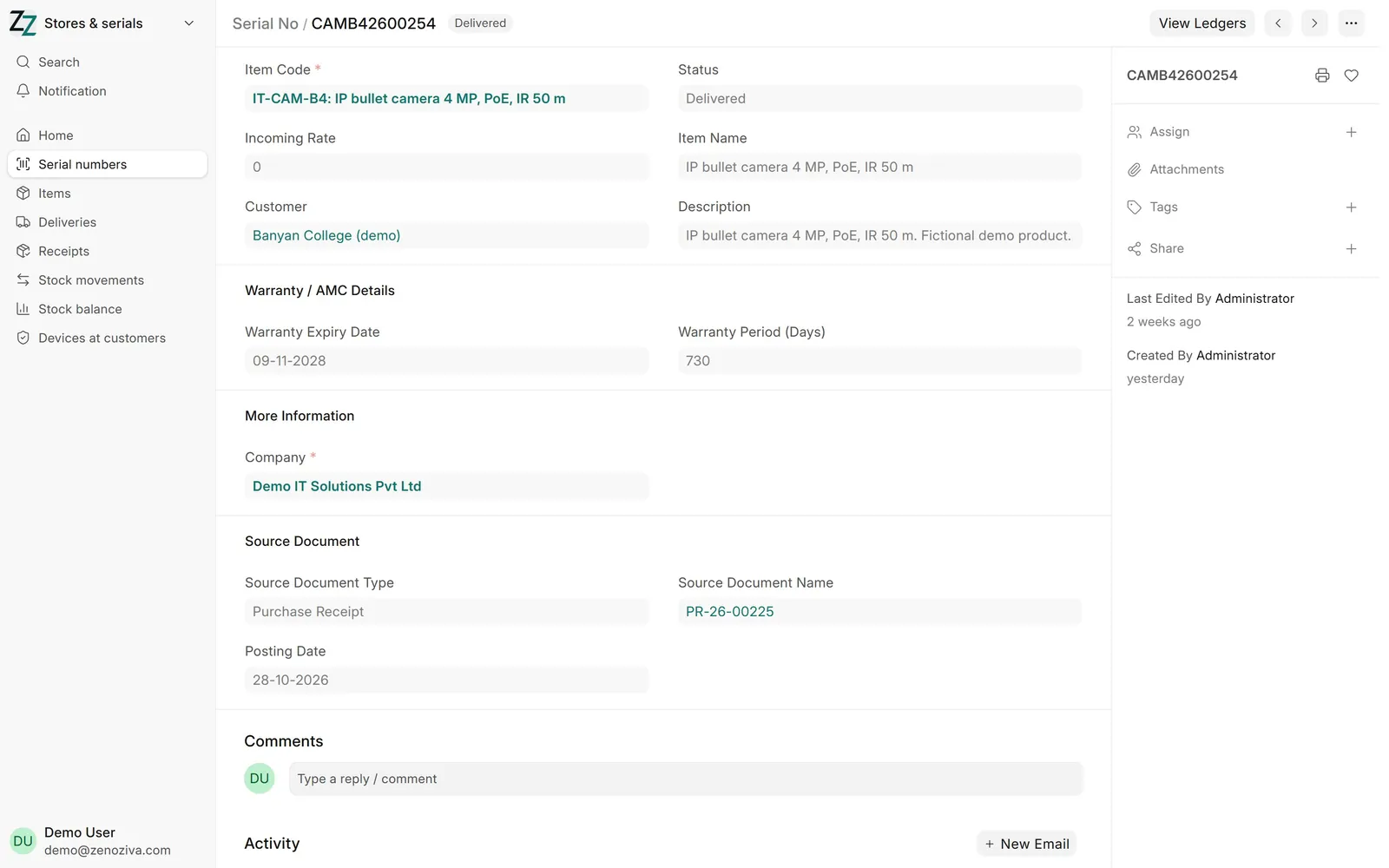
2Find any device#
Type or scan a serial number: the item, its status (Delivered), the customer, the Warranty Expiry Date, and the receipt it came in on. View Ledgers shows every movement of that unit.
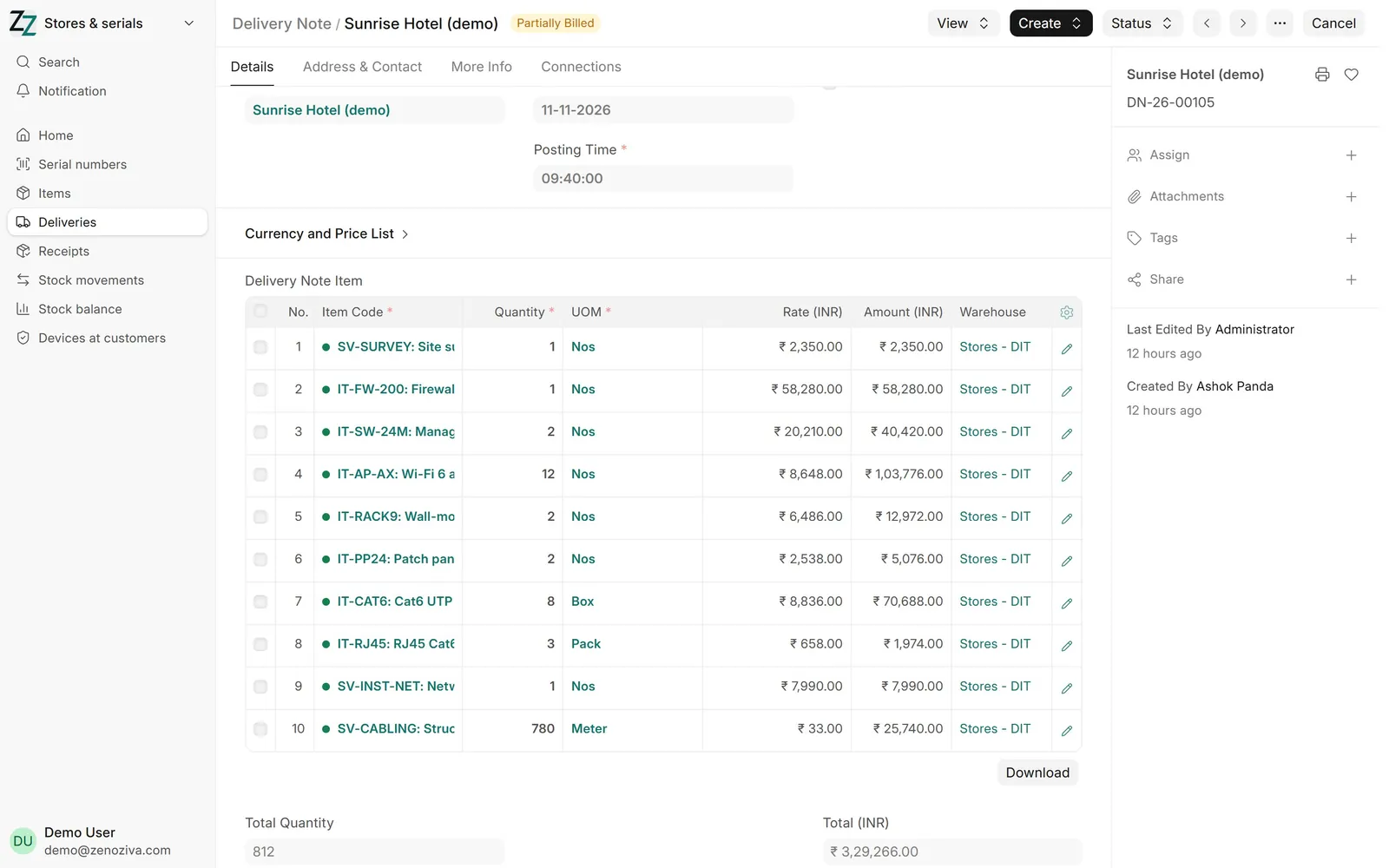
3Deliver to site#
From the sales order, Create › Delivery Note. Serial numbers are picked oldest first unless you scan the ones in the box. The supply invoice (and its e-way bill) is made from the delivery.
4Devices at customers#
Everything installed at each customer, with serial number, brand and warranty end date. Filter by customer before an AMC visit or a renewal call.
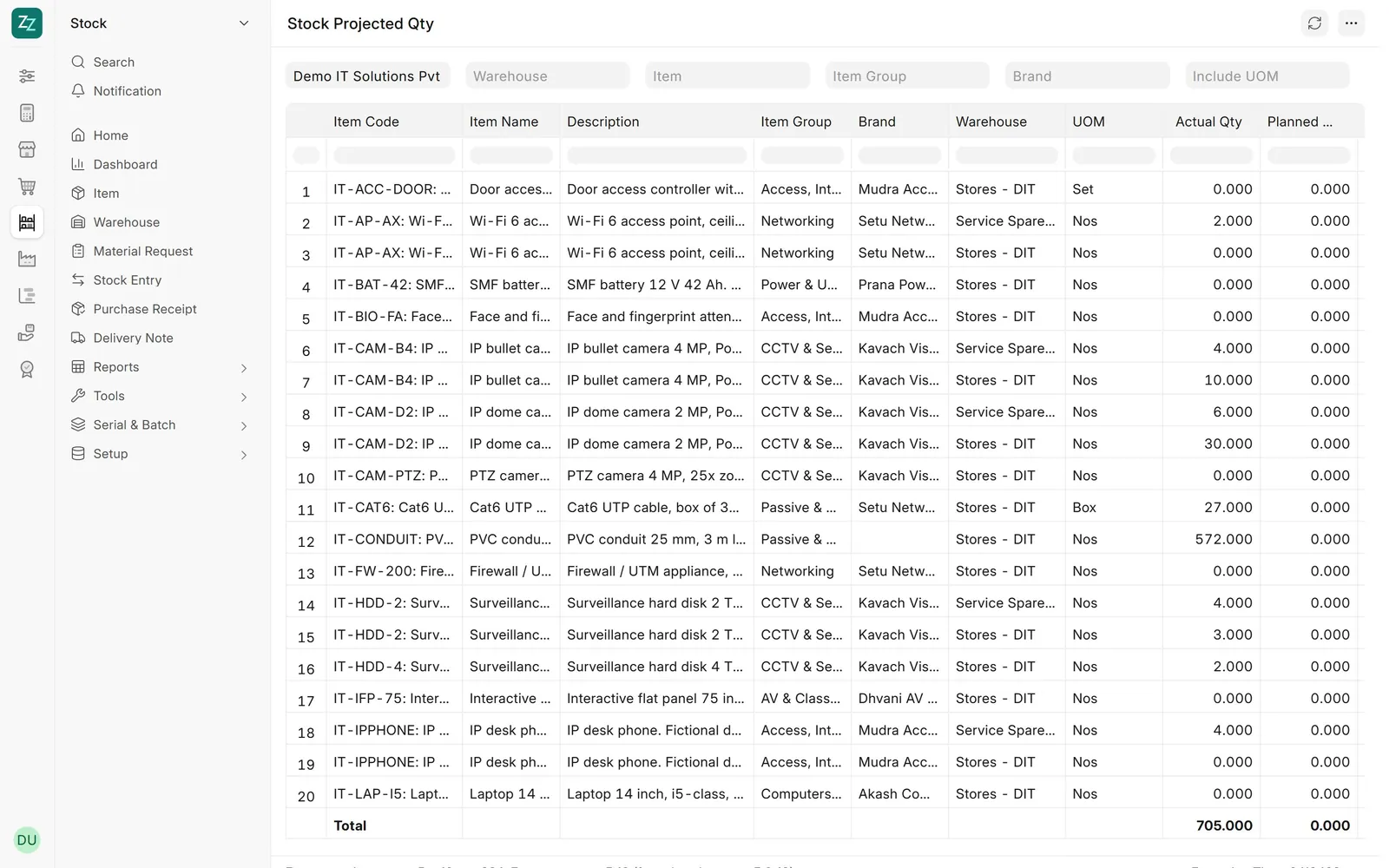
5Stock levels#
What is on the shelves in each store, what is on order and what is reserved for orders. Reorder levels on an item raise a purchase request when it runs low.