All IT solutions menus
- Getting started
- Business overview
- Sales & quotes
- Purchase
- Stores & serials
- Projects & installation
- Service & AMC
- Accounts & GST
- Team, attendance and payroll
- The Zenoziva HR app
Projects & installation
For: Project manager, site engineers
Each order becomes a project with its tasks from a template, the technicians' hours, the handover note and, at the end, the margin it made.
New here? Start with Getting started.
Videos
Start an installation project 0:49
One click from the order to a project with every installation task.
Transcript
Hi, I'm Zuzu. The order is confirmed. Let's set up the installation as a project, so every task has an owner and a date.
Open the sales order.
Click Create, then Project. The customer and the order are linked for you. Pick the template for this kind of job, for example, CCTV installation.
Save it.
The tasks are made from the template: site survey, cabling, mounting, configuration, and testing and handover. Assign each one to your engineers.
That's it! Need a hand? Visit zenoziva.com
Log technician hours 0:39
Hours on site, against the project: they become the labour cost.
Transcript
Hi, I'm Zuzu. Your engineers spent the day on site. Let's log their hours against the project.
In Projects and installation, click Log time.
Choose the engineer.
On each line, pick the activity, like installation, the hours, and the project.
Save. These hours, at the engineer's cost, show up as labour in the project's margin.
That's it! Need a hand? Visit zenoziva.com
Hand over the installation 0:45
Record what was installed, where and when, and the customer's acceptance.
Transcript
Hi, I'm Zuzu. The installation is finished and tested. Let's record the handover.
Open the delivery that went to this site.
Click Create, then Installation Note. The items and the customer are filled in. Add a remark, such as who accepted it.
Save and submit. The delivery now shows as installed, and the date is on record for the warranty.
That's it! Need a hand? Visit zenoziva.com
Did the job pay? 0:47
What each installation earned, after materials, labour and travel.
Transcript
Hi, I'm Zuzu. Every installation should make money. Here's how to check that each one did.
In Projects and installation, open Project margin.
For each project: the order value, what's been billed, and the costs. Materials, labour from the timesheets, subcontract and travel. Then the margin. Sort by margin to find the jobs that lost money.
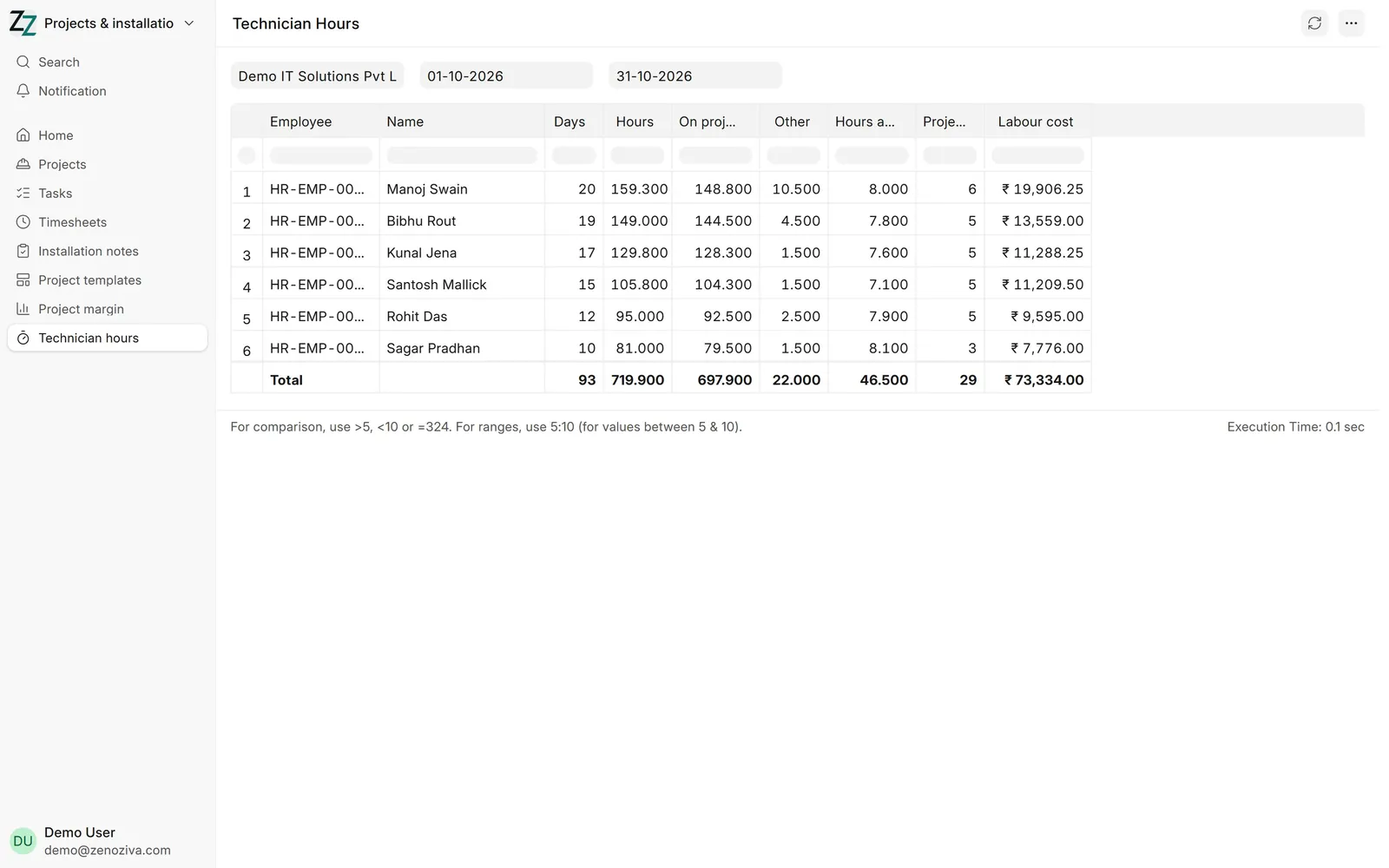
Technician hours shows each engineer's days, hours on projects, and labour cost. Set the dates, here October.
That's it! Need a hand? Visit zenoziva.com
Step by step
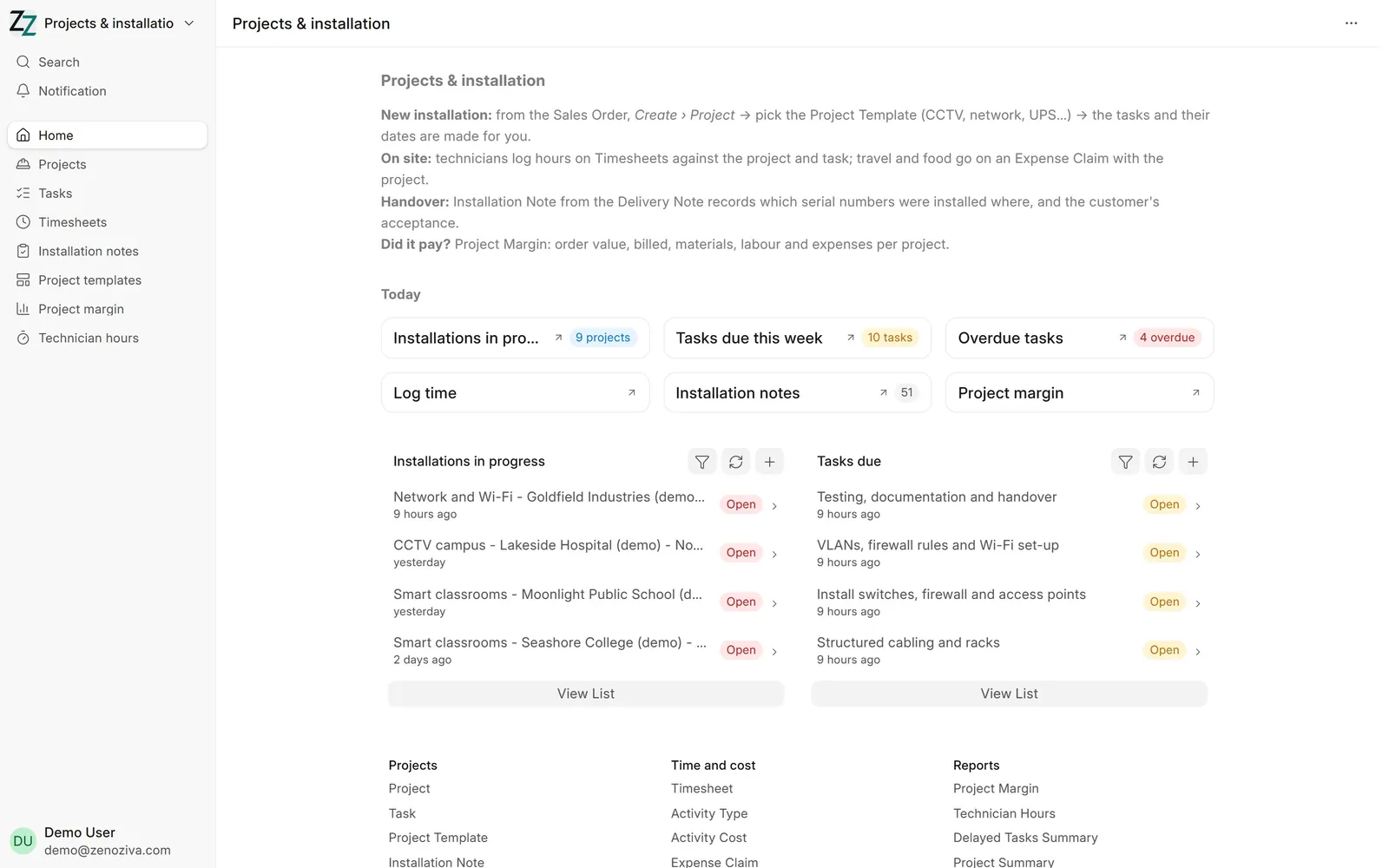
1The Projects & installation menu#
Installations in progress, Tasks due this week, Overdue tasks and Log time, with installation notes and the project margin.
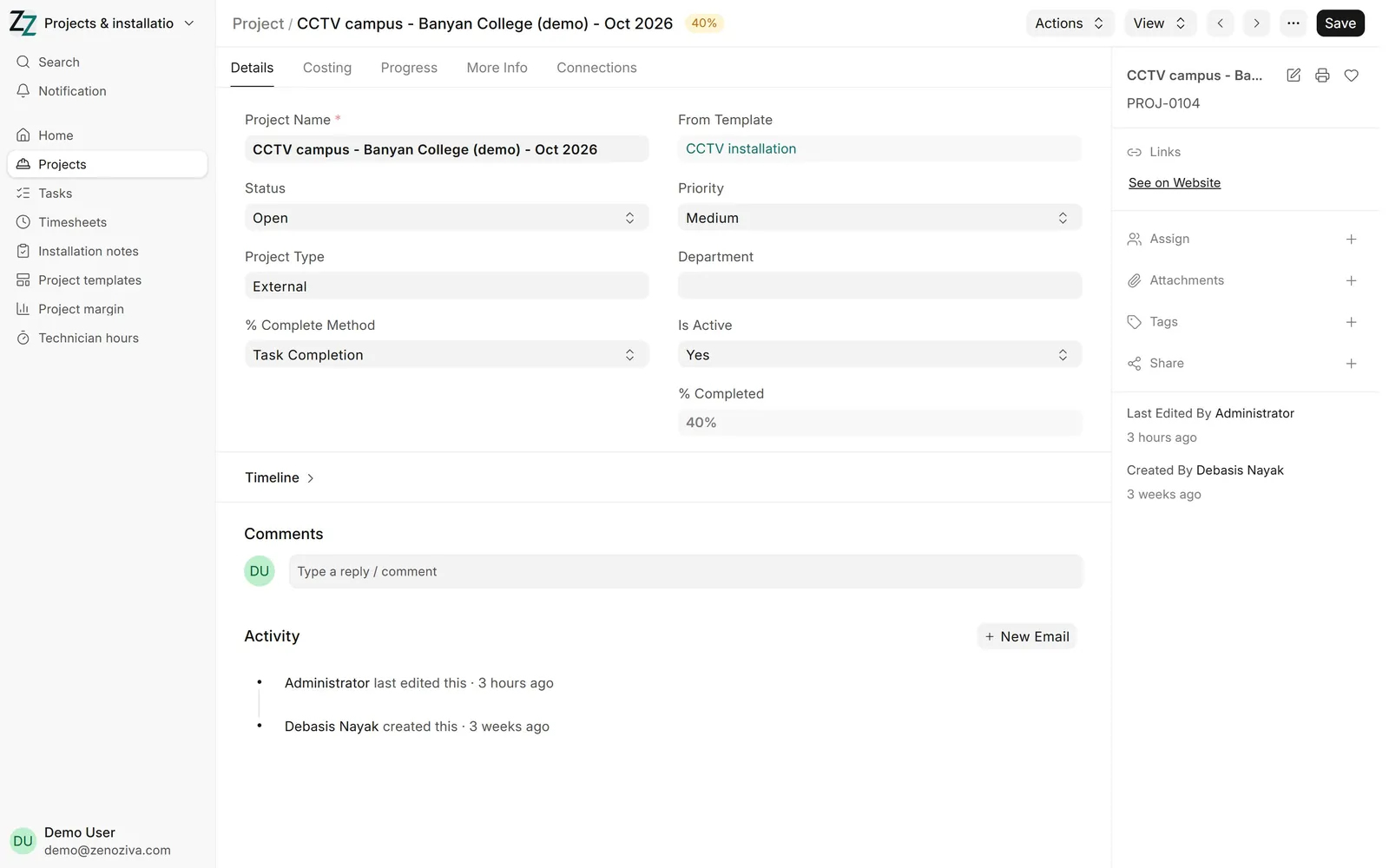
2A project from a template#
From the sales order, Create › Project and pick a template (CCTV installation here). Its tasks are made for you, and % Completed follows them.
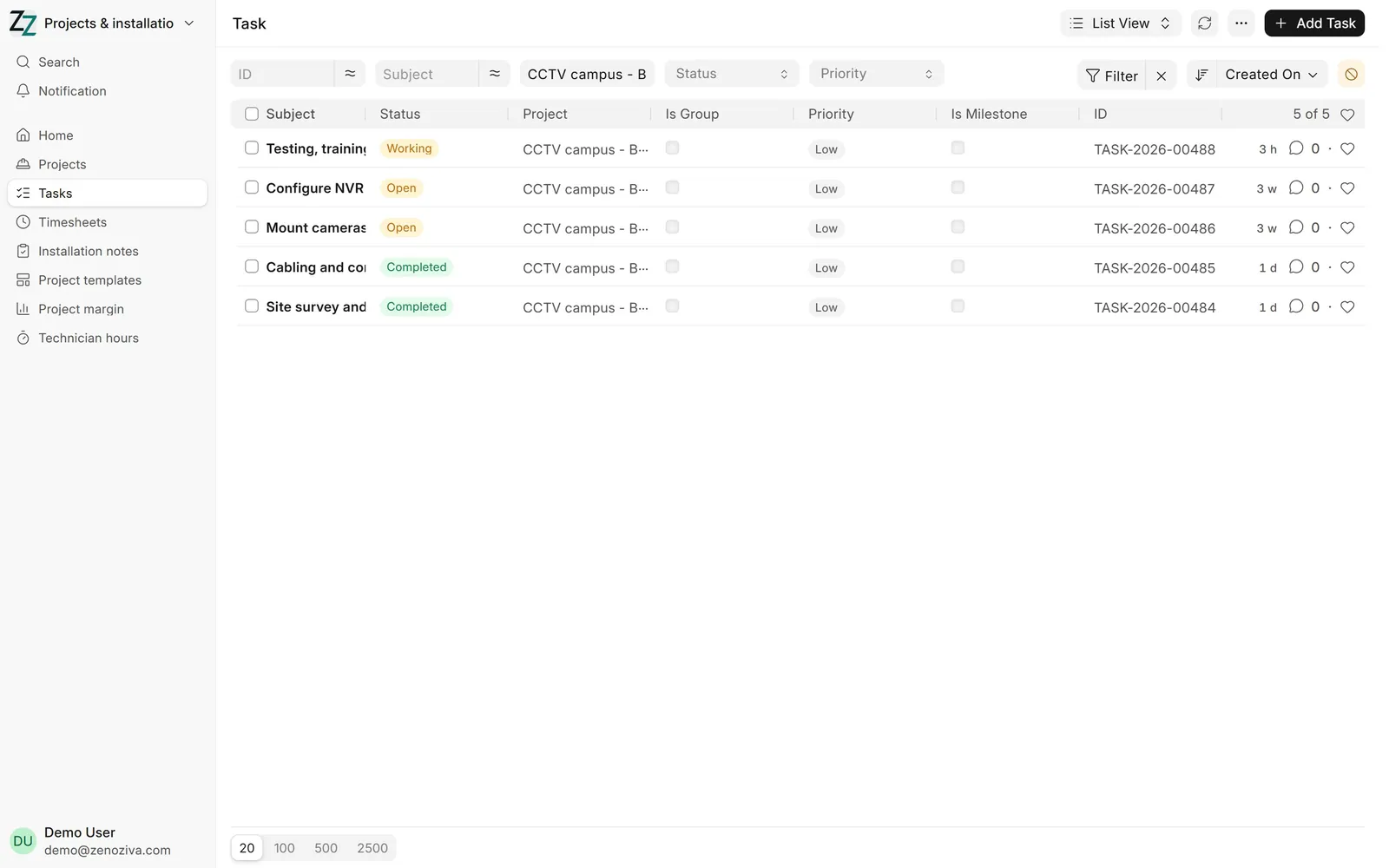
3The project's tasks#
Site survey, cabling, mounting, configuration, testing and handover: each task has a status, an owner and dates. Technicians mark them done as they go.
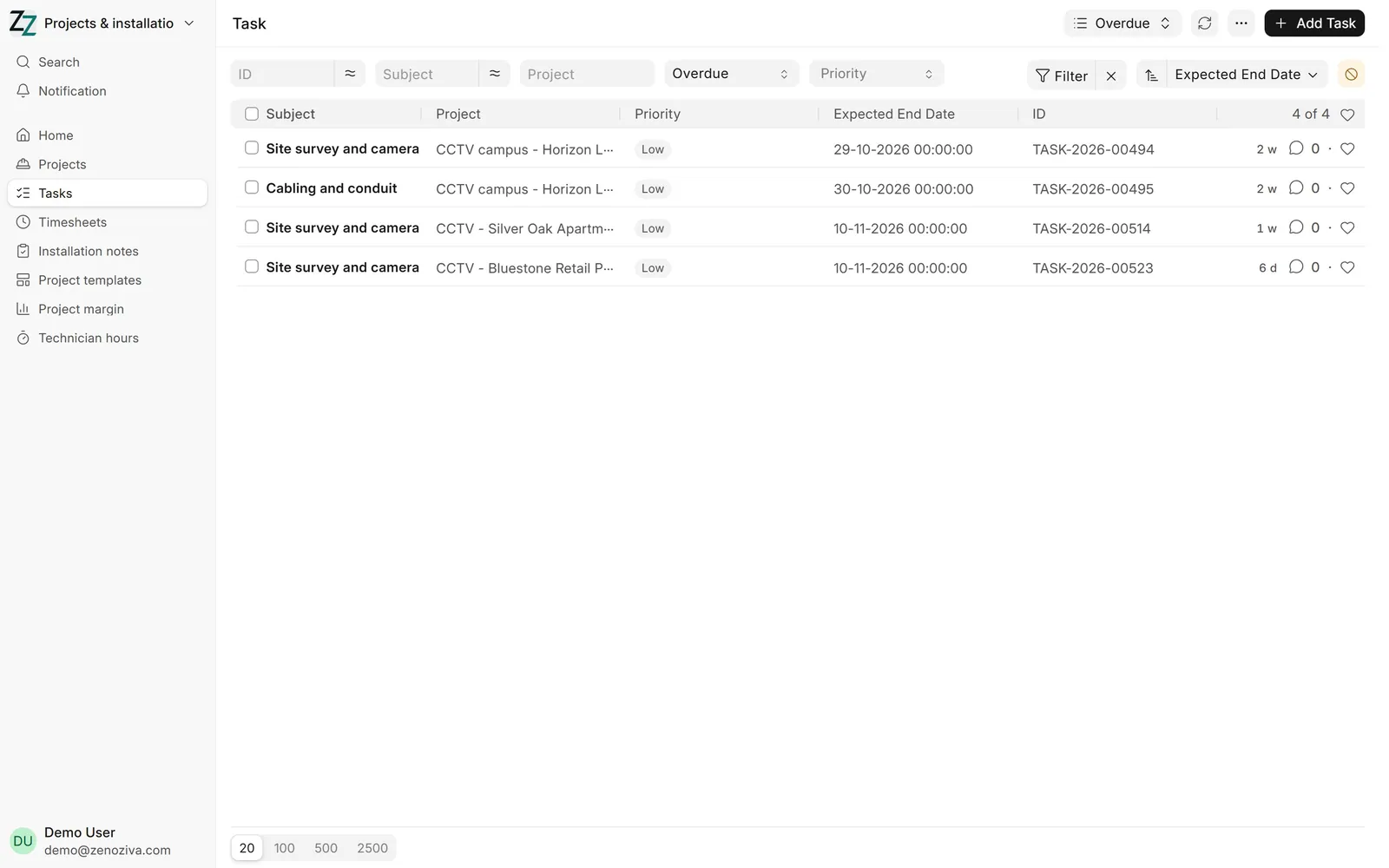
4Overdue tasks#
Tasks past their end date turn Overdue and show on the Business overview. Open one to see who has it and why it is held up.
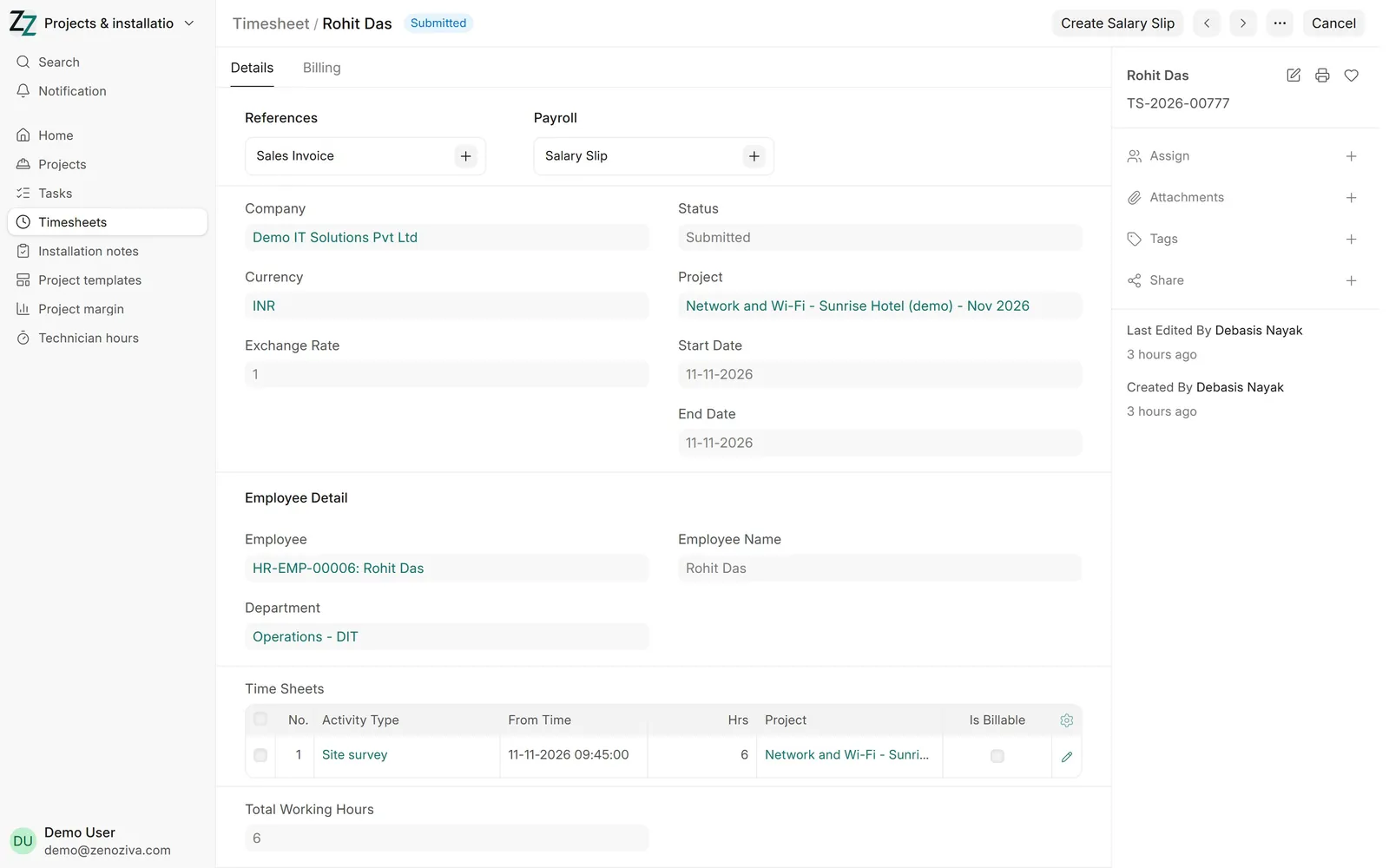
5Technicians' timesheets#
Hours on site go on a timesheet against the project and the activity (survey, cabling, installation). They become the labour cost in Project Margin.
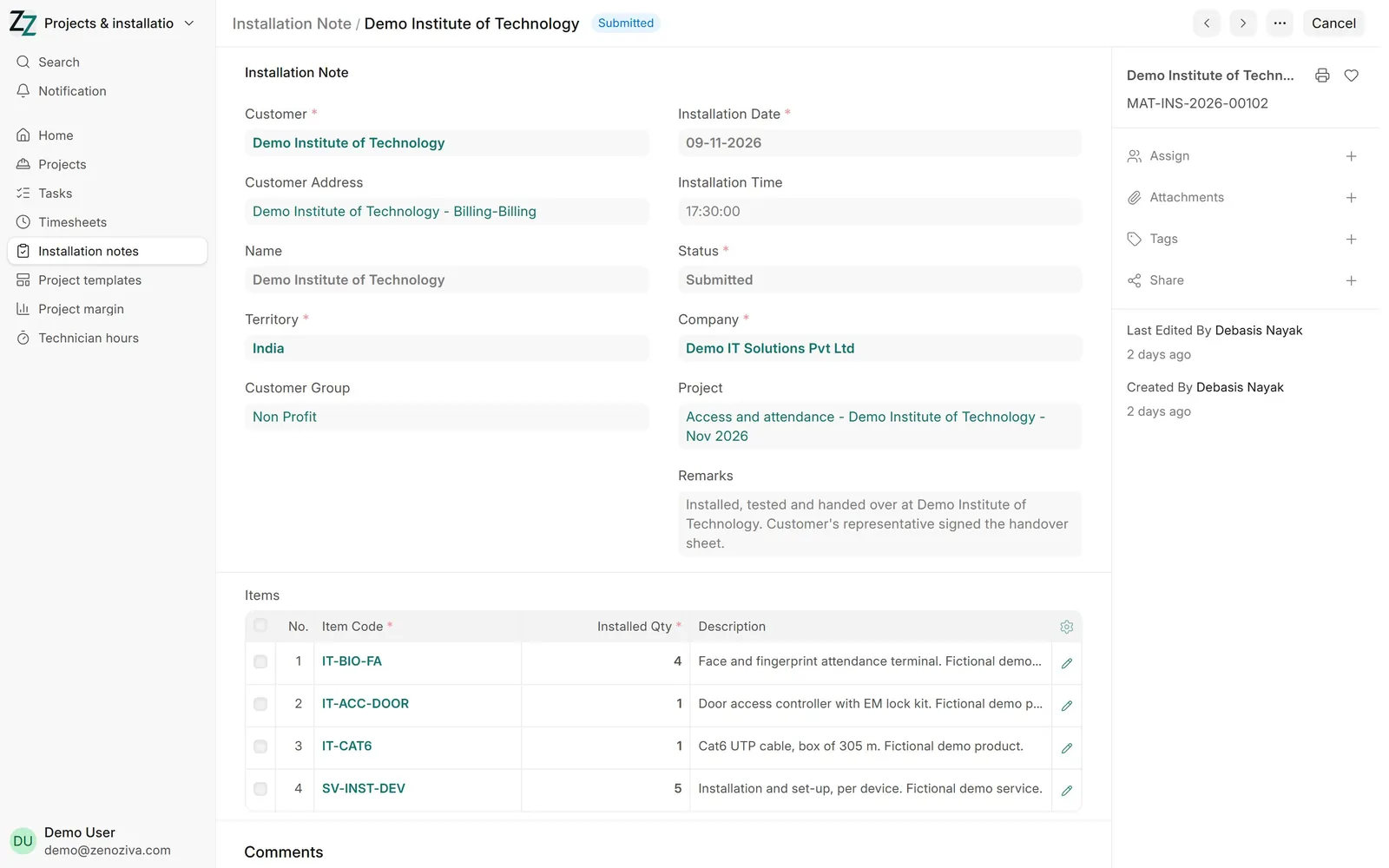
6Handover: the installation note#
From the delivery note, Create › Installation Note: what was installed, where, on which date, and the customer's acceptance in Remarks.
7Technician hours#
Each technician's days, hours on projects and other work, hours a day, number of projects and labour cost for the month.