All IT solutions menus
- Getting started
- Business overview
- Sales & quotes
- Purchase
- Stores & serials
- Projects & installation
- Service & AMC
- Accounts & GST
- Team, attendance and payroll
- The Zenoziva HR app
Business overview
For: Owner, directors, managers
One page answers "how is the business doing today?": enquiries and quotations, orders to deliver, installations, money to collect, tickets and AMC visits. Every figure respects what your login may see.
New here? Start with Getting started.
Videos
Did the job pay? 0:47
What each installation earned, after materials, labour and travel.
Transcript
Hi, I'm Zuzu. Every installation should make money. Here's how to check that each one did.
In Projects and installation, open Project margin.
For each project: the order value, what's been billed, and the costs. Materials, labour from the timesheets, subcontract and travel. Then the margin. Sort by margin to find the jobs that lost money.
Technician hours shows each engineer's days, hours on projects, and labour cost. Set the dates, here October.
That's it! Need a hand? Visit zenoziva.com
Your business at a glance 0:48
Sales, delivery, money and service on one page.
Transcript
Hi, I'm Zuzu. You run the business. Here's how to see all of it, on one page, in a minute.
Open Business overview. Four panels: sales, delivery, money, and service. Red numbers need your attention.
Click any number to see the records behind it. Here, the overdue invoices, with the customer and amount.
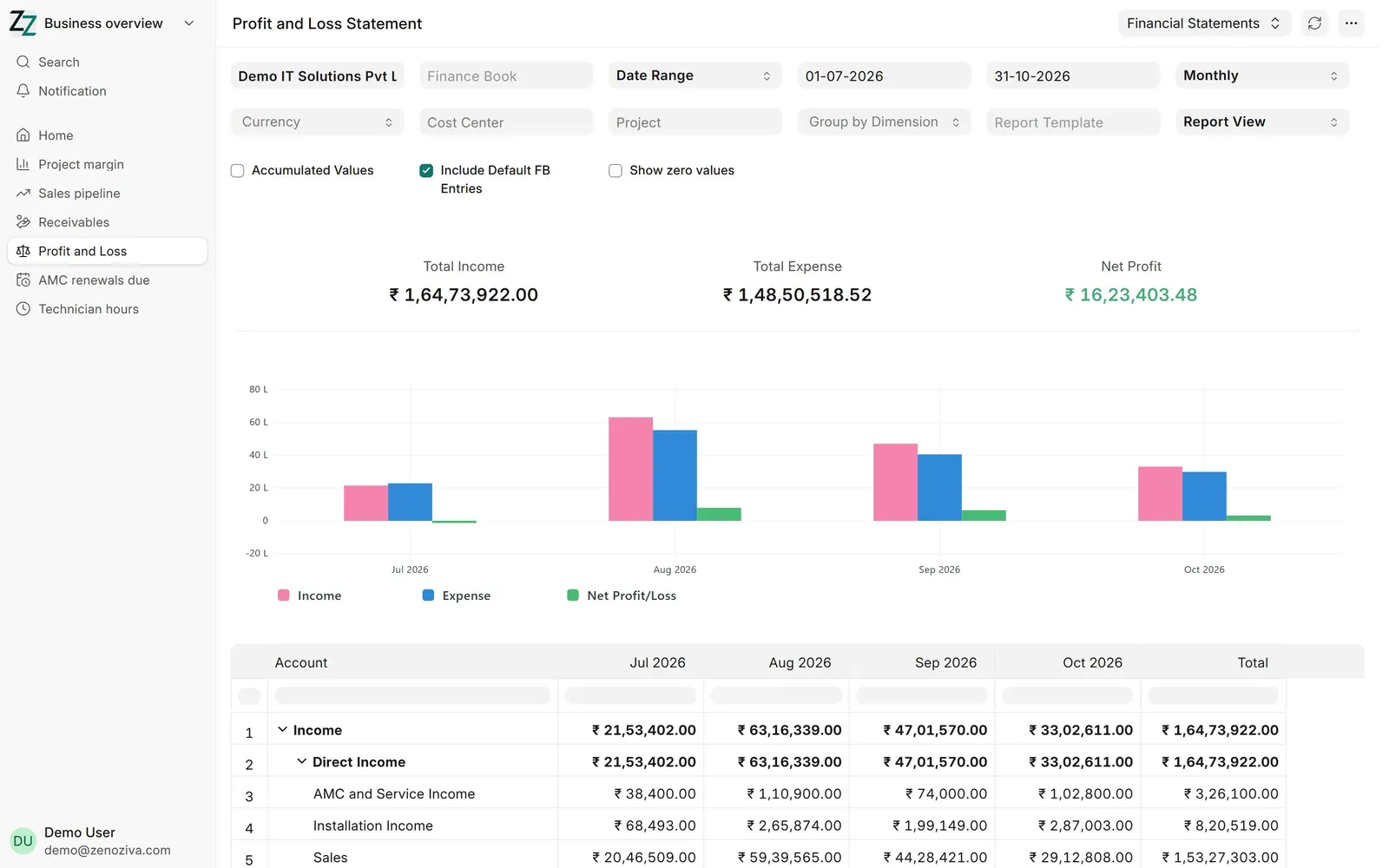
Profit and loss shows income and expenses, month by month.
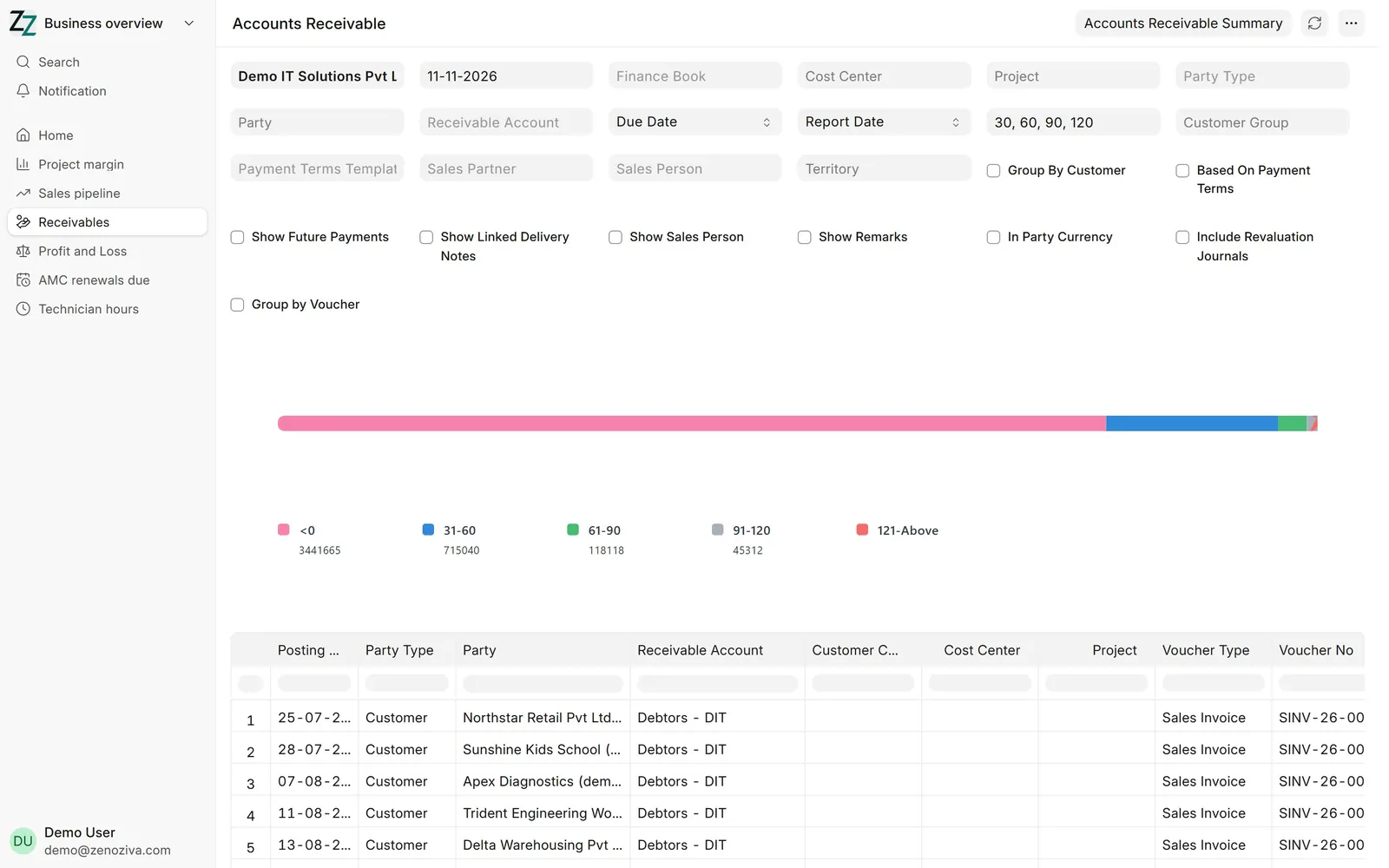
Receivables shows who owes you, and for how long. Every report can be filtered, exported, or printed.
That's it! Need a hand? Visit zenoziva.com
Step by step
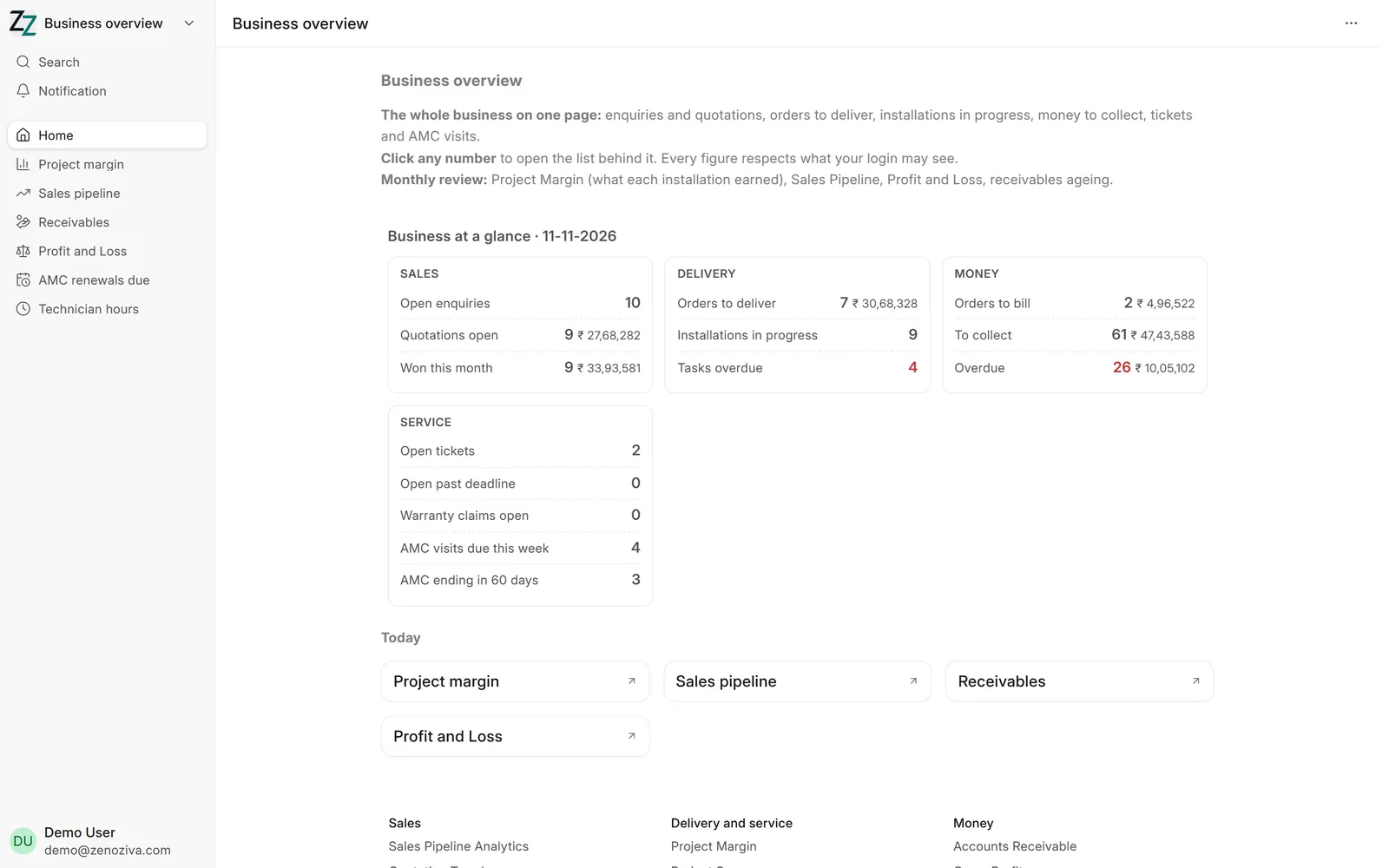
1Business at a glance#
Four panels: Sales (open enquiries, quotations open and their value, orders won this month), Delivery (orders to deliver, installations in progress, overdue tasks), Money (orders to bill, money to collect, overdue) and Service (open tickets, tickets past their deadline, warranty claims, AMC visits this week, AMC contracts ending in 60 days). Red figures need attention.
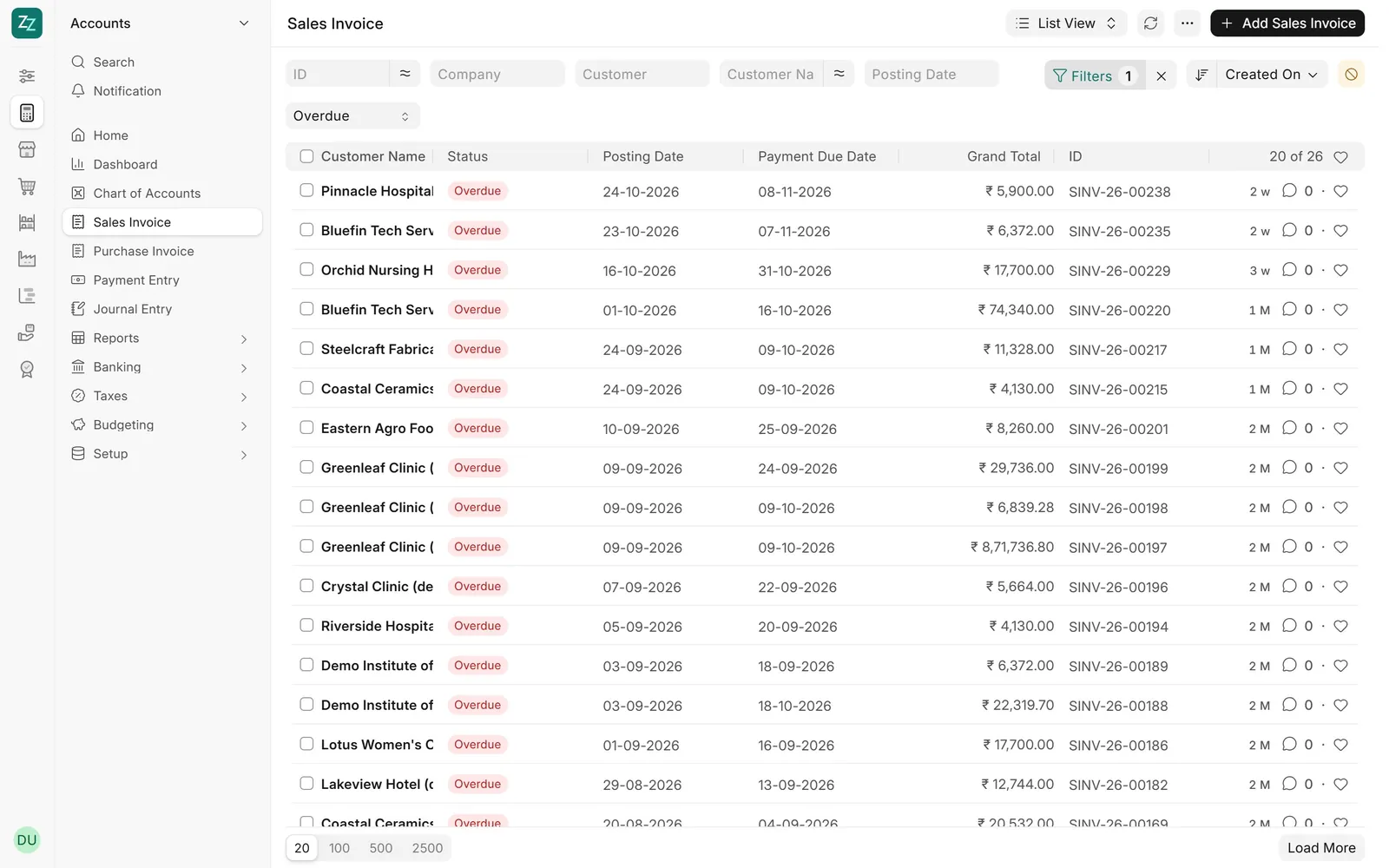
2Click any number#
Each figure opens the list behind it. Clicking Overdue shows the invoices past their due date, with customer and amount; open one to call the customer or record the payment.
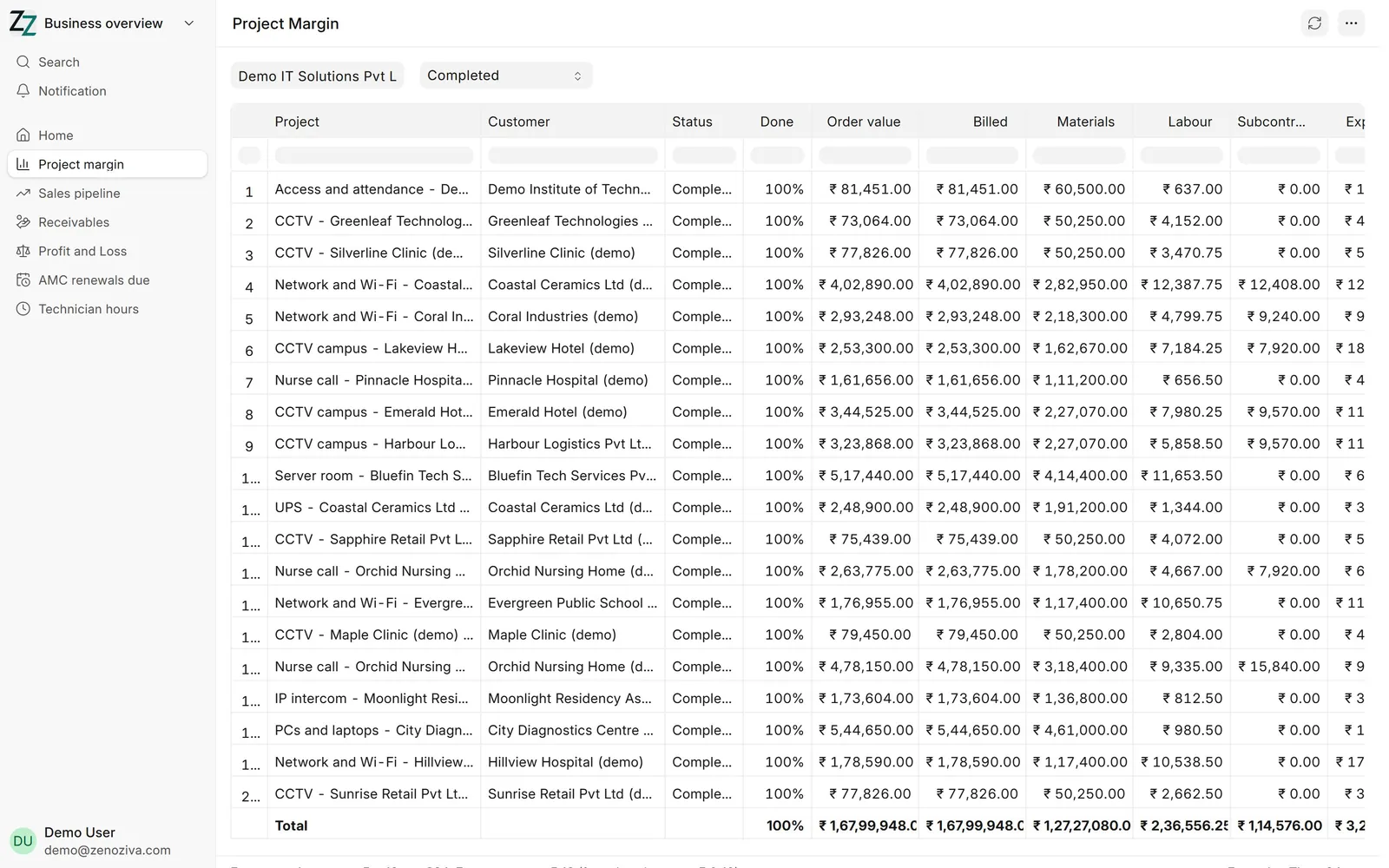
3Project margin#
What each installation earned: order value, billed, materials, labour (technicians' hours at their cost), subcontract and travel, and the margin. Filter by customer, status or dates; sort by margin to find the jobs that lost money.
4Receivables#
Who owes what, and for how long, in age buckets. Click a customer to see their invoices and payments.
5Profit and loss#
Income and expenses month by month. Every report can be filtered, exported to Excel or PDF, and printed.
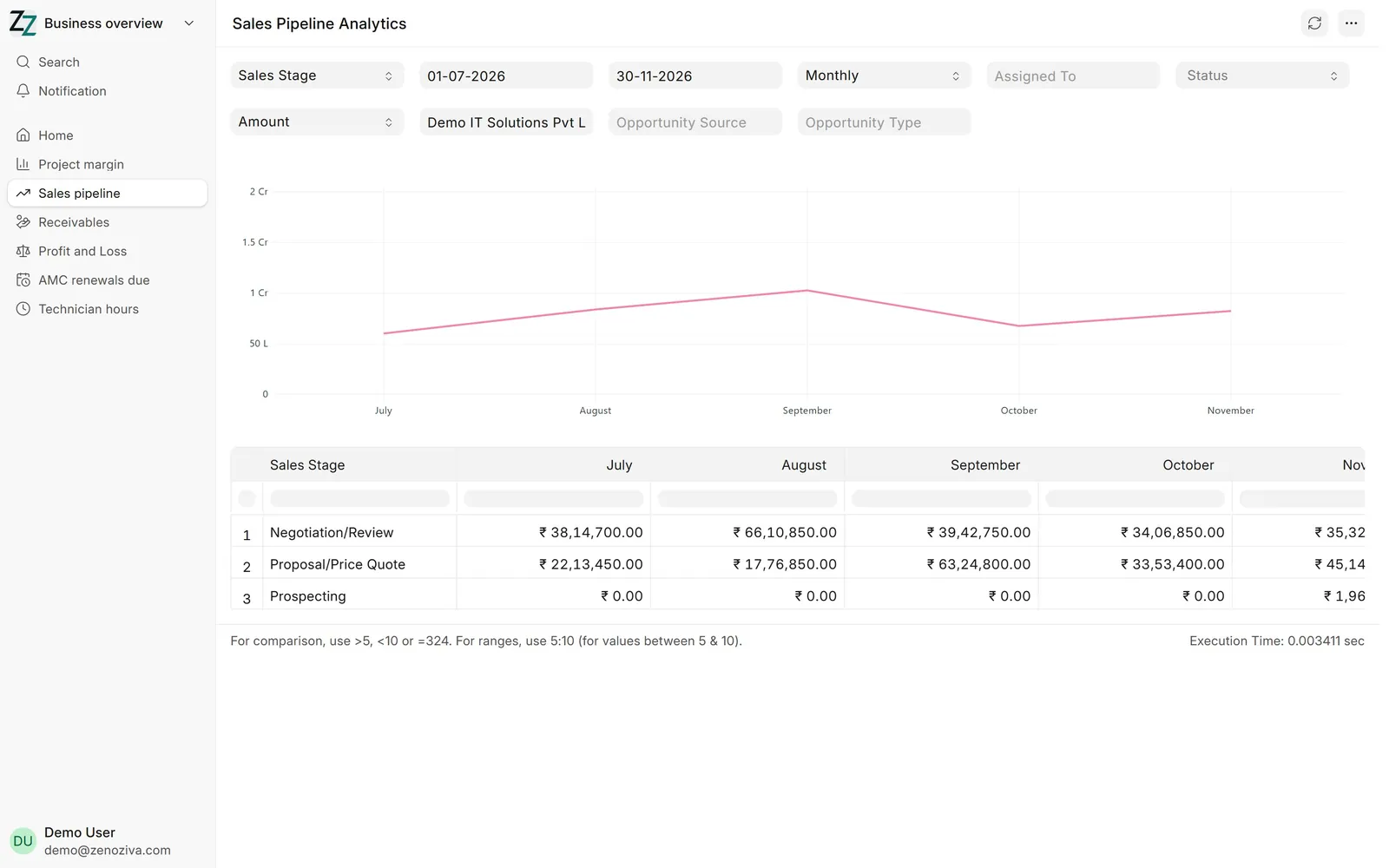
6Sales pipeline#
The value of open opportunities by sales stage, month by month: how much is at proposal stage and how much is being negotiated.