All Hospital menus
- Getting started
- Front desk: registration and appointments
- Doctor: consultation and orders
- Admission and ward care
- Casualty and emergency
- Laboratory and imaging
- Operation theatre
- Discharge
- Billing, insurance and TPA
- Management reports
- On the phone: Zenoziva Care and Zenoziva HR
- Setting up your hospital
Billing, insurance and TPA
For: Billing, accounts, TPA desk
Charges collect on the patient as care is given: consultations, bed days, medicines, tests and procedures. Billing pulls them into one invoice; for insured patients the insurer's share is split out and claimed.
New here? Start with Getting started.
Step by step
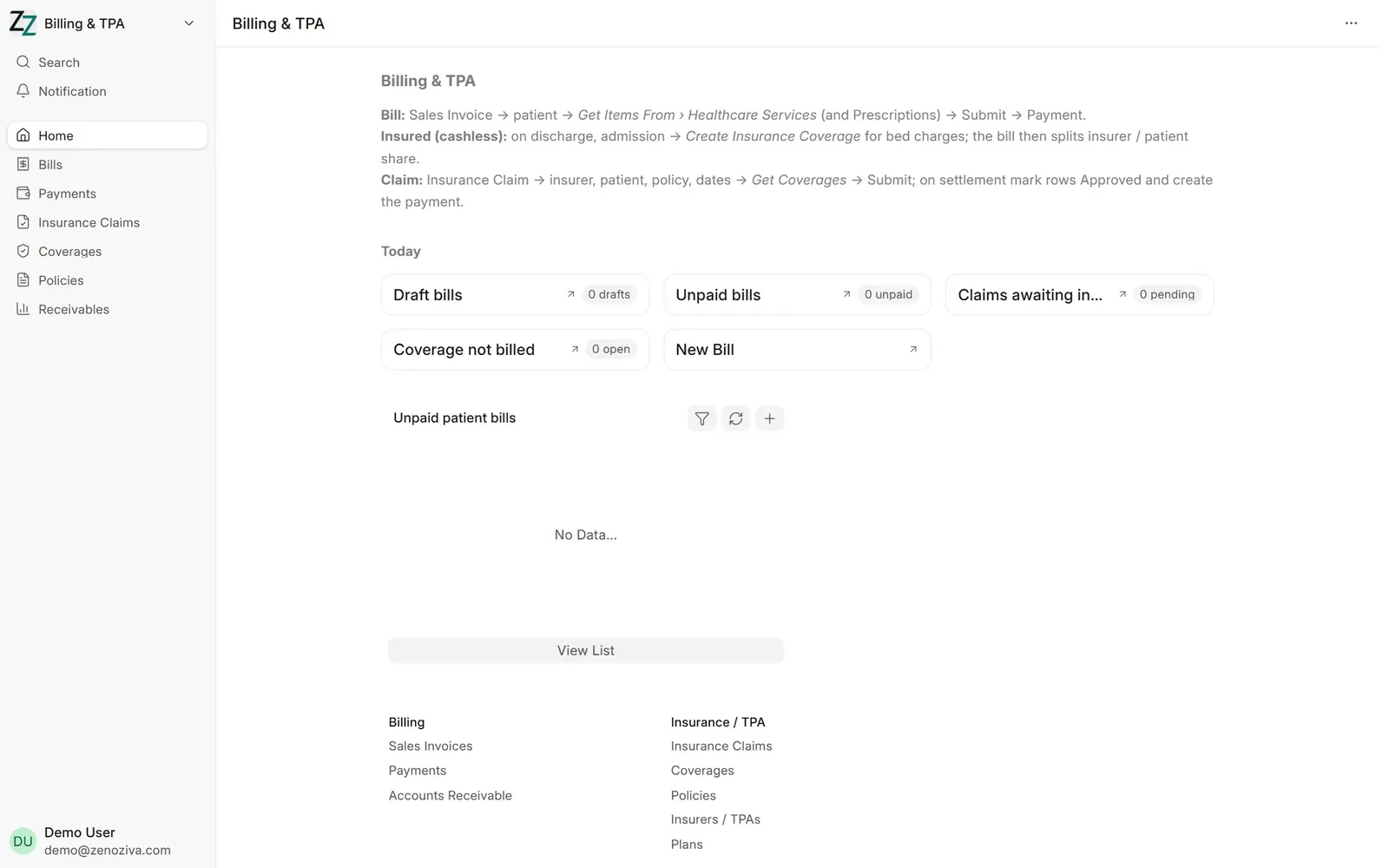
1The Billing & TPA menu#
Invoices, payments, unbilled services, insurance policies, coverage approvals and claims.
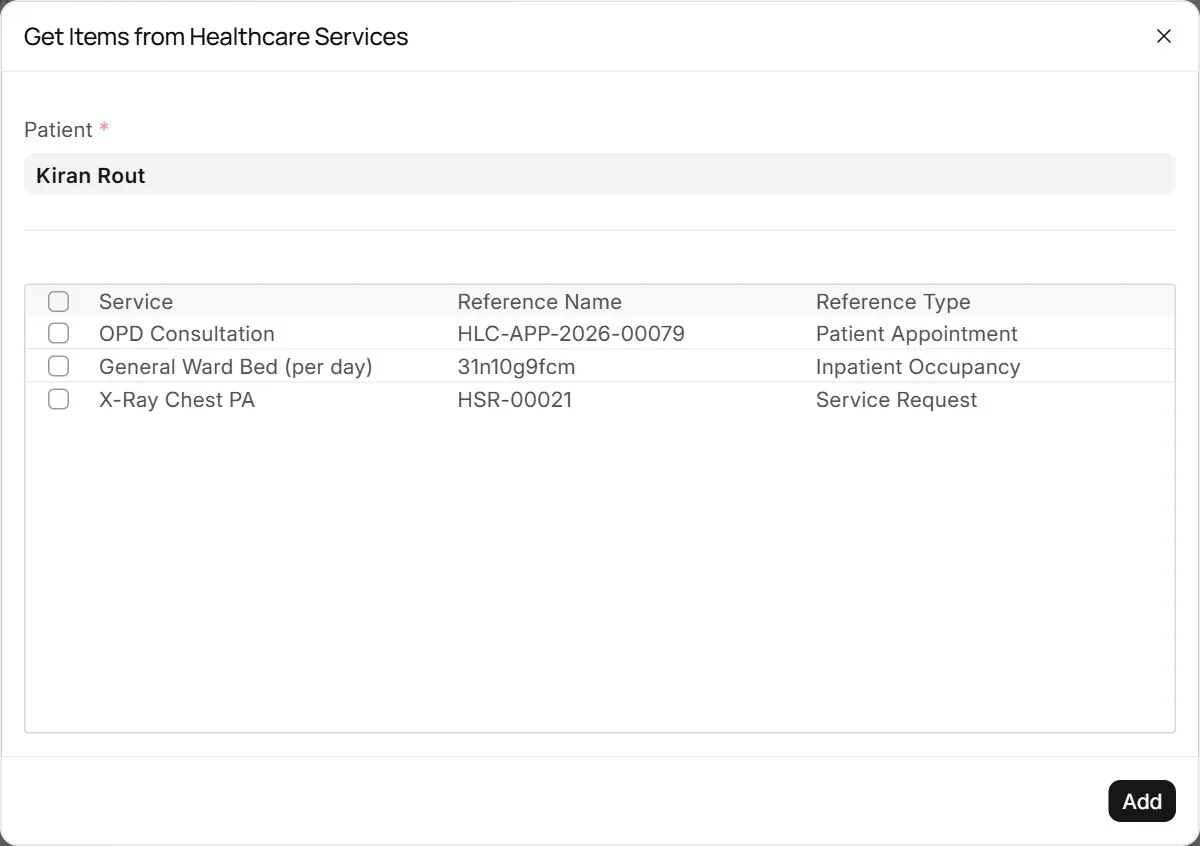
2Collect unbilled services#
New Sales Invoice for the patient, then Get Items From › Healthcare Services lists everything not yet billed. Tick what to bill.
3The invoice#
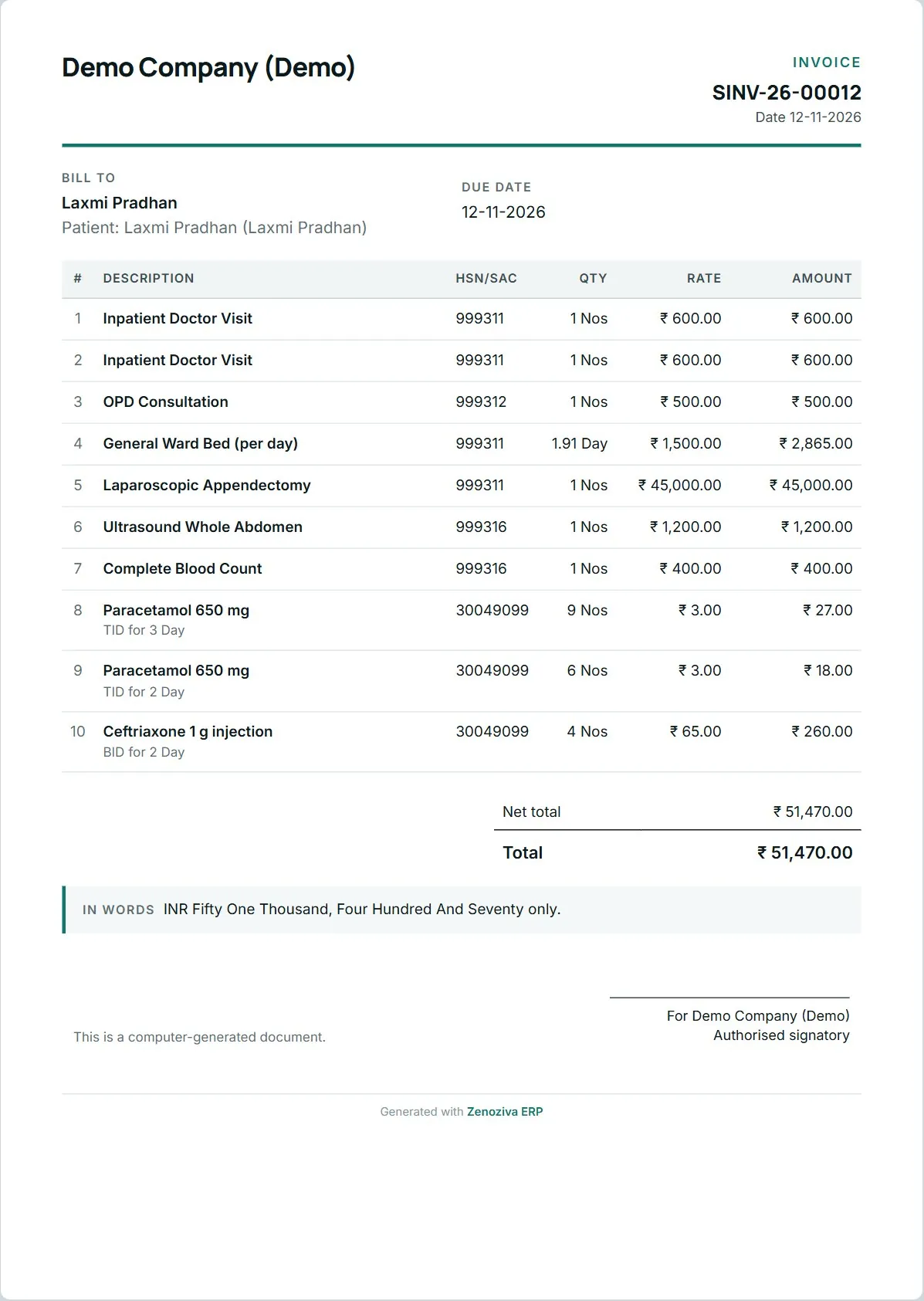
Each line shows the service, quantity and rate from the hospital's tariff.
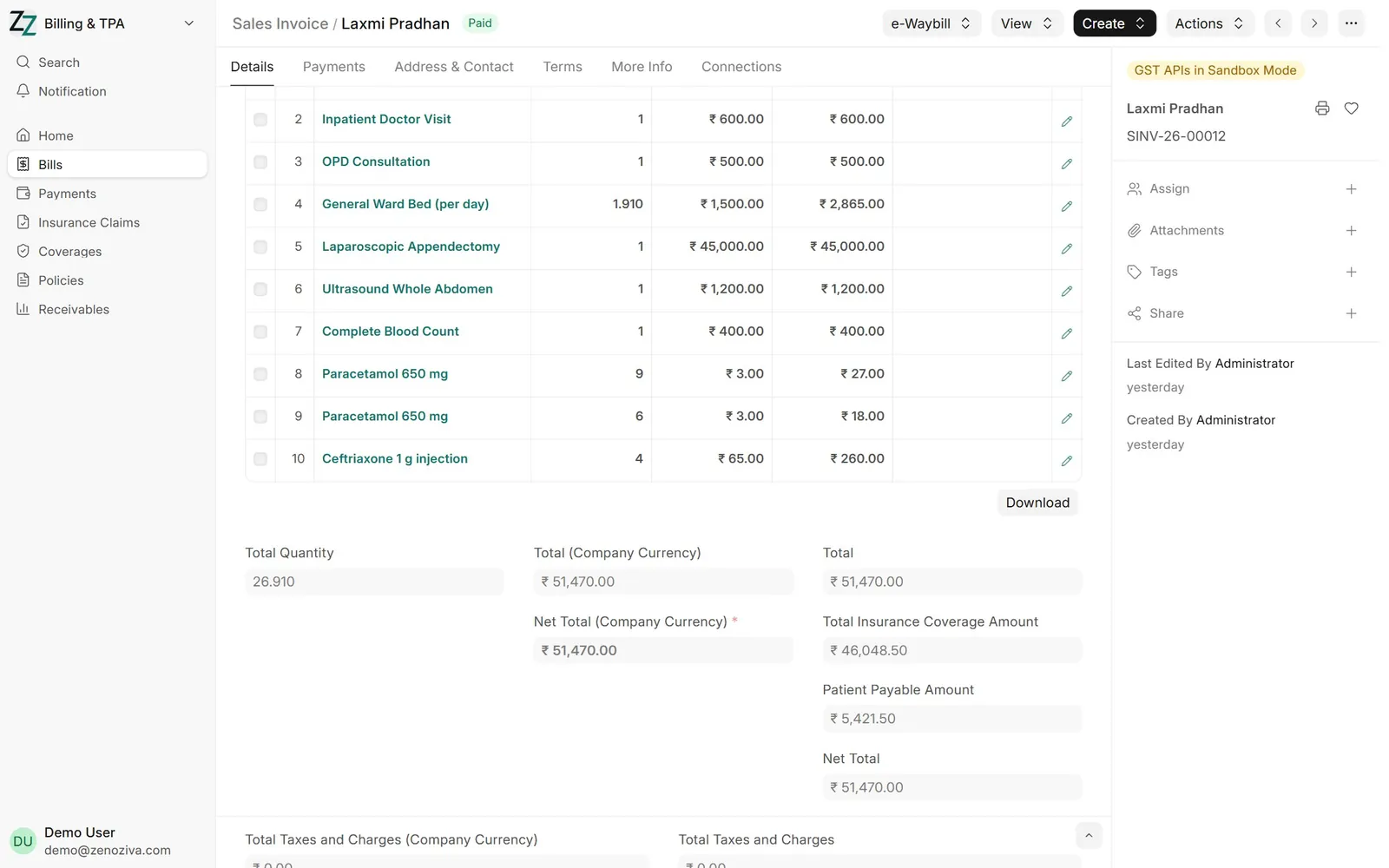
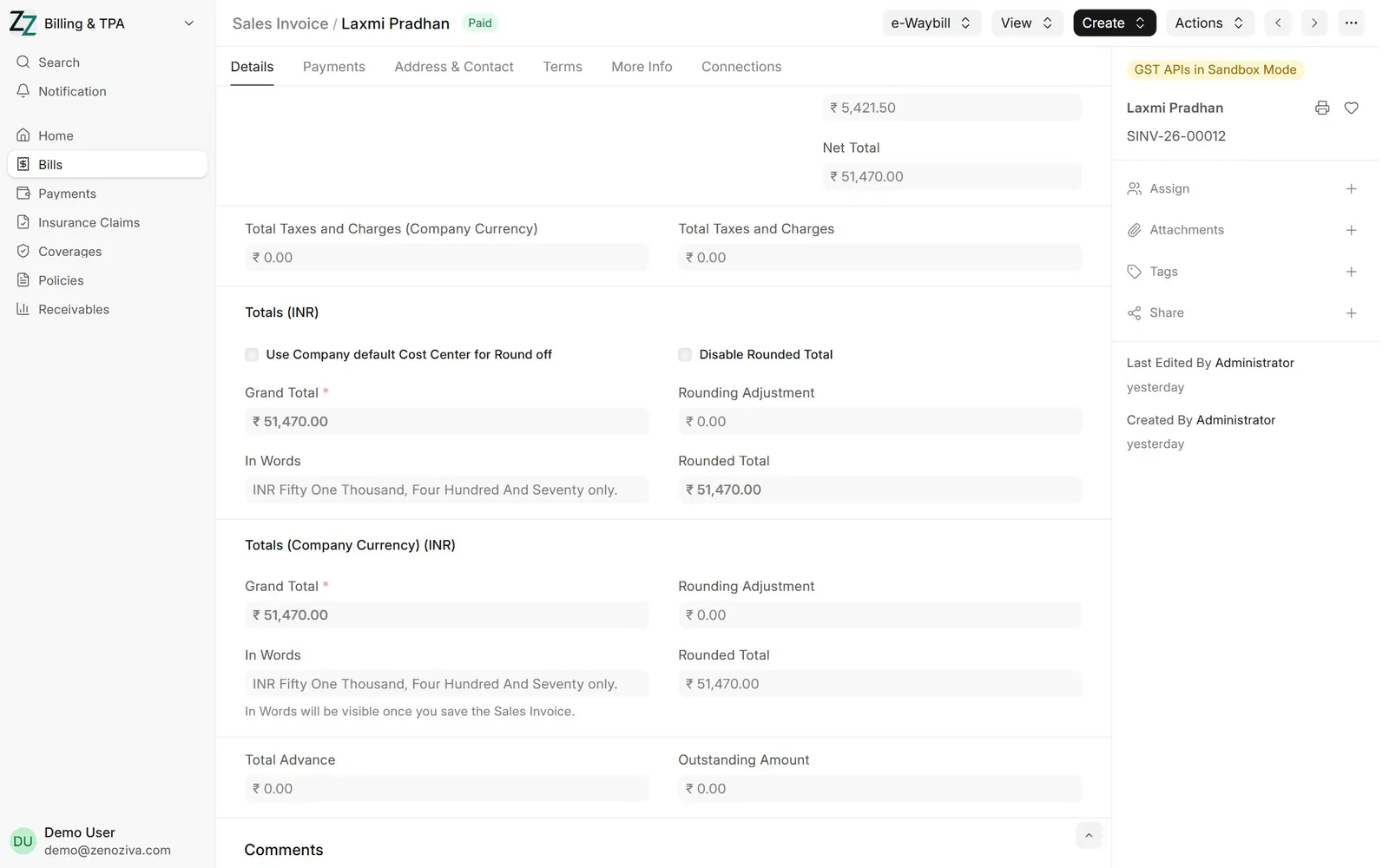
4Insurer's share#
For an insured patient the covered amount is shown separately: the patient pays their share and the rest is due from the insurer.
5Printed bill#
The bill prints with the patient's and insurer's shares.
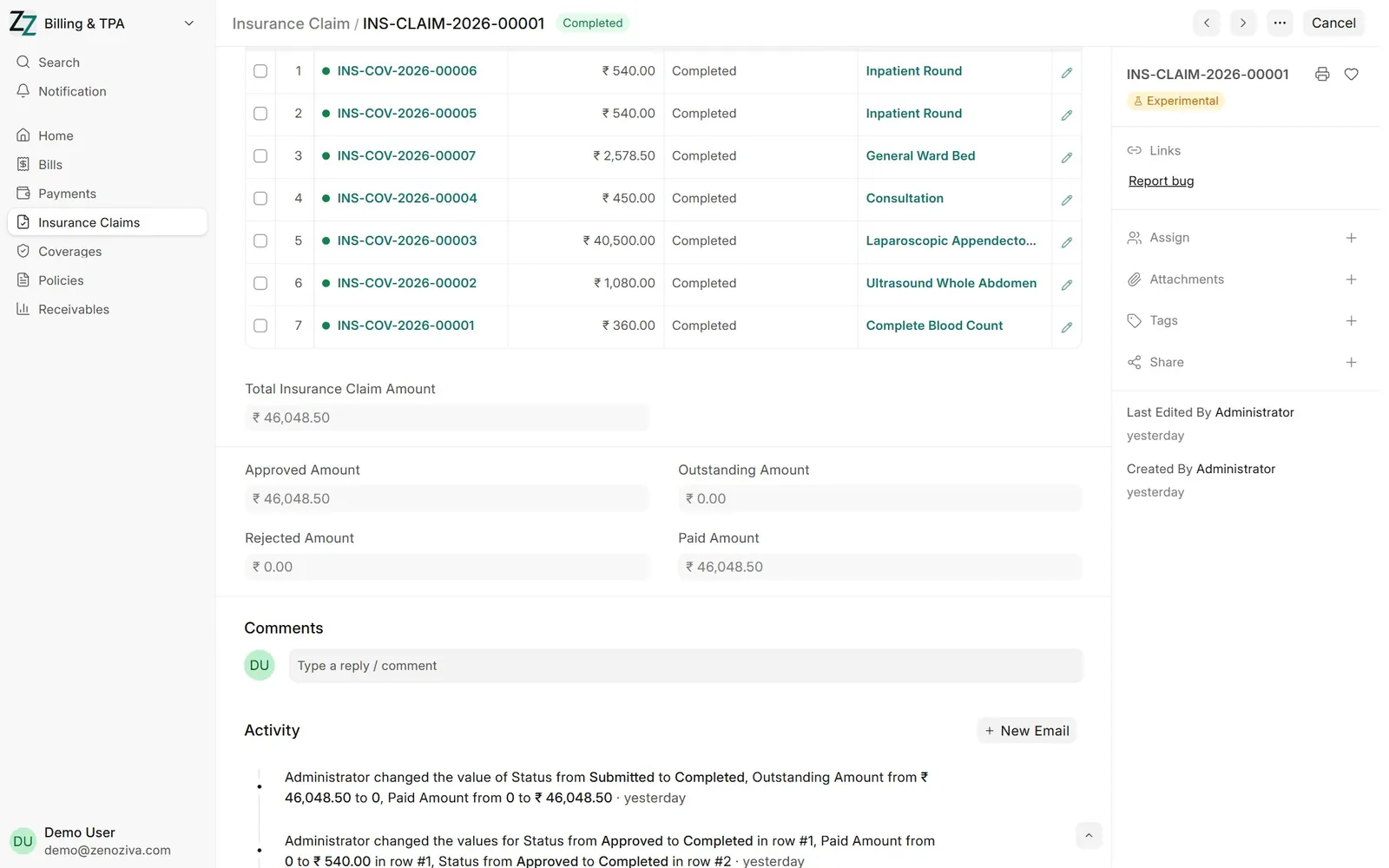
6Insurance claim#
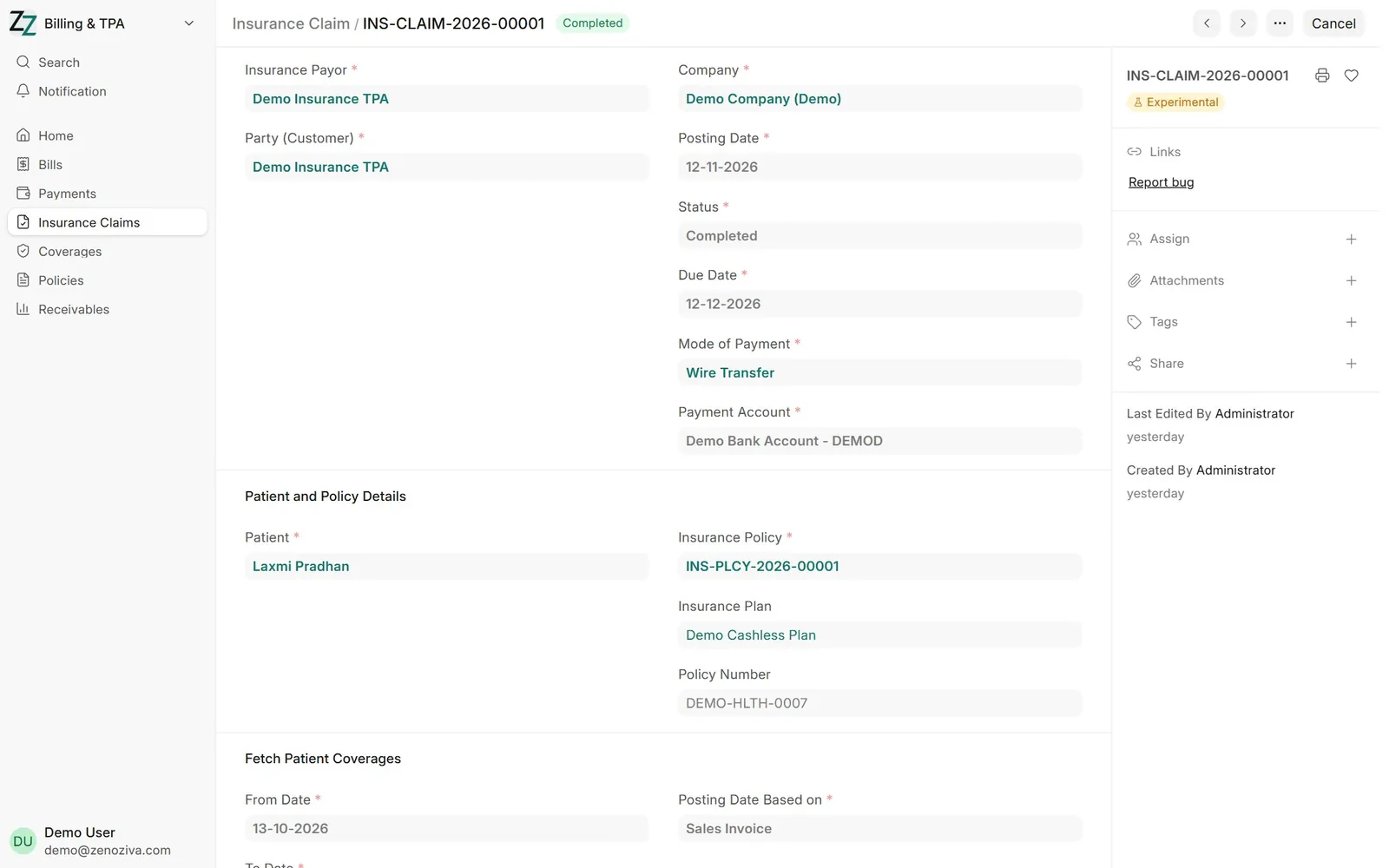
An Insurance Claim gathers the covered amounts for the insurer, tracks approval and records the settlement when it is received.
7Claim lines#
Each covered service on the claim, with the amount claimed and approved.