All Hospital menus
- Getting started
- Front desk: registration and appointments
- Doctor: consultation and orders
- Admission and ward care
- Casualty and emergency
- Laboratory and imaging
- Operation theatre
- Discharge
- Billing, insurance and TPA
- Management reports
- On the phone: Zenoziva Care and Zenoziva HR
- Setting up your hospital
Laboratory and imaging
For: Lab technicians, radiologists
Tests ordered by doctors arrive in Lab & Imaging. Results are entered against the order, approved, and printed on the hospital's report format.
New here? Start with Getting started.
Step by step
1The Lab & Imaging menu#
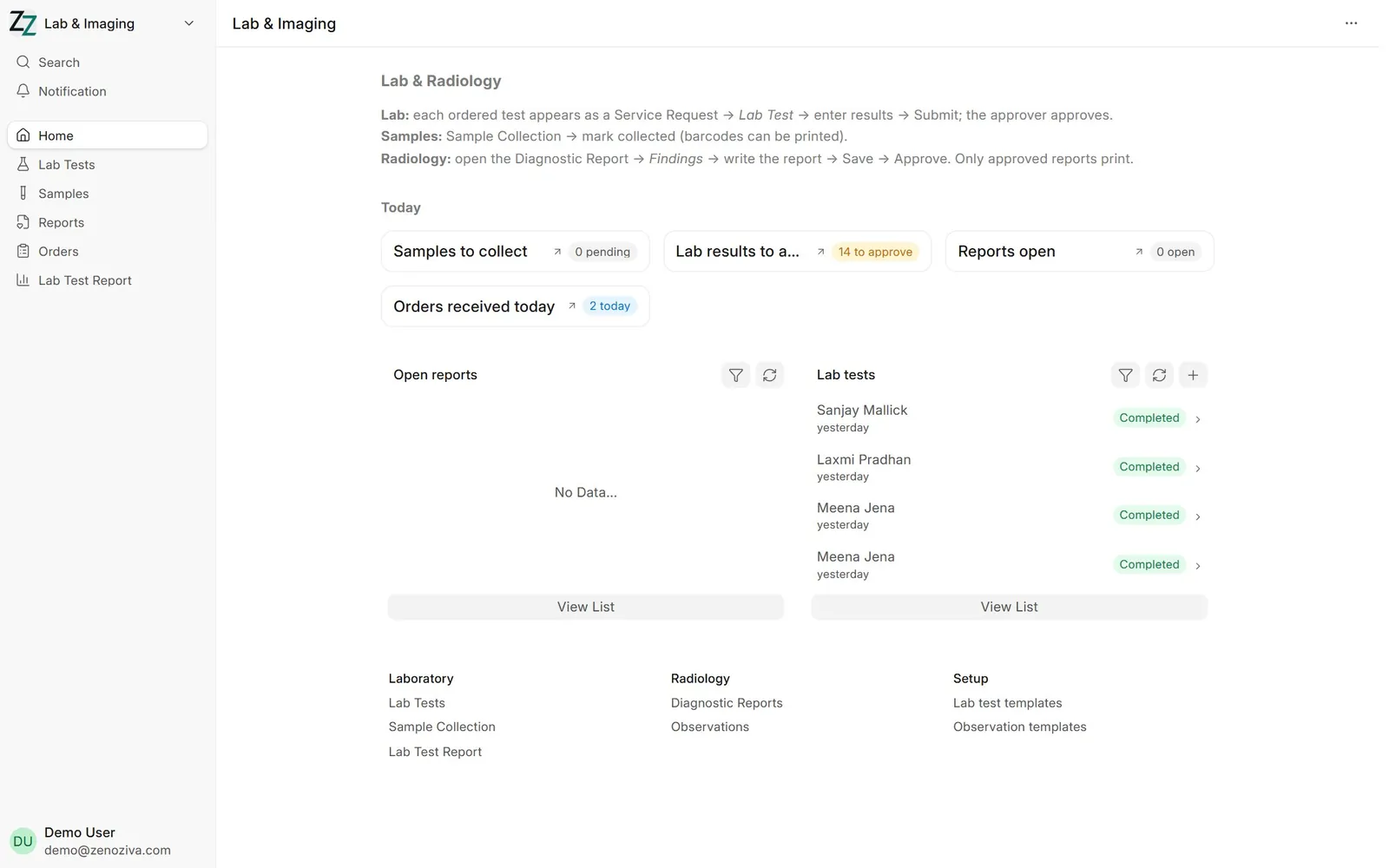
Pending samples and tests, results to approve, and imaging reports.
2Enter results#
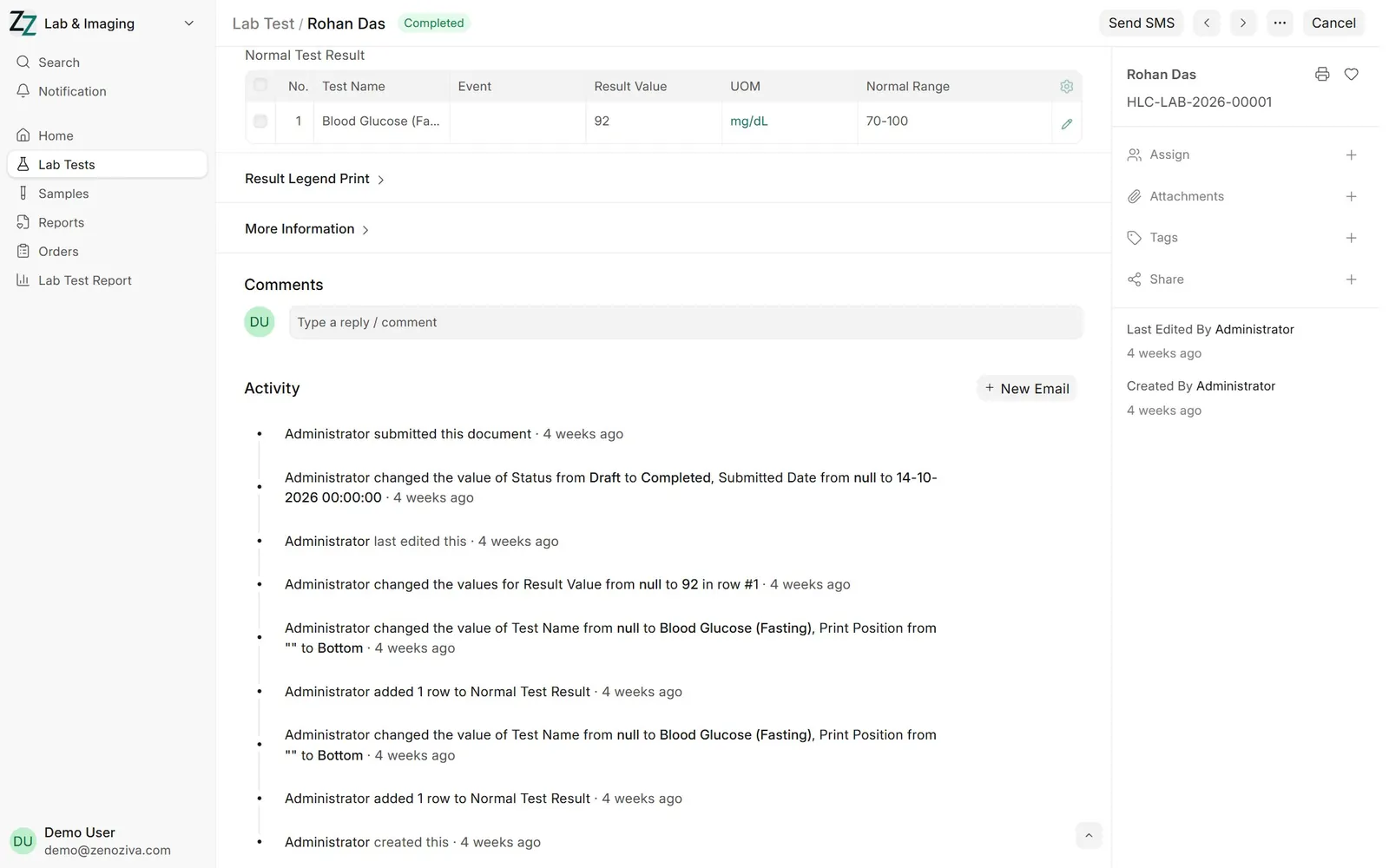
Open the Lab Test, enter each result; normal ranges are shown beside the value. Submit to finalise.
3Lab report#
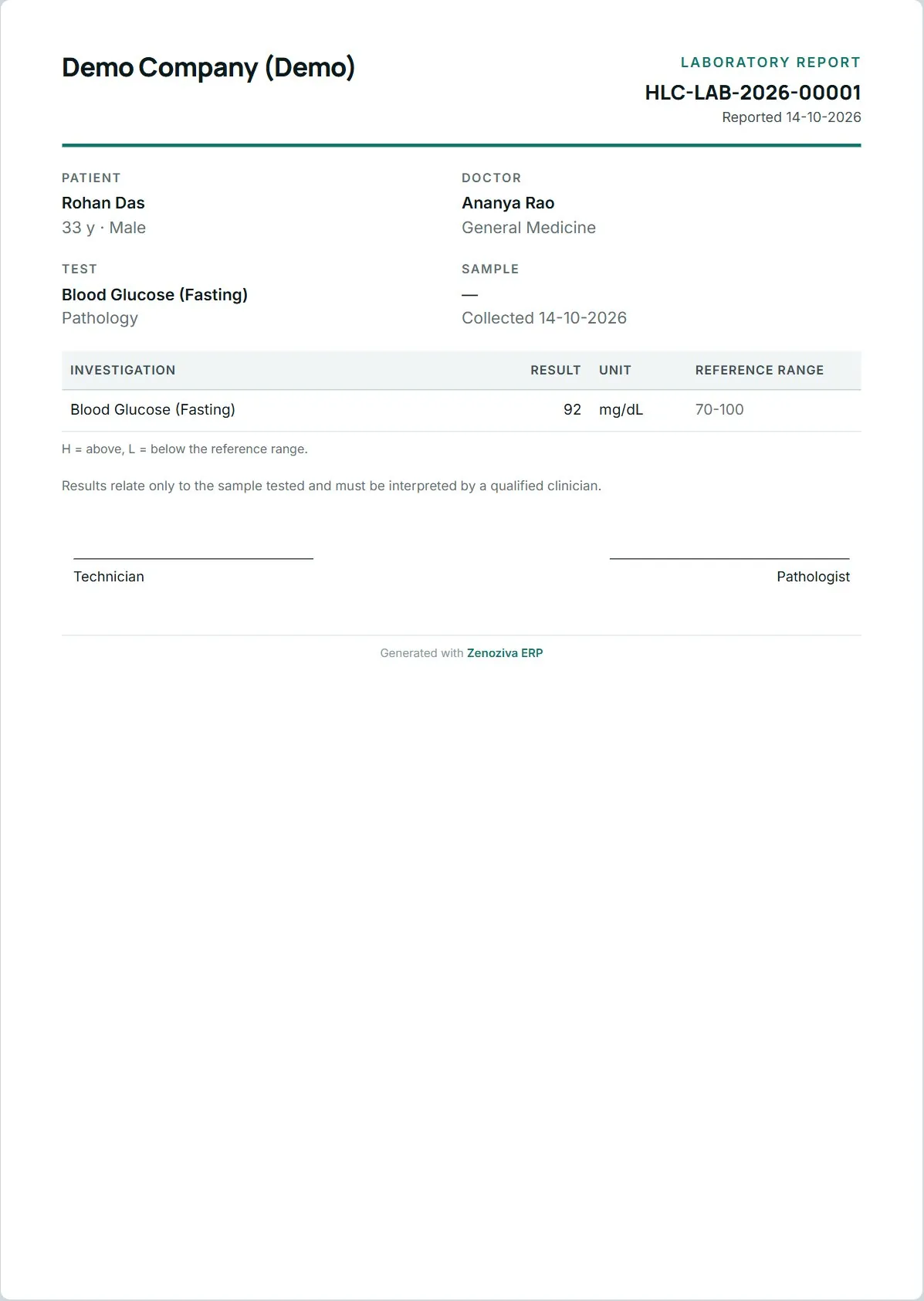
The printed lab report carries the patient, the ordering doctor, the sample, results with reference ranges, and signature lines for the technician and pathologist.
4Imaging report#
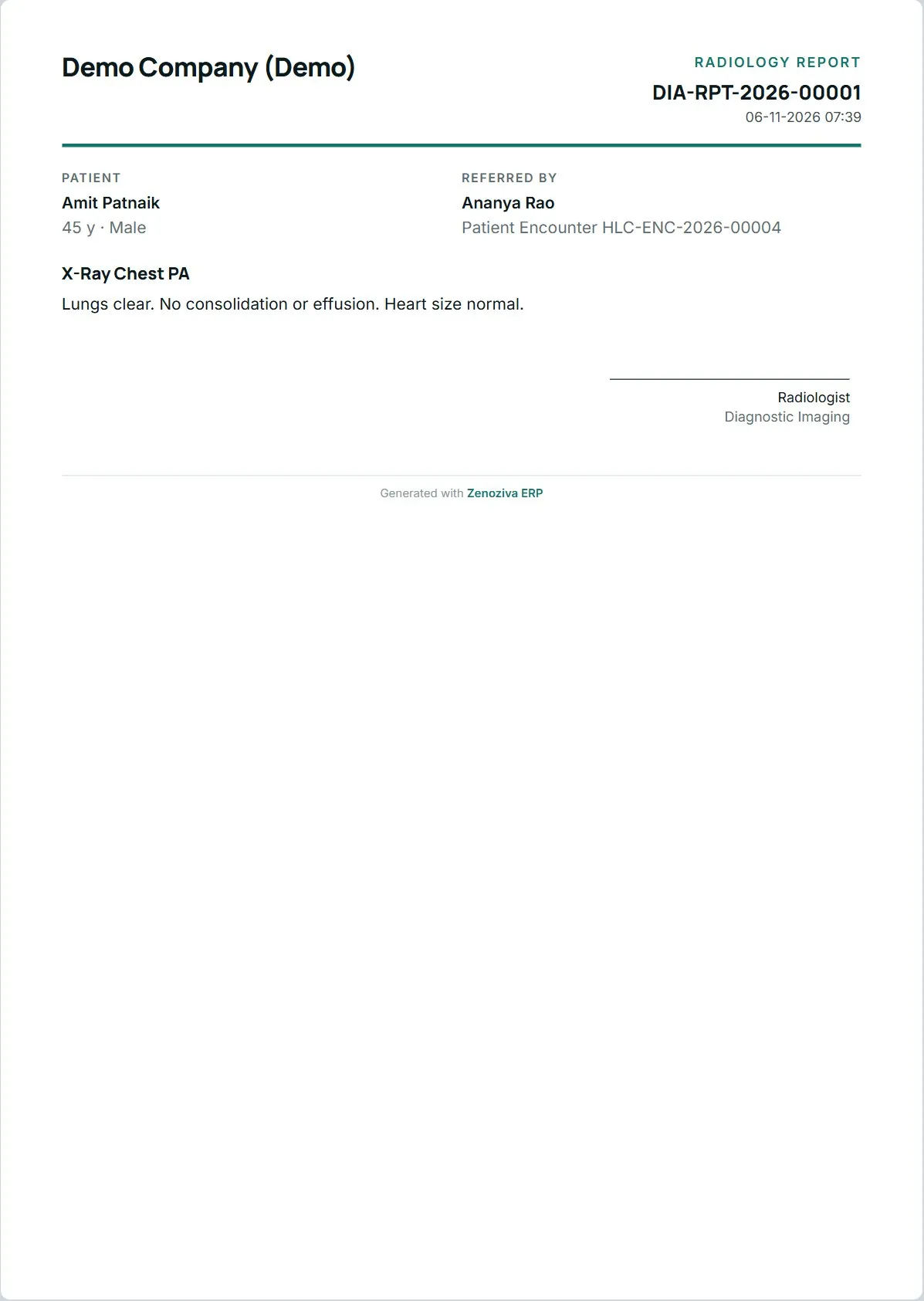
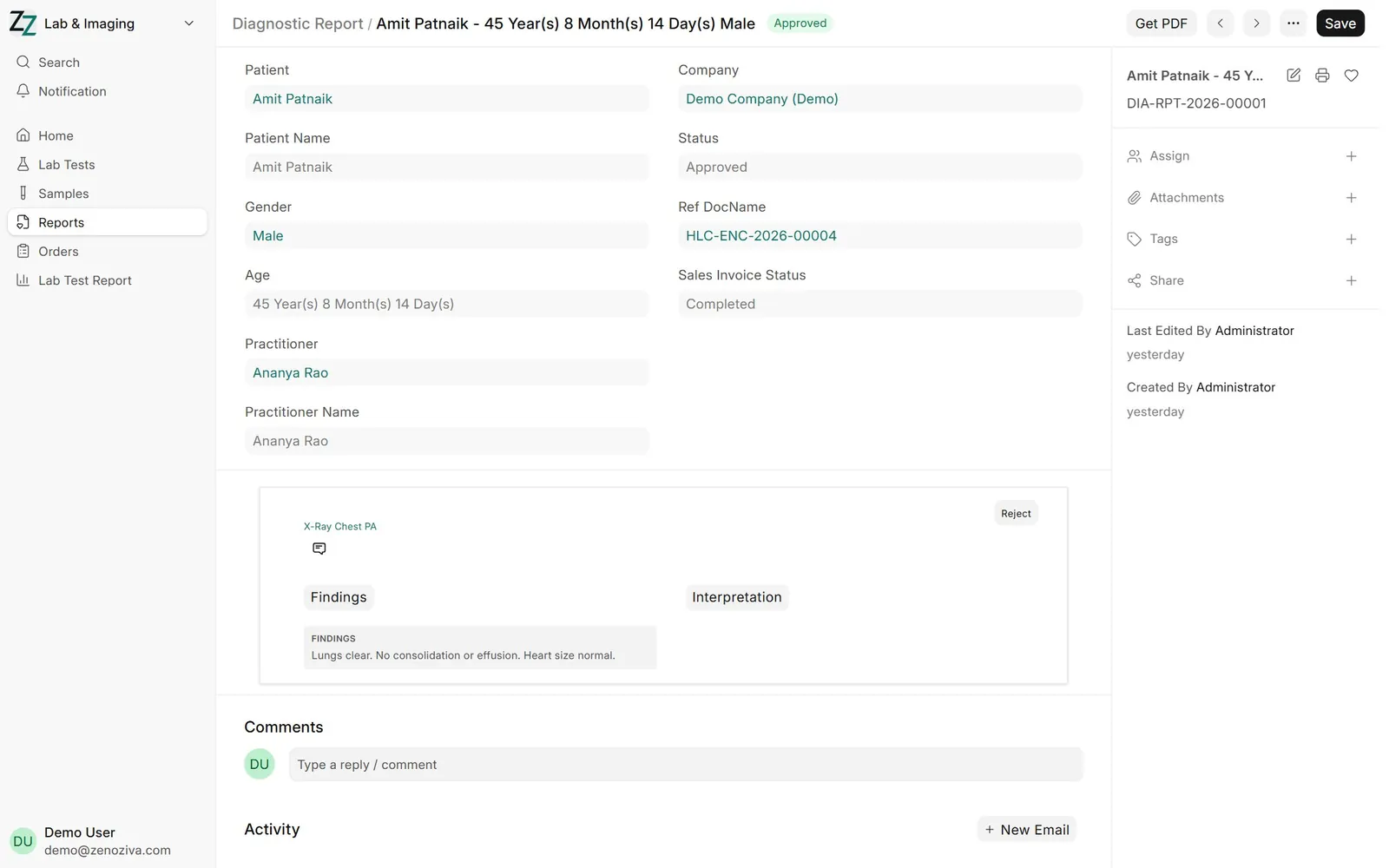
For X-ray, ultrasound and CT the radiologist writes the findings and impression in a Diagnostic Report and approves it.
5Printed imaging report#
The approved report prints on the hospital's format.