All Hospital menus
- Getting started
- Front desk: registration and appointments
- Doctor: consultation and orders
- Admission and ward care
- Casualty and emergency
- Laboratory and imaging
- Operation theatre
- Discharge
- Billing, insurance and TPA
- Management reports
- On the phone: Zenoziva Care and Zenoziva HR
- Setting up your hospital
Management reports
For: Management, medical superintendent
Management sees the whole hospital: patients, beds, clinical work and money.
New here? Start with Getting started.
Step by step
1The Management menu#
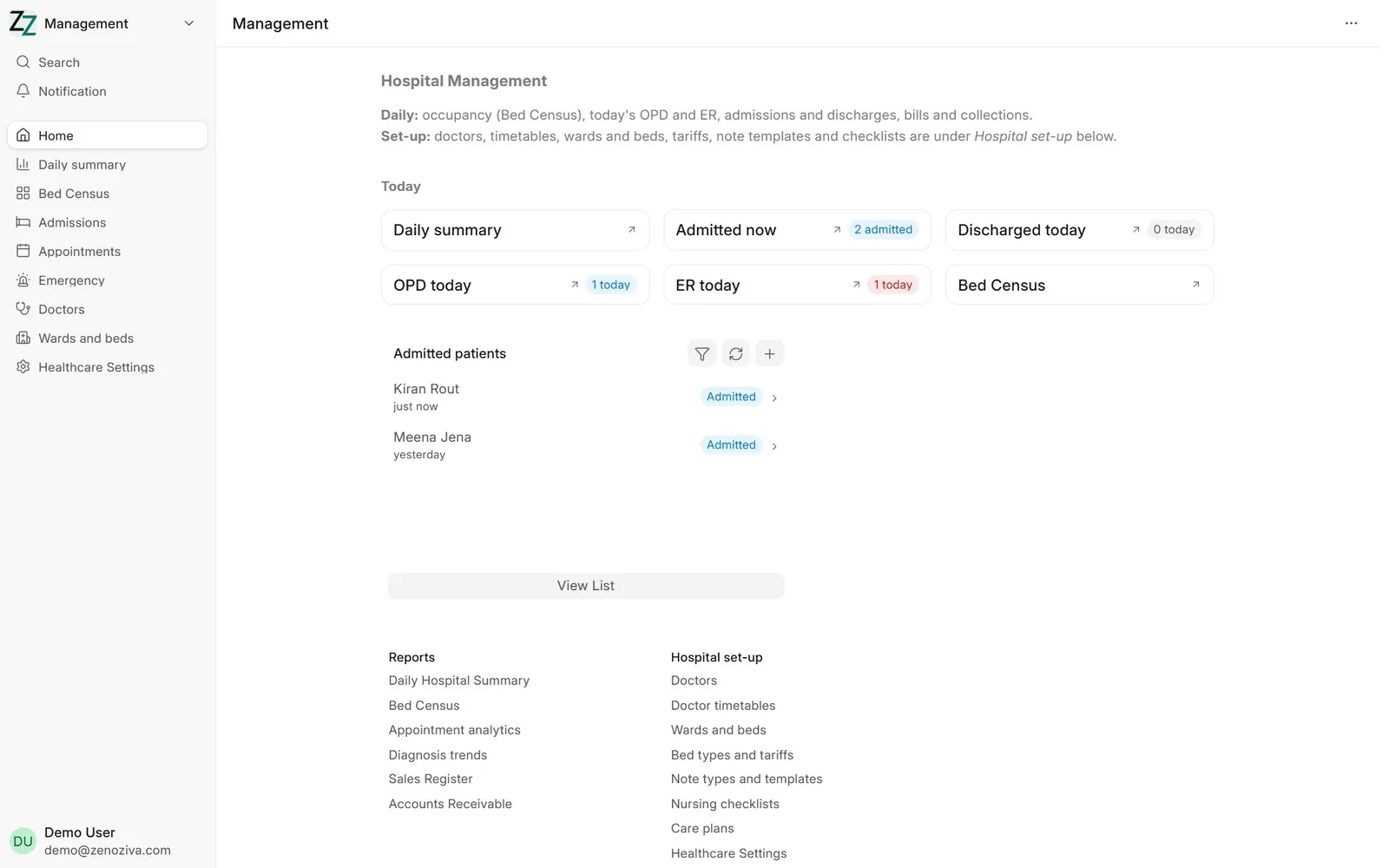
Today's numbers at the top, then reports (daily summary, bed census, appointment analytics, diagnosis trends, sales register, receivables) and the hospital set-up screens.
2Daily hospital summary#
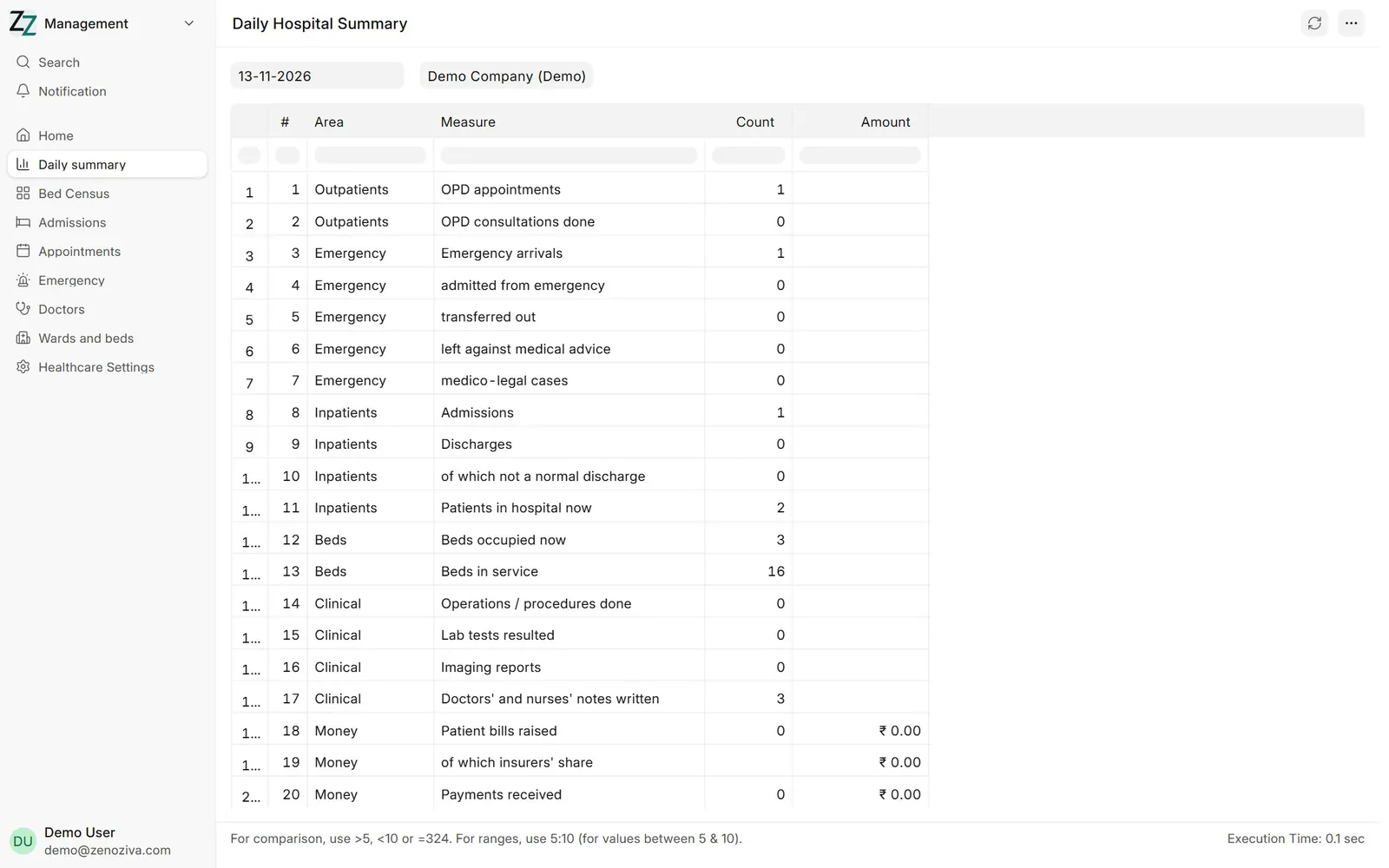
One page for any date: OPD, emergency arrivals and outcomes, admissions and discharges, beds occupied, operations, tests, notes written, bills raised, insurers' share, payments received and unpaid bills.