All Hospital menus
- Getting started
- Front desk: registration and appointments
- Doctor: consultation and orders
- Admission and ward care
- Casualty and emergency
- Laboratory and imaging
- Operation theatre
- Discharge
- Billing, insurance and TPA
- Management reports
- On the phone: Zenoziva Care and Zenoziva HR
- Setting up your hospital
On the phone: Zenoziva Care and Zenoziva HR
For: Doctors, nurses, every employee
Two phone apps work with the same logins and permissions as the desk. Zenoziva Care (your ERP address followed by /care) is for doctors and nurses at the bedside; Zenoziva HR (/hrms) is for every employee. Both install from the browser; no app store is needed. The full ERP installs to the home screen as well.
New here? Start with Getting started.
Step by step
1Install#
Open the address on the phone and sign in. On Android: menu › Install app; on iPhone: Share › Add to Home Screen. The app then opens full-screen from its own icon.
2My ward (nurses)#
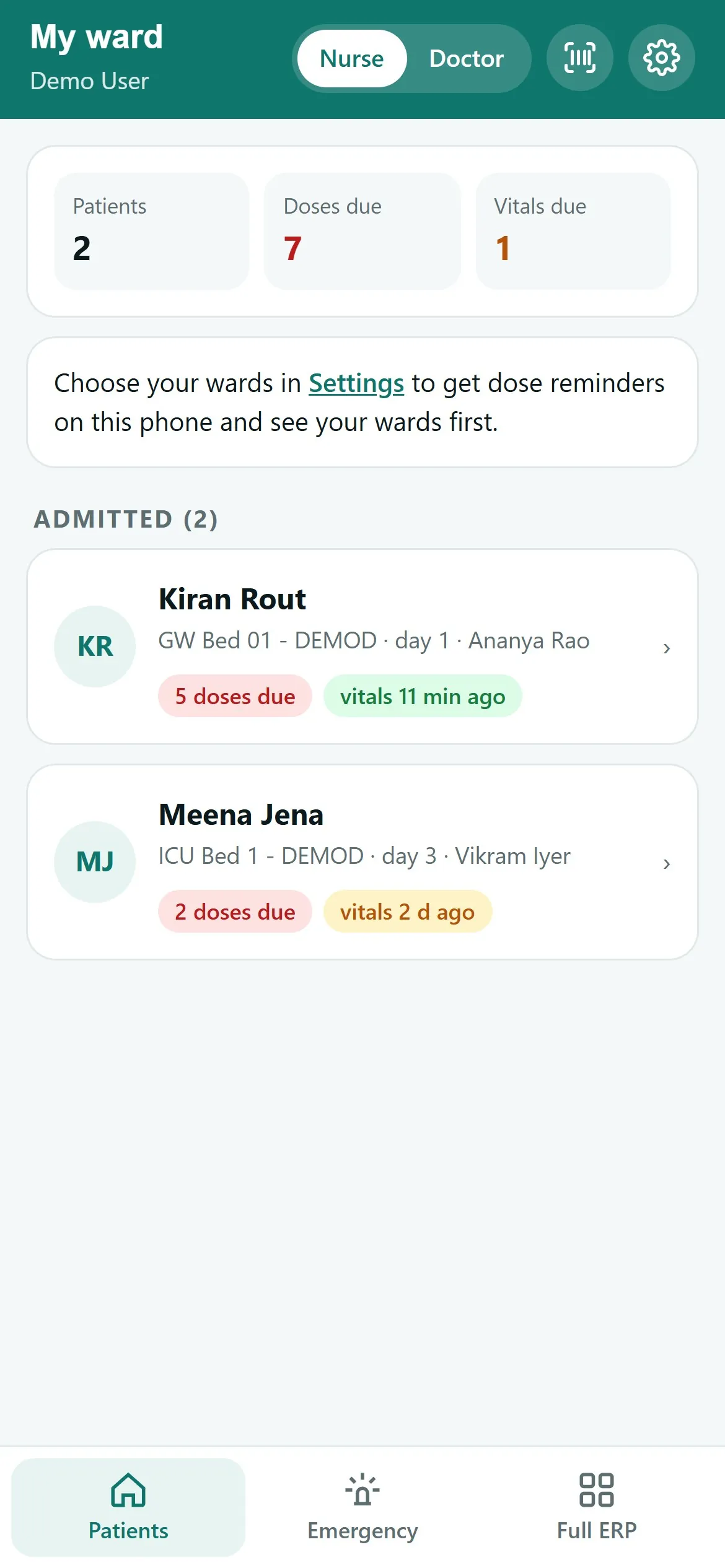
Every admitted patient with bed, day of stay and consultant, flagged with doses due, vitals overdue (none in the last 6 hours) and open tasks. Totals at the top. Emergency lists the patients in casualty now.
3A patient#
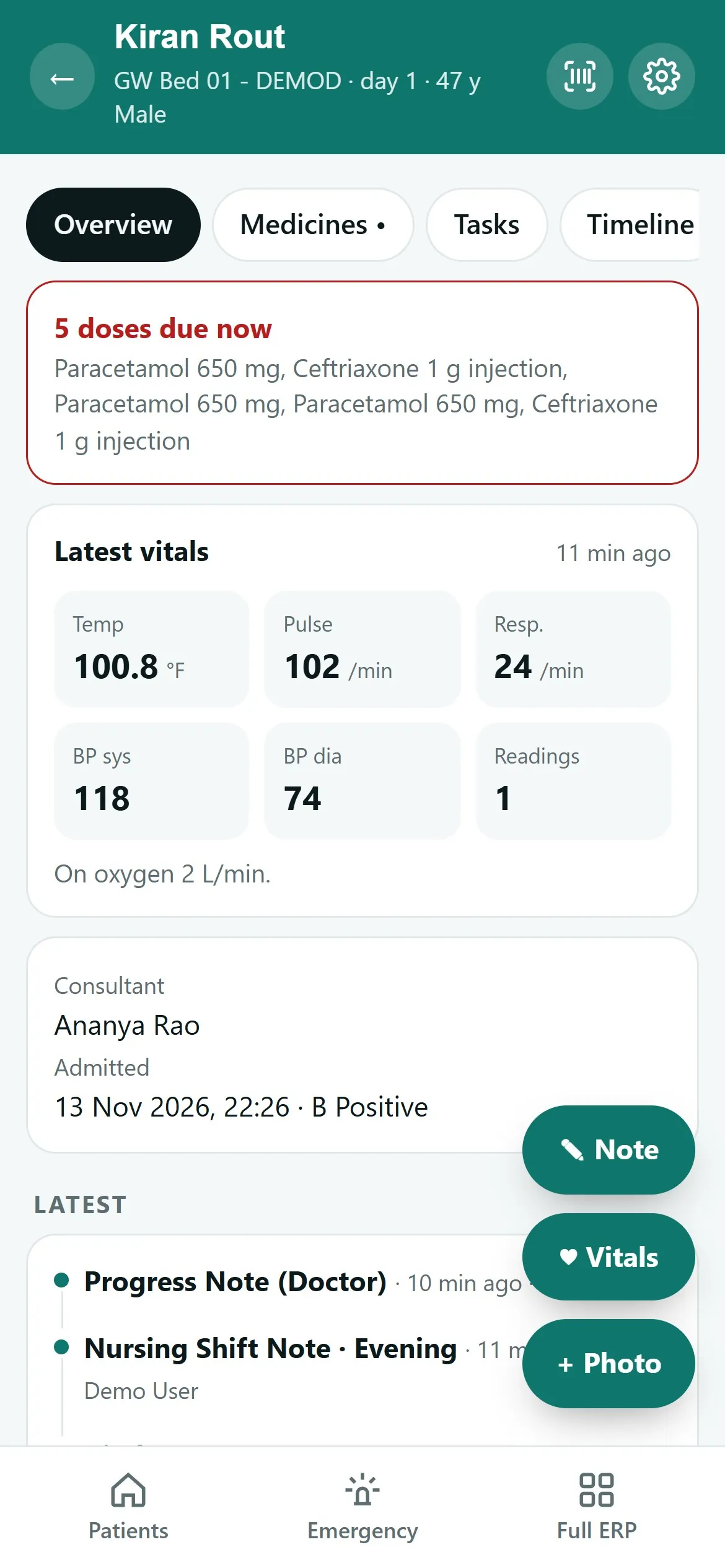
Overview: latest vitals with trend lines, consultant and admission. Medicines: today's doses; Give records the dose and issues it from the ward store, as on the desk. Tasks: mark nursing tasks Done. Timeline: the whole admission. Vitals and Note add a reading or a note (shift note for nurses, progress note for doctors, from your hospital's templates).
4My patients (doctors)#
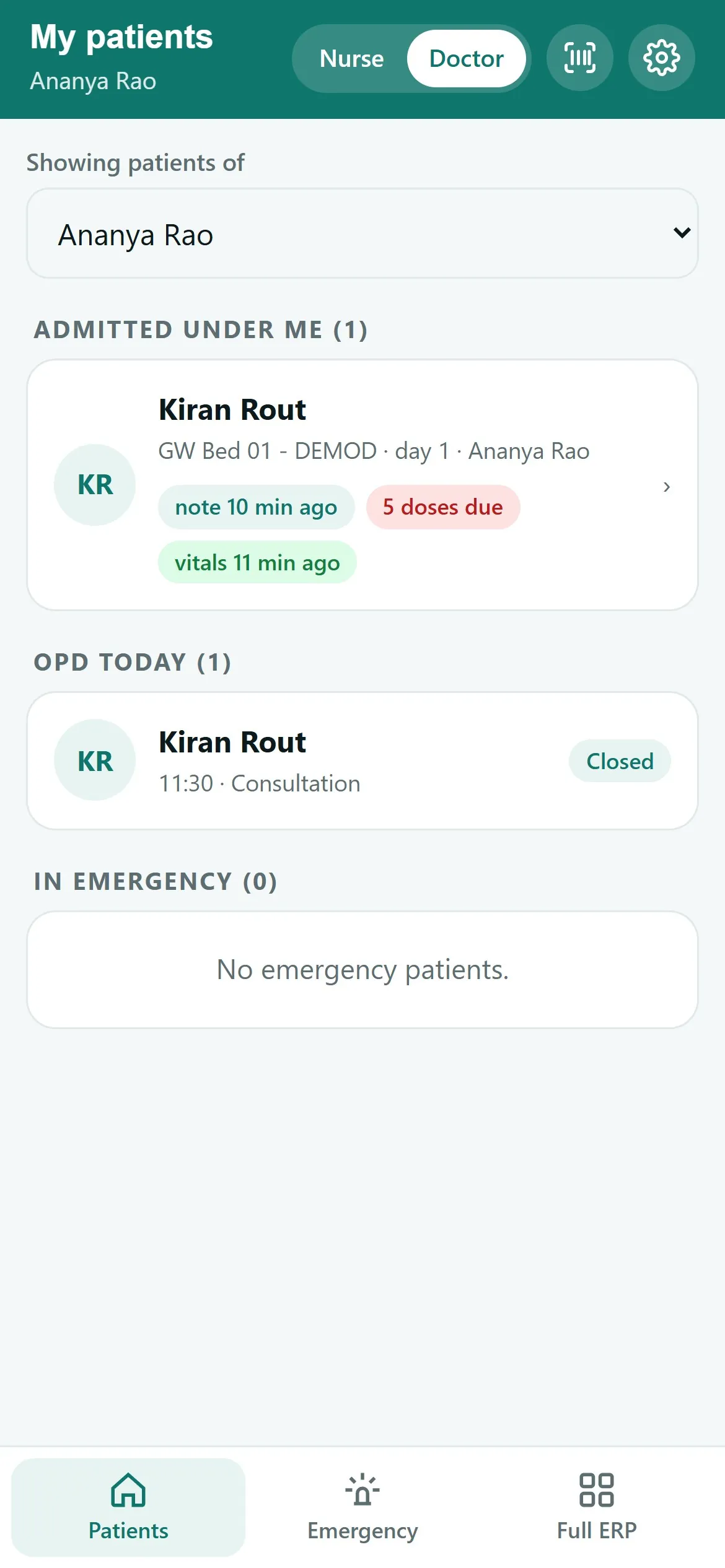
Switch to Doctor at the top: the doctor's admitted patients with their latest note and vitals, today's OPD and anyone in emergency. Administrators can pick any doctor.
5Zenoziva HR#
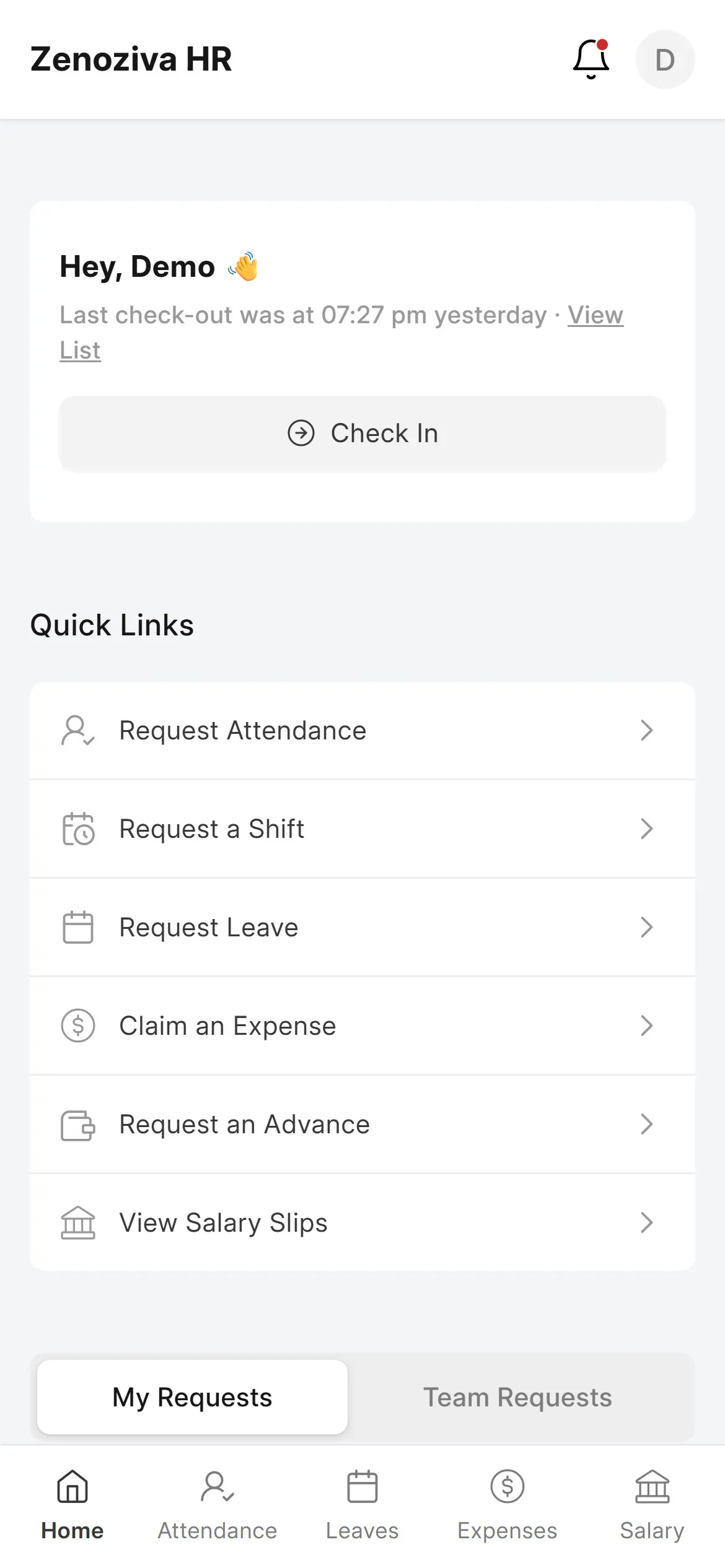
Each employee checks in and out, requests leave, attendance corrections and shifts, claims expenses and advances, and opens their salary slips. Managers approve their team's requests under Team Requests.