All Hospital menus
- Getting started
- Front desk: registration and appointments
- Doctor: consultation and orders
- Admission and ward care
- Casualty and emergency
- Laboratory and imaging
- Operation theatre
- Discharge
- Billing, insurance and TPA
- Management reports
- On the phone: Zenoziva Care and Zenoziva HR
- Setting up your hospital
Admission and ward care
For: Admissions, nurses, doctors
Kiran's admission is waiting. The nurses complete the admission checklist, the bed is allotted, and the ward team record vitals, give medicines and write notes through his stay.
New here? Start with Getting started.
Step by step
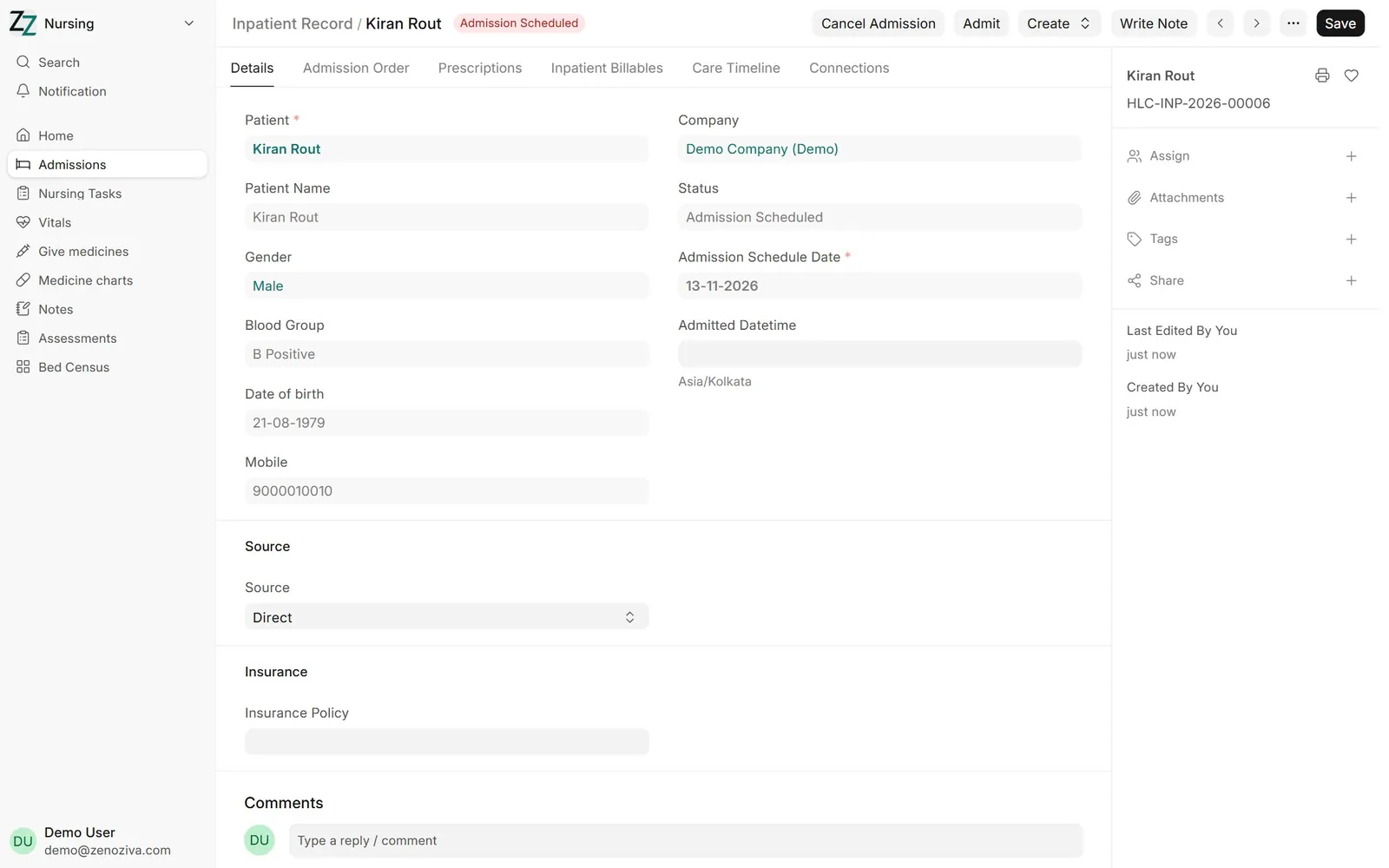
1The inpatient record#
Every admission has an Inpatient Record: the patient's file for this stay. It starts as Admission Scheduled.
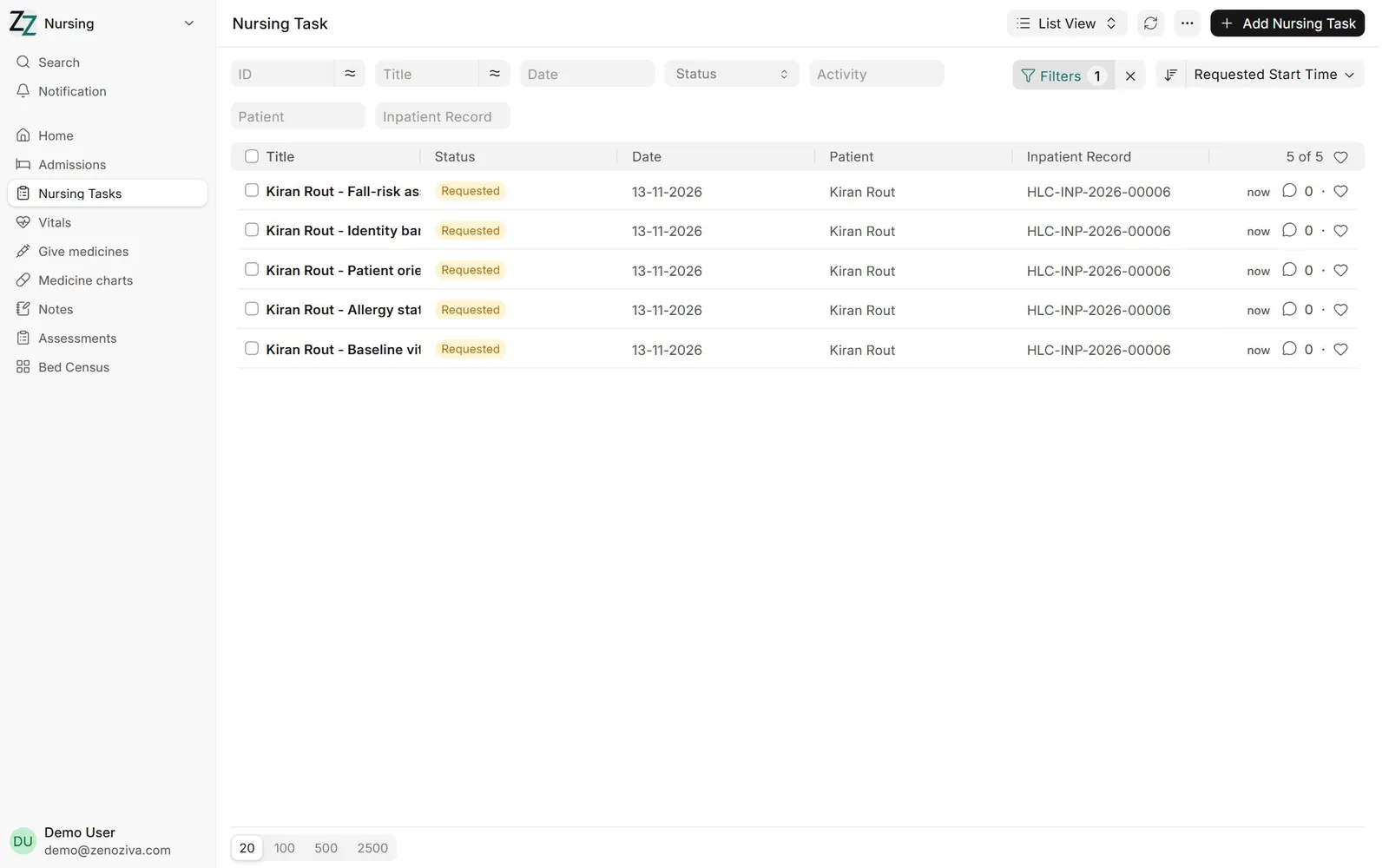
2Admission checklist#
Scheduling the admission creates the nursing checklist as tasks: identity band, allergy status, baseline vitals, orientation to the ward and fall-risk assessment (your hospital sets the list). Nurses open each task and mark it done.
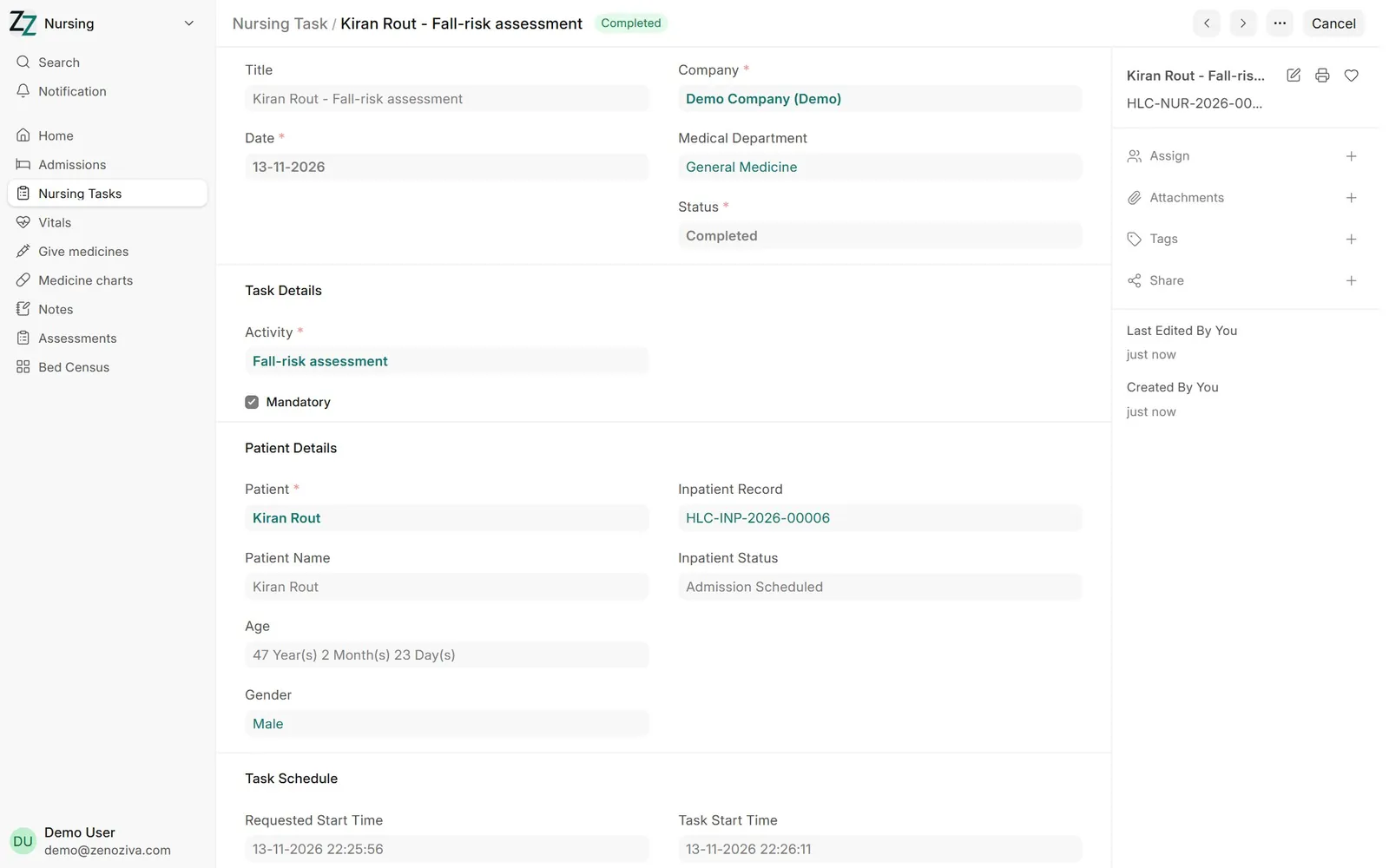
3A nursing task#
Each task records who did it and when. Open tasks also show in Nursing › Nursing Tasks.
4Allot a bed#
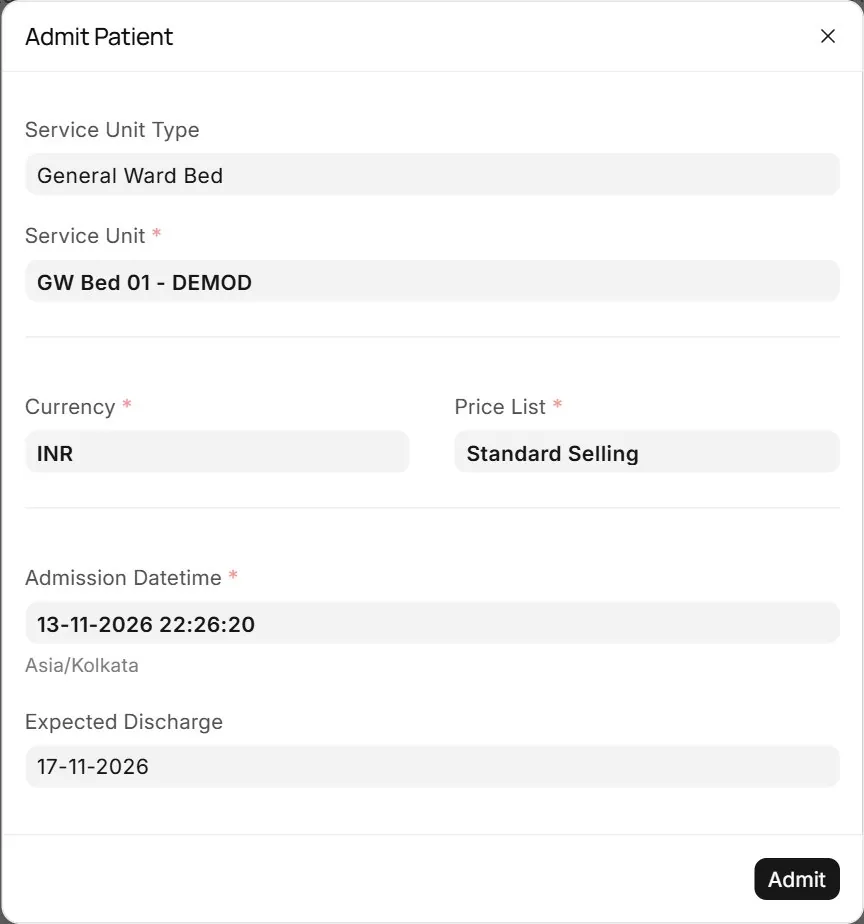
On the inpatient record click Admit, choose the bed type and a free bed. Only vacant beds are offered.
5Admitted#
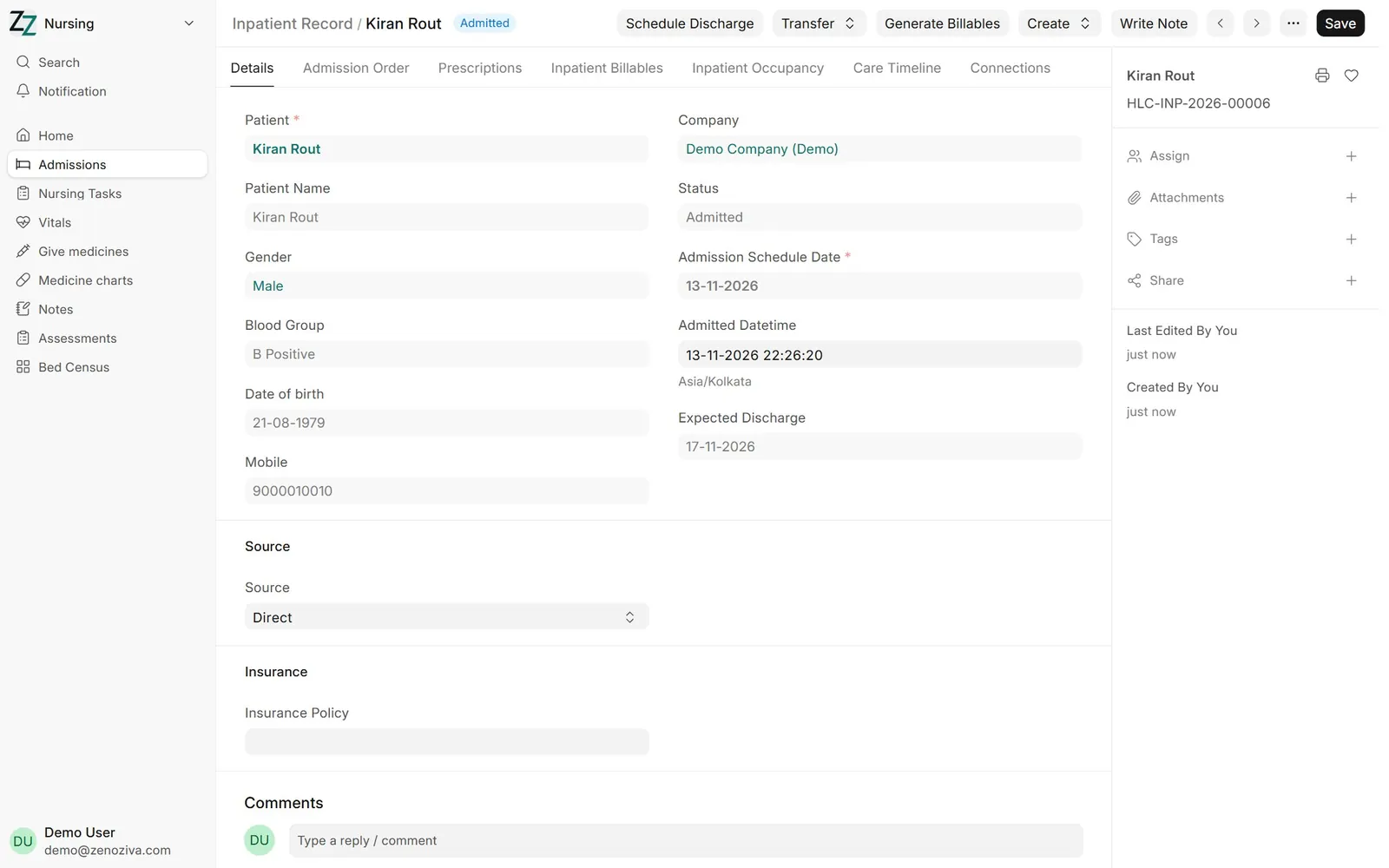
The record is now Admitted, the bed is marked occupied and bed charges start from this time. Moving the patient uses Transfer, which keeps the full bed history for billing.
6The nursing menu#
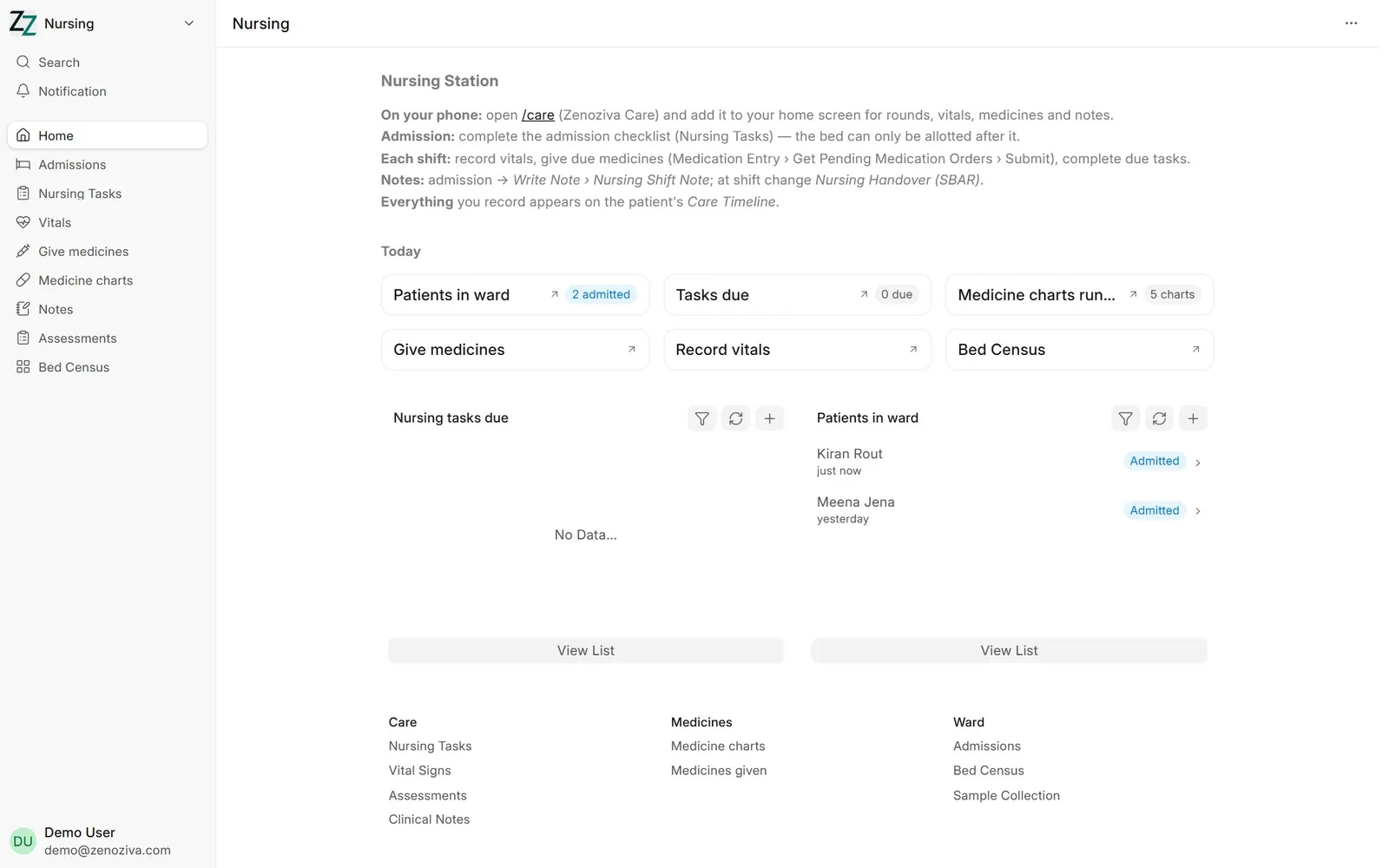
Nurses work from the Nursing menu: patients in the ward, nursing tasks, vitals, the medicine round and notes.
7Record vitals#
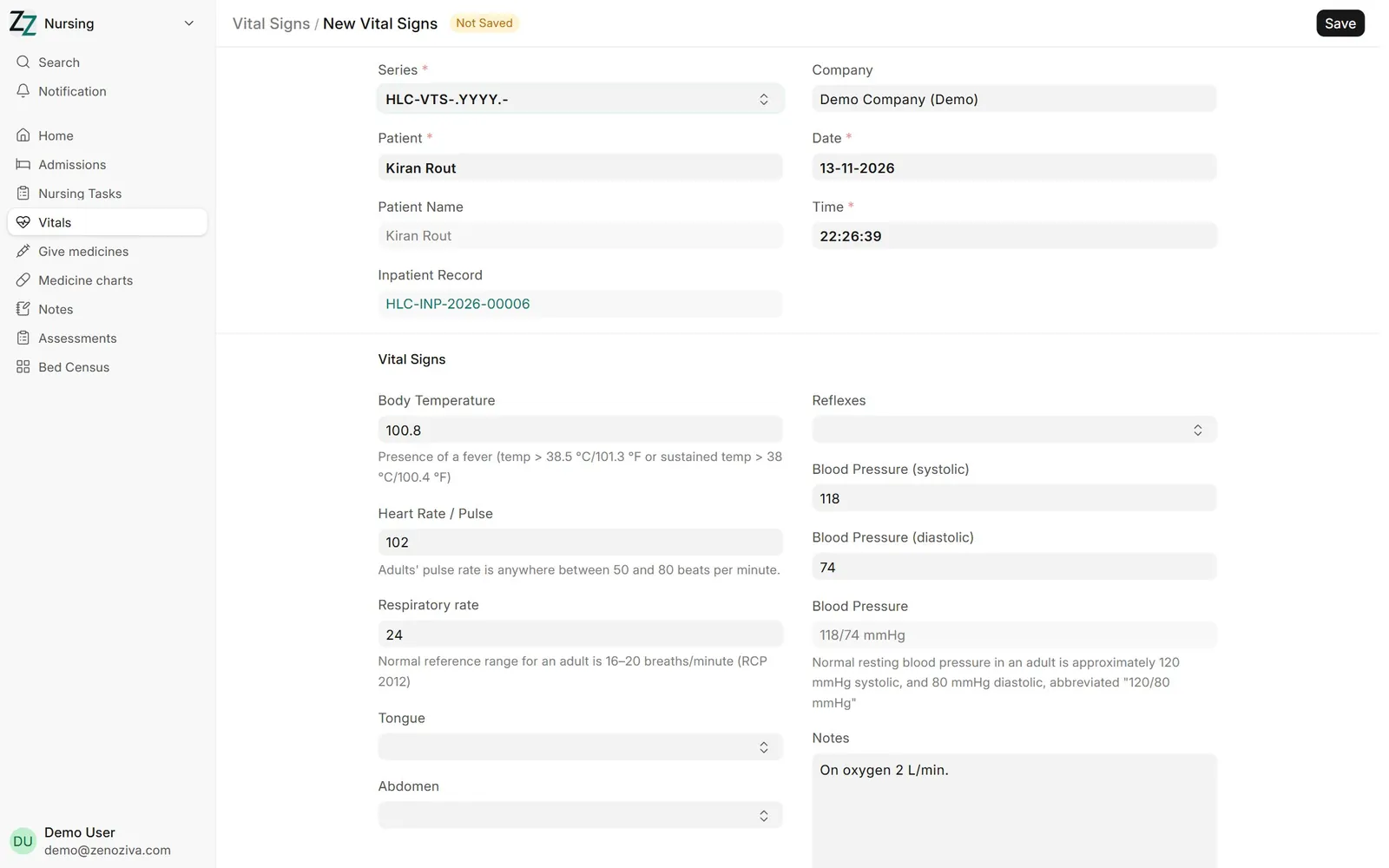
Nursing › Vitals, then add a new one: temperature, pulse, respiration, blood pressure and remarks, linked to the admission.
8The medicine chart#
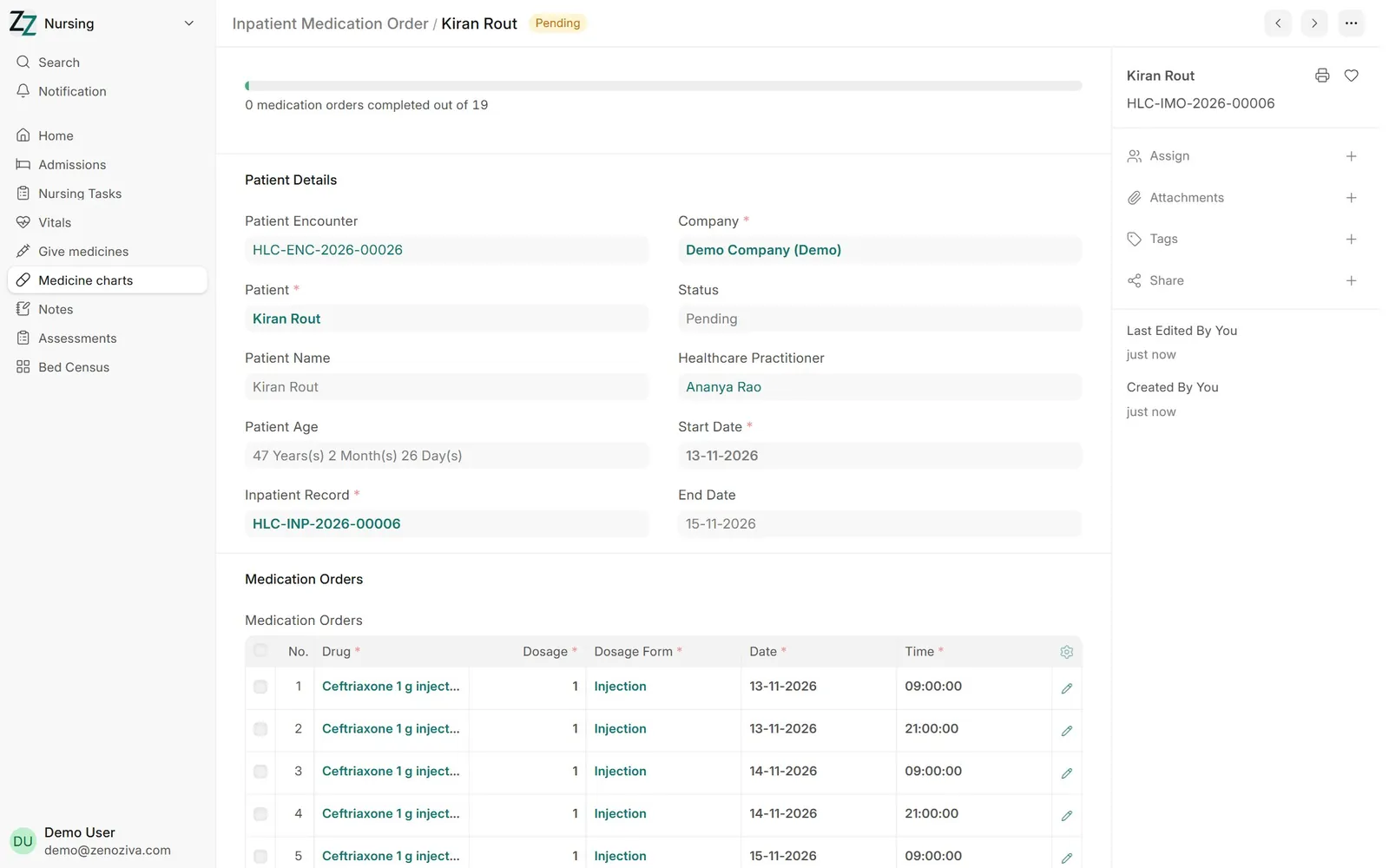
Medicines the doctor orders for an inpatient become an Inpatient Medication Order: the chart, with each dose scheduled by date and time.
9The medicine round#
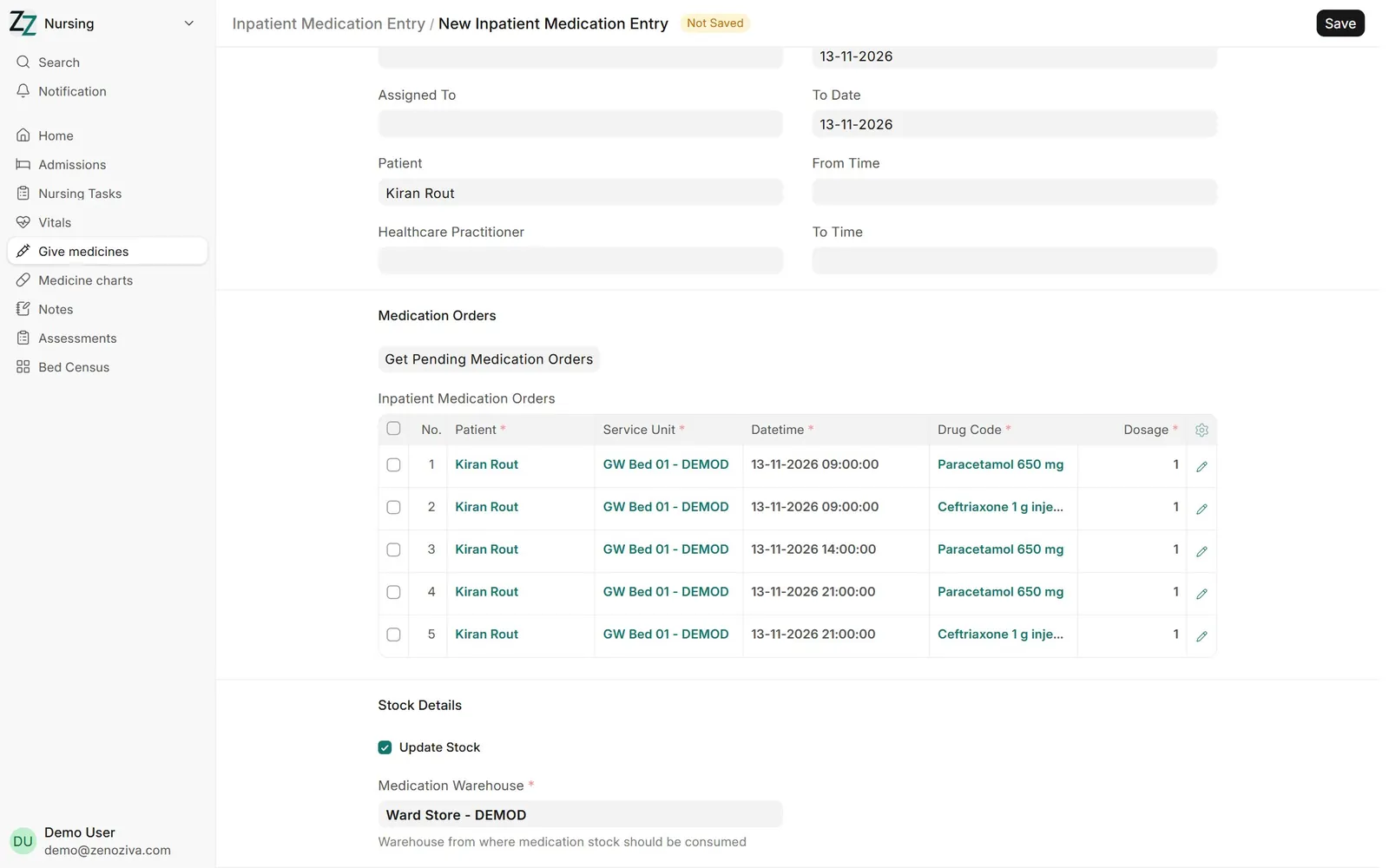
Nursing › Give medicines (Inpatient Medication Entry): pick the ward store and Get Pending Medication Orders. Tick the doses given and submit; stock is issued from the ward store and the doses are charged to the patient.
10Nursing shift note#
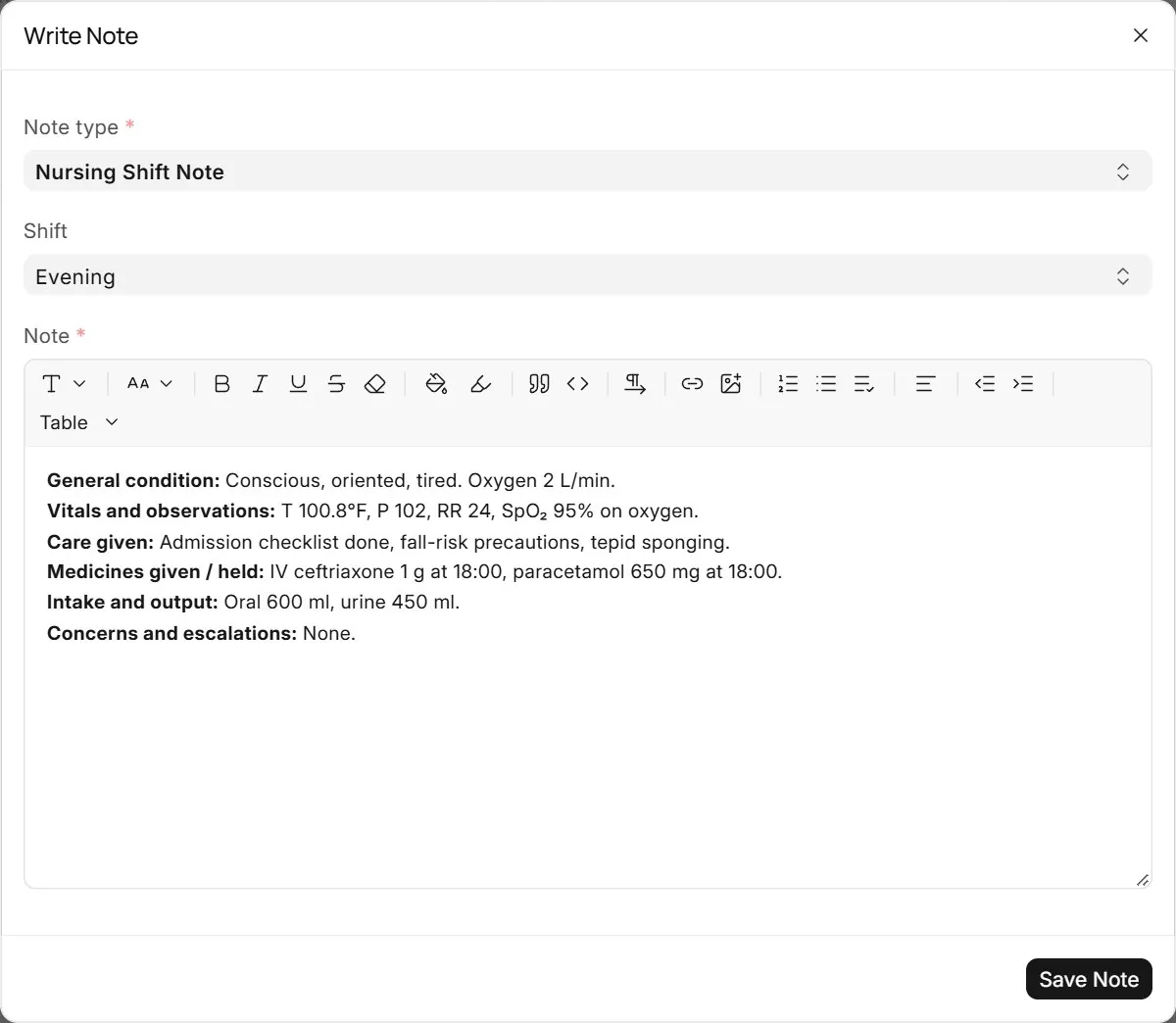
Write Note › Nursing Shift Note, with the shift. The template covers condition, observations, care given, medicines, intake and output, and concerns.
11Doctor's progress note#
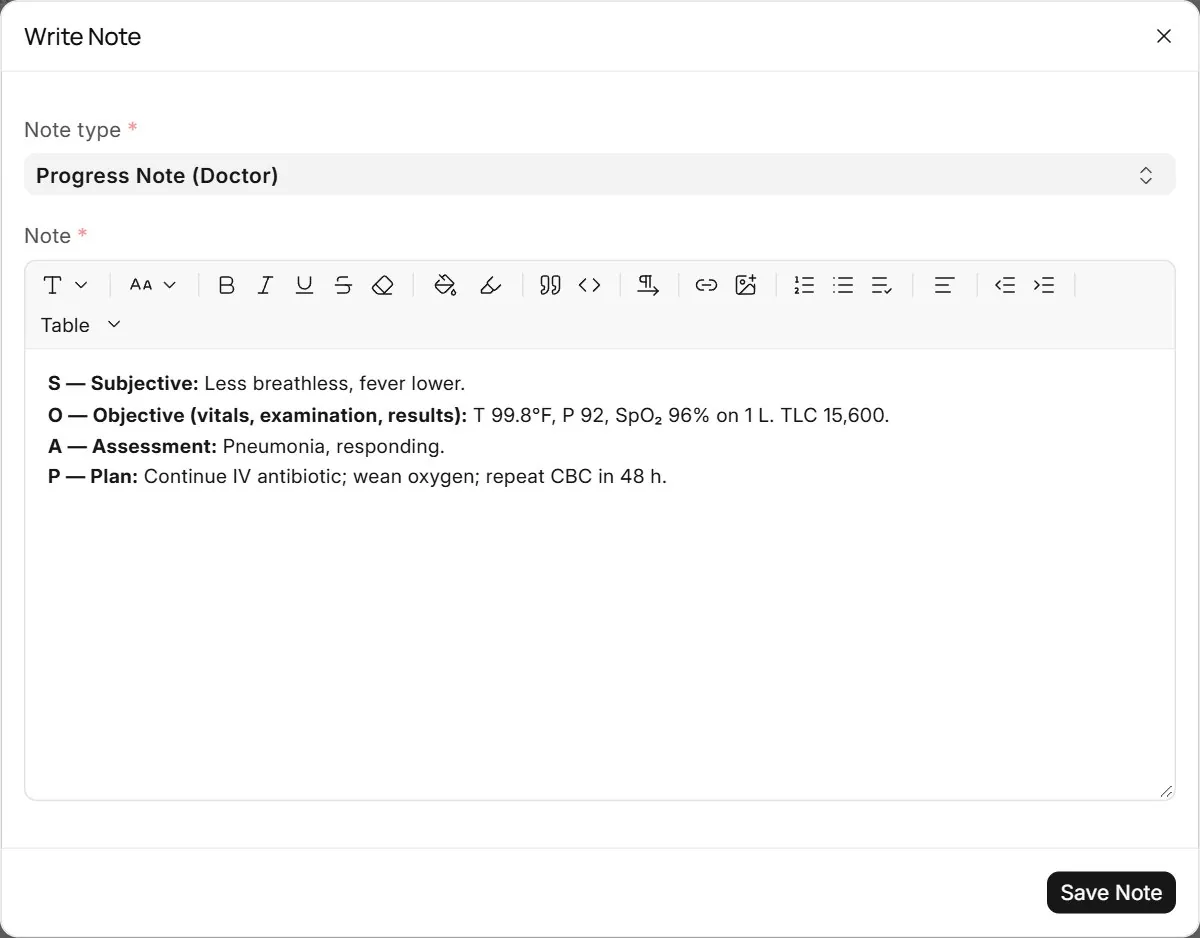
Doctors write a daily Progress Note (Doctor) in SOAP form from the same button. My patients warns when an admitted patient has no progress note yet.
12Care timeline#
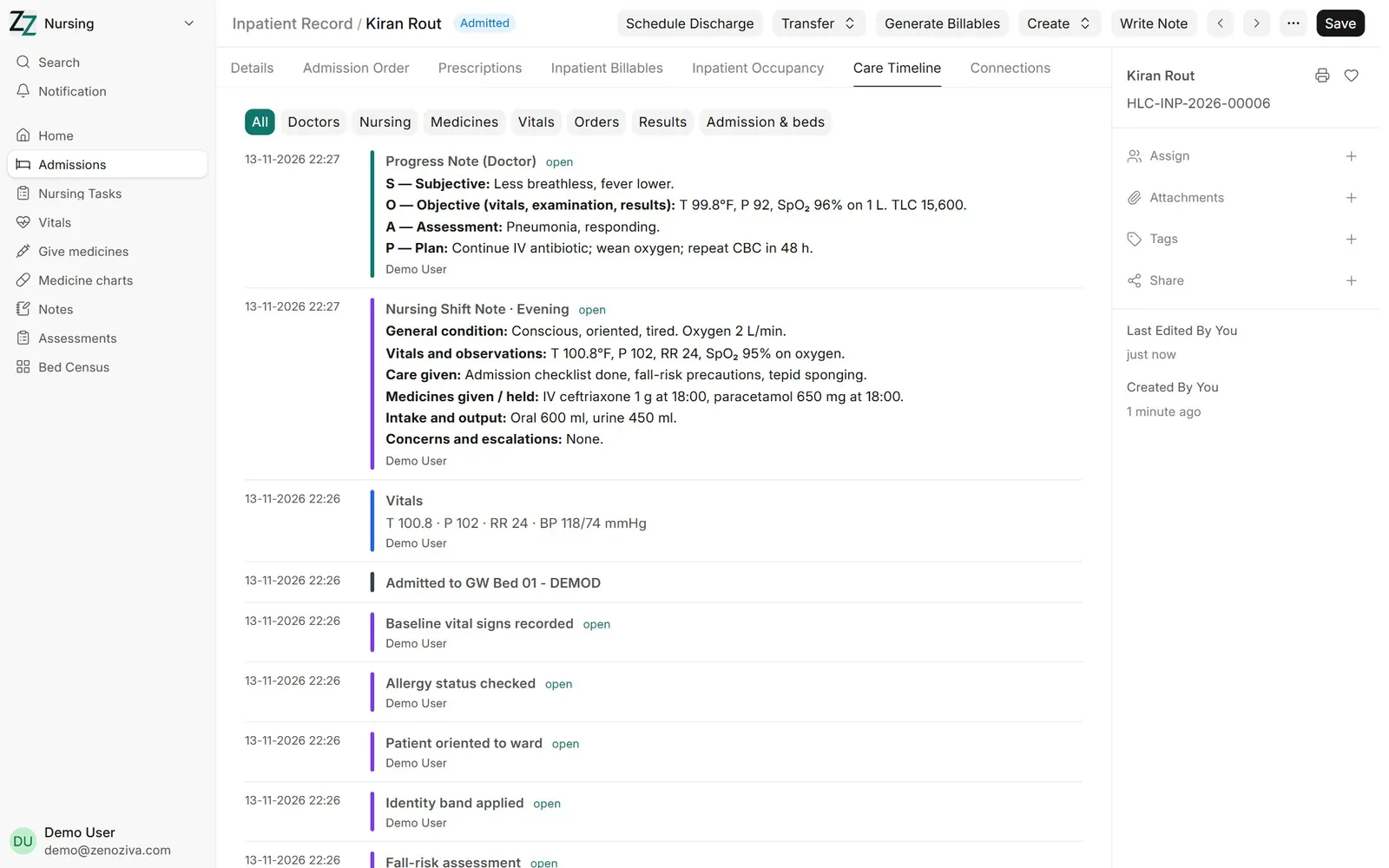
The Care Timeline tab shows everything that happened in this stay, newest first: notes, vitals, medicines given, nursing tasks, tests and transfers, each with who and when.
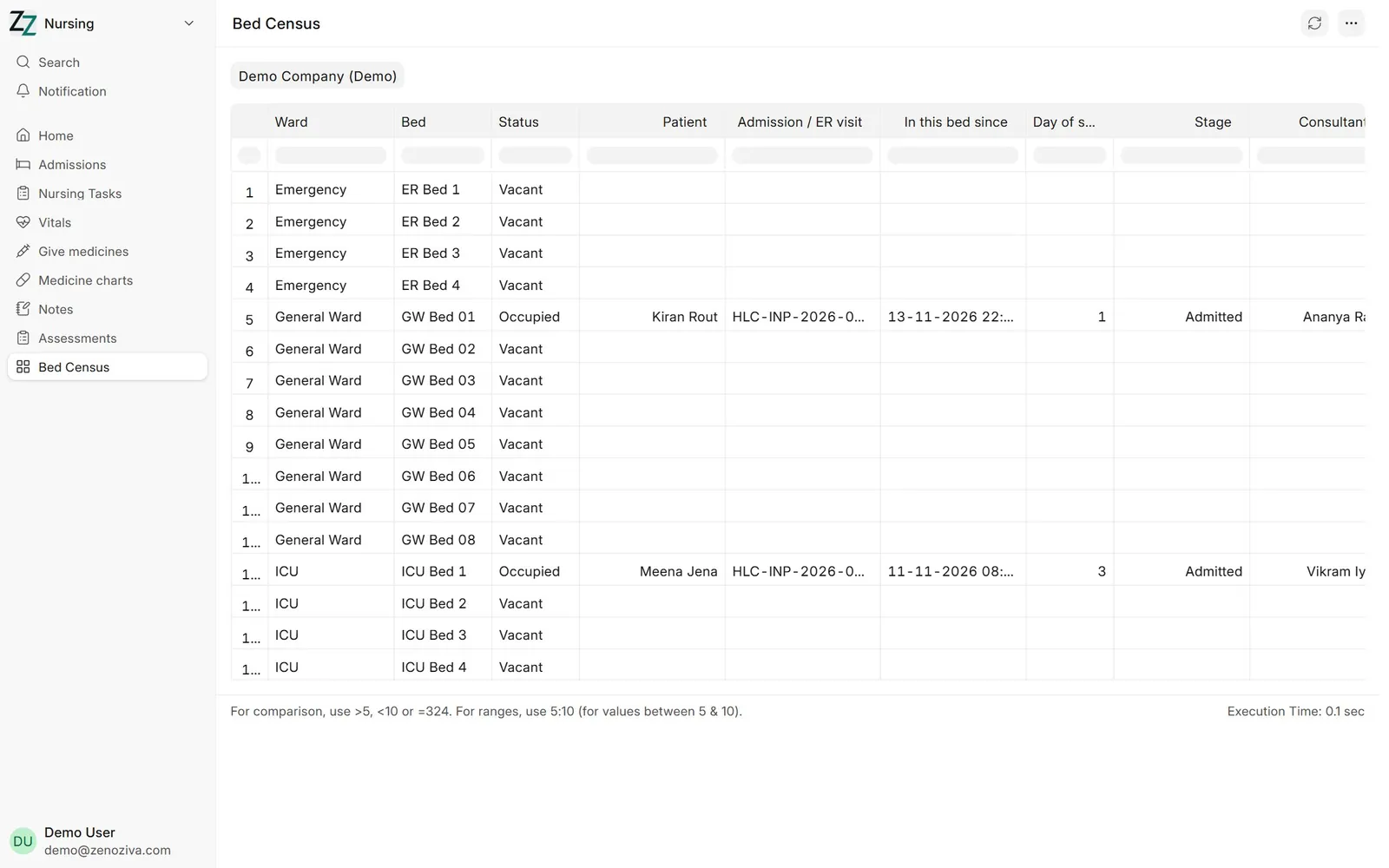
13Bed census#
Nursing › Bed Census lists every ward and bed with its patient, so the ward in-charge and admissions see occupancy at a glance.